77
I accidentally switched off the PIKO SmartControl
®
(or the battery was empty) while some locos were
still running on the layout.
Try to restart the PIKO SmartControl
®
. After the WiFi reconnects everything should work ne again.
In case the battery was empty, please connect it to the USB charger, wait for a few seconds and try to
restart the device.
Unplug the PIKO SmartBox
®
if an emergency stop is required to avoid an accident.
If you want to avoid this to happen altogether you can adjust the settings in the PIKO SmartControl
®
App. In main menu -> settings you will nd the option “act as main controller”. This option will perform
an emergency stop in the case that the connection between PIKO SmartBox
®
and PIKO SmartControl
®
is lost.
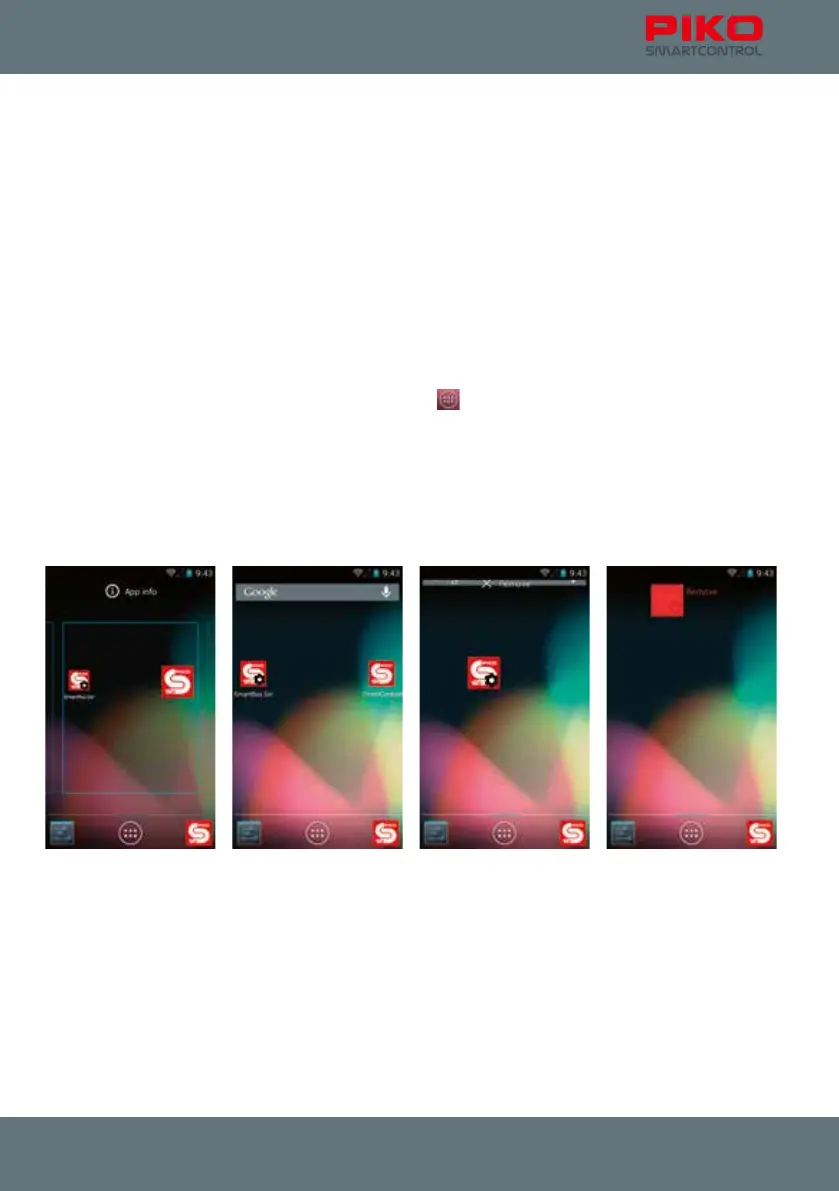
I accidentally removed the link of the PIKO SmartControl
®
app from the home screen. What can I do?
You can create a new link from the Android main menu
. Just press and hold the app. Android will
jump back to the home screen while the app is still attached to your ngertip. Choose a place to put it
and release your nger.
In the same way you can also delete accidentally created links. Just touch them for a moment while
they are on the home screen. A trash bin will appear on top of the display. Drop the link on top of the
trash bin to delete it.
(see chapter 8.2)



 To Next Page