Connect the scanner to an open USB port. You will hear a beep when the scanner is recognized.
Your scanner is ready to use.
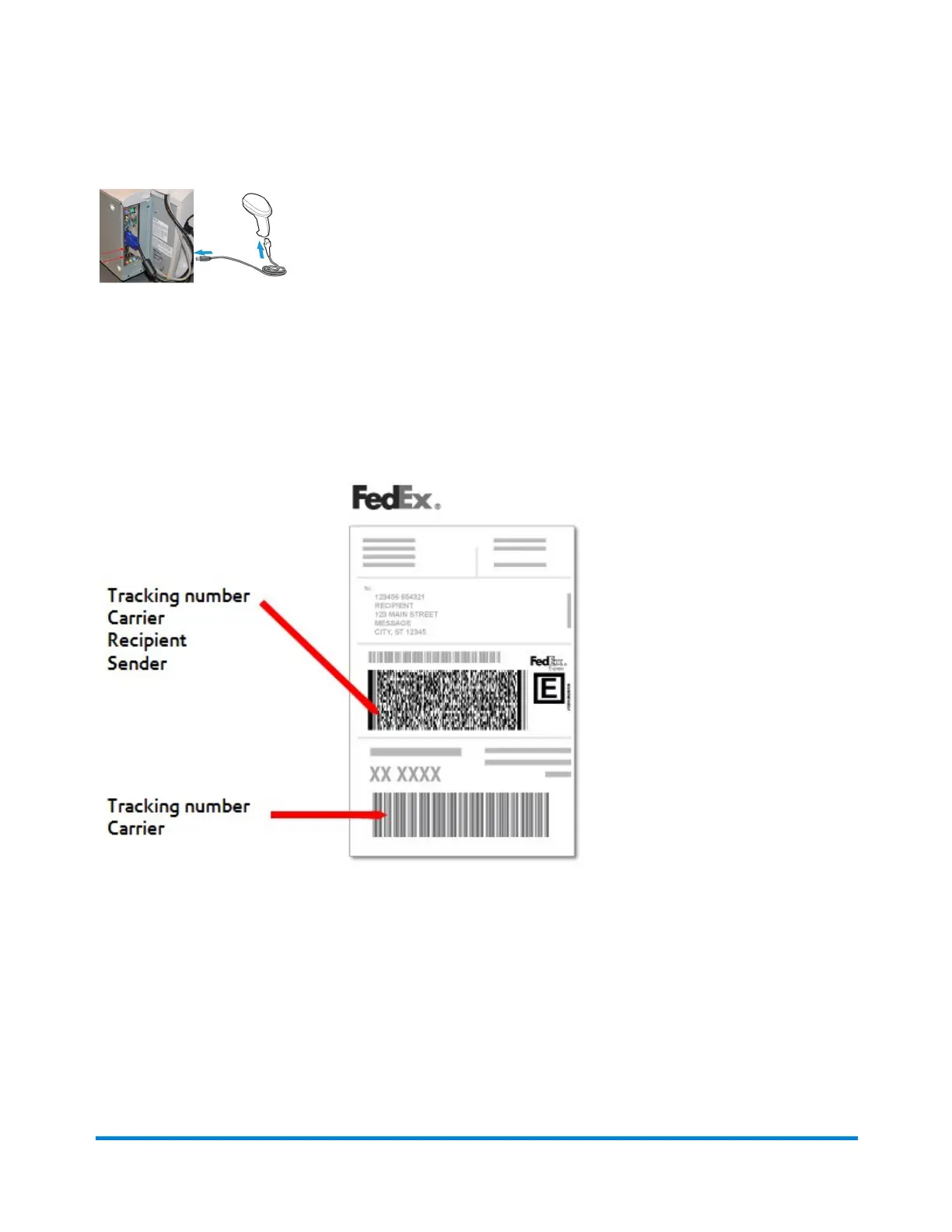
Barcode scanners read the barcodes printed on shipping labels. A simple 1D barcode may tell you the
tracking number and carrier name. A 2D barcode may contain more information, and can often provide
the sender and recipient names.
Set up your scanner
1. To set up your scanner, connect it to an open USB port.
2. The system will beep when it recognizes the scanner. At that point, your scanner is ready to use.
Receive a Package
Pitney Bowes User Guide April 2022 122











 To Next Page