41
2
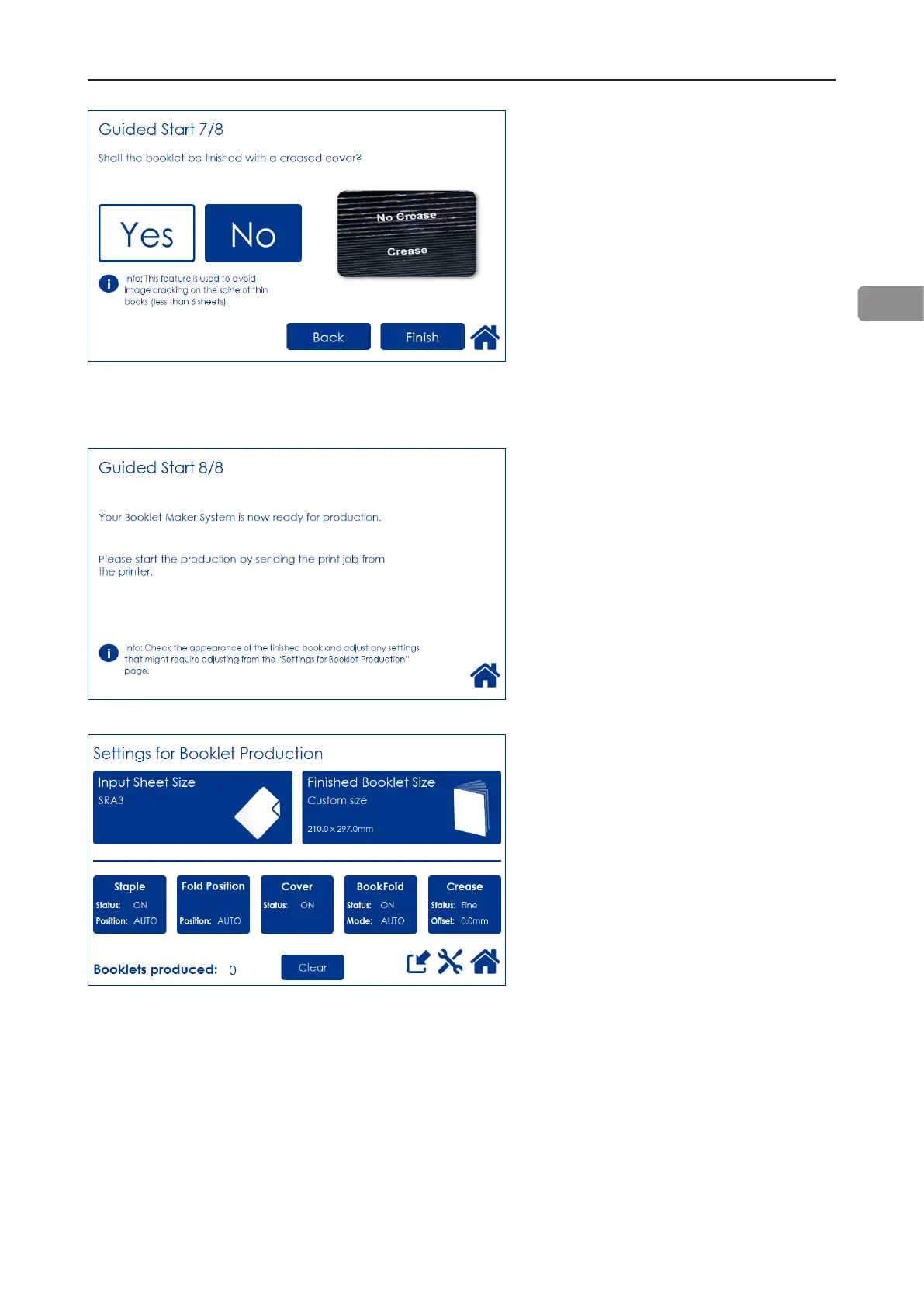
Guided Start 7/8
Select whether the booklets should
have a creased cover or not. This
feature is used to avoid high area
coverage toner cracking on the spine
on booklets containing less than 6
sheets.
Press the corresponding button.
After you are done, press the [Finish]
button to conclude the Guided Start.
Guided Start 8/8
All settings needed to begin
producing booklets are now set.
Start production by sending the print
job from the printer.
After the job has been sent to the
Booklet Maker System, the “Settings
for Booklet Production” screen is
shown.
From here you can customize and
ne-tune settings, save the job and
access the Tools screen.
Customizing and ne-tuning settings
is described below in this section.
How to save jobs is described in
section 4, “Jobs.”
Tools are described in section 3,
“Tools.”
Press Home to return to the “Start
Screen”.



 To Next Page