EasyManua.ls Logo

POLLOGEN Legend Pro - Control Panel

POLLOGEN Legend Pro
60 pages
Print Icon
To Next Page IconTo Next Page
To Previous Page IconTo Previous Page
Loading...
Legend Pro System User Manual Version 7
Proprietary Information of Pollogen a company of Lumenis 14
7.1.2 Control Panel:
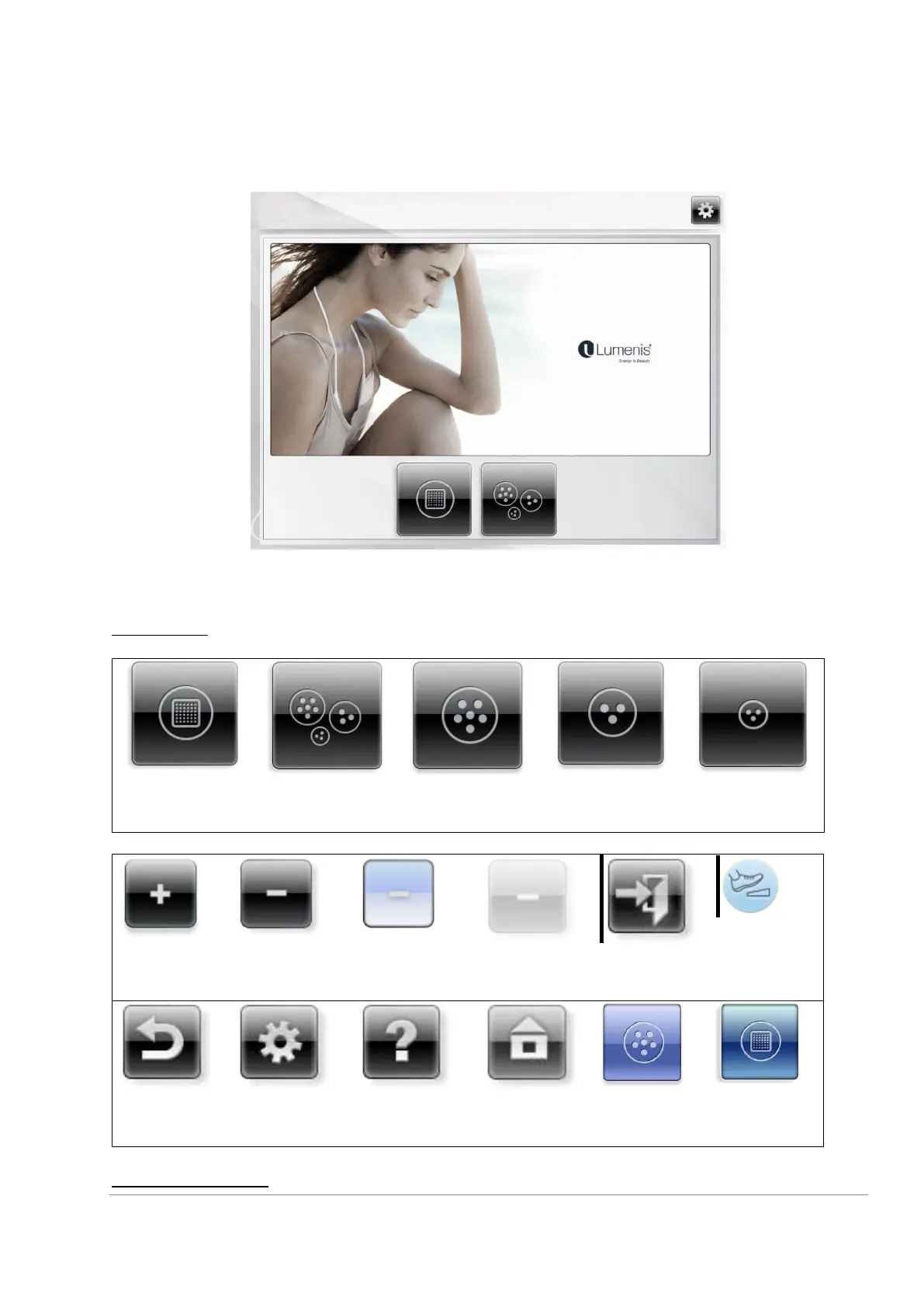
The Control Panel serves as the user interface and is located on the top of the Main Unit.
The Control Panel is a touch screen.
Figure 2: User Interface Control panel
Function Keys
Select applicator:
VoluDerm ™
Technology
Applicator VO
TriPollar®
Technology
TriPollar®
Applicator 1
TriPollar®
Applicator 2
TriPollar®
Applicator 3
Once selected, key will be color highlighted. Dim key cannot be selected
Increase
Decrease
Selected
Decrease
Dim Decrease
(Cannot be
selected)
Exit
Press Foot
Switch
Return
Setting Screen
Selected Help
Home screen
TriPollar®
Applicator 1
selected
Applicator VO
selected
User Interface Options

Table of Contents