2. Select the “Prog Update” key. The selected key will be highlighted blue.
3. The current program versions installed will be displayed on the screen.
4. Connect Lumenis SW USB flash disk to the USB port. The system will display a message: “For
Program update connect Lumenis SW Memory Stick to USB port”
5. Program version is marked on the SW Memory Stick.
6. The “MCU Program” & "GUI program" keys will remain dim until a Lumenis SW Memory Stick is
properly connected to the USB port.
7. When a Lumenis SW Memory Stick is properly connected to the USB port, the system will
request you to press the “Program” key.
8. Press the “MCU Program” or "GUI program" according to the SW updated file provided in the
memory stick.
9. System is now uploading the new software.
10. Once the program upload was successfully completed, the system will display a confirmation on
the screen: “New program version installed”.
11. The system will display the new software version “Current program version”.
12. Verify that the current program version displayed on the screen matches the program version
marked on the SW Memory Stick.
13. If the program is not successfully installed, the System will display the program update main
screen. You will be requested to try to repeat the installation. If the device does not operate,
please contact your service representative.
11.8.5 Data Log
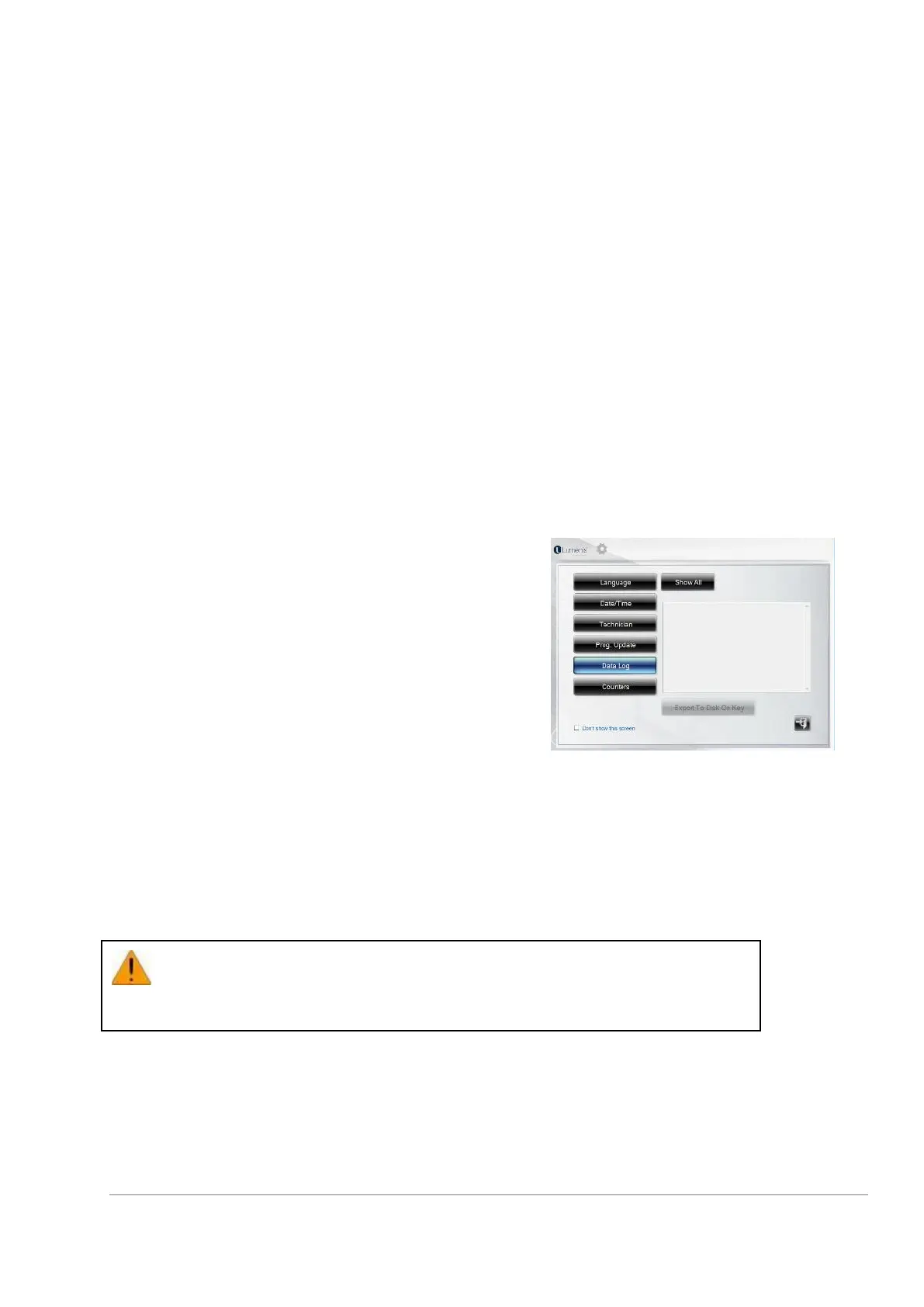
The system enables a download of data logs.
Select the “data log” key.
To download the data, select the “Export to memory stick”
key.
The “Export to memory stick” key will remain dim until a
Memory Stick is properly connected to the USB port.
When a Memory Stick is properly connected to the USB
port, the system will request to press the “Export to
memory stick” key Press the “Export to memory stick” key
System is now downloading the data.
11.9 Turning the System OFF
To turn the system off, switch the ON/OFF control to the OFF position on the back panel. The green light
will switch off. Disconnect power supply cord.
Before disconnecting the power supply cord, make sure that the ON/OFF switch
is in the OFF position (“0”).



 To Next Page