13. MAINTENANCE
13.1 Cleaning the System
Clean the System at least once a week. Turn the System off and wipe all surfaces with a soft, damp, non-
abrasive cloth. Be careful not to spill any liquids on the system.
13.2 Cleaning the Applicators
After every treatment, clean the Applicators with special care to the area between electrodes, according to
the following procedure:
1. Use a soft cloth, moistened with detergent solution 0.55% ortho-phthalaldehyde disinfectant for 5
minutes (such as Cydex OPA), to clean the Applicator until it is visually clean.
2. Use a new soft cloth, moistened with tap water for 15 seconds, to remove detergent residuals.
3. Use a dry soft cloth to dry the Applicator.
4. Use a soft cloth, moistened with medical grade 70% alcohol solution for 1 minute, to wipe the
Applicator.
5. Spray the applicator with medical grade 70% alcohol solution, then wipe with a dry soft cloth. Be
careful not to spill any liquids on or into the Applicator.
6. If dirt residues were not fully removed, repeat cleaning steps 1-5.
14. FUSE REPLACEMENT
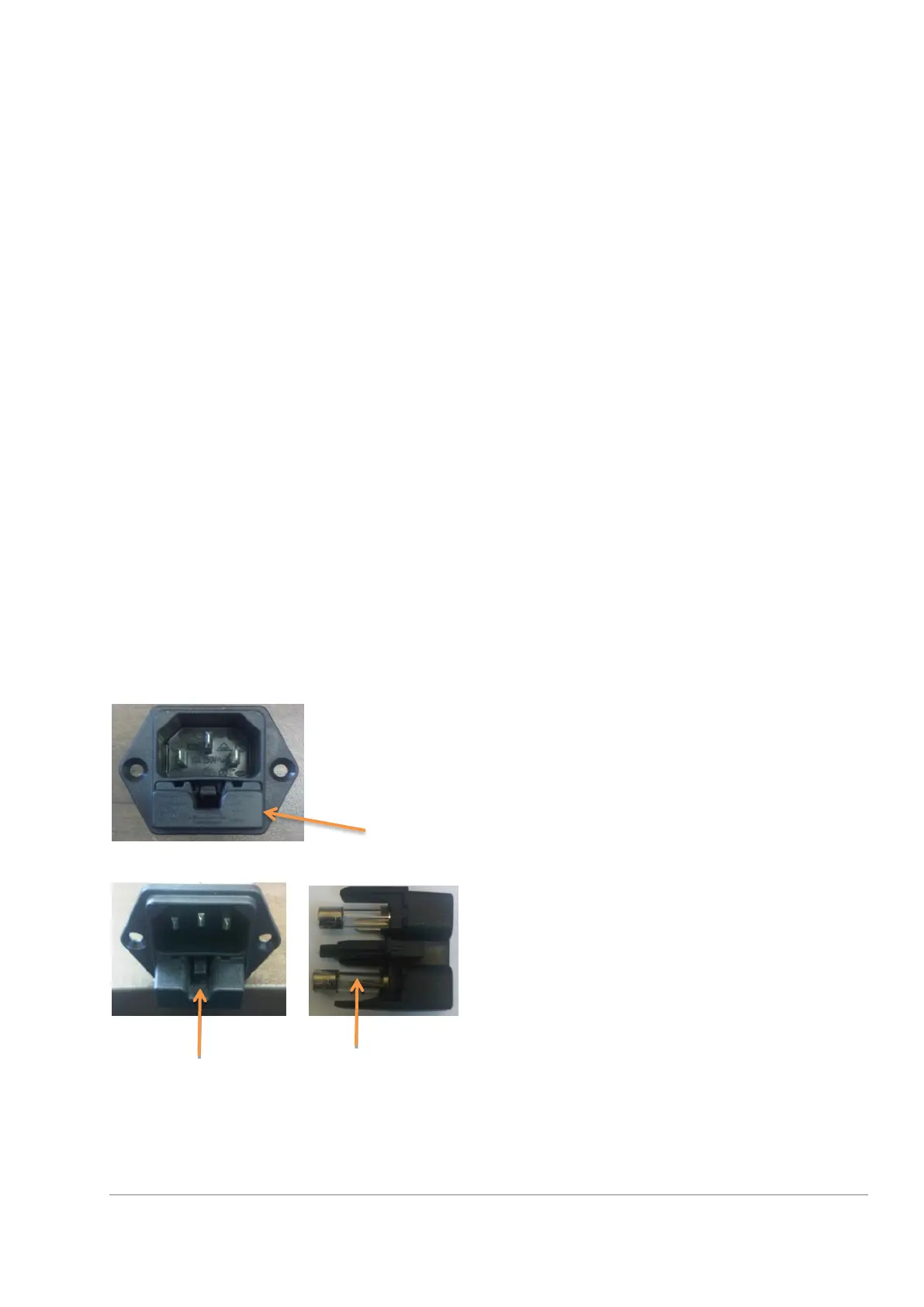
When the device is not functioning, one of the reasons for it could be a burnt fuse.
In the package you can find two fuses for replacement. The fuses are placed inside a small drawer located
inside the AC power Inlet at the back of the device.
In order to expose the fuses, press on the snap and take out the drawer.



 To Next Page