Legend Pro™ System User Manual Version 7
Proprietary Information of Pollogen a company of Lumenis 31
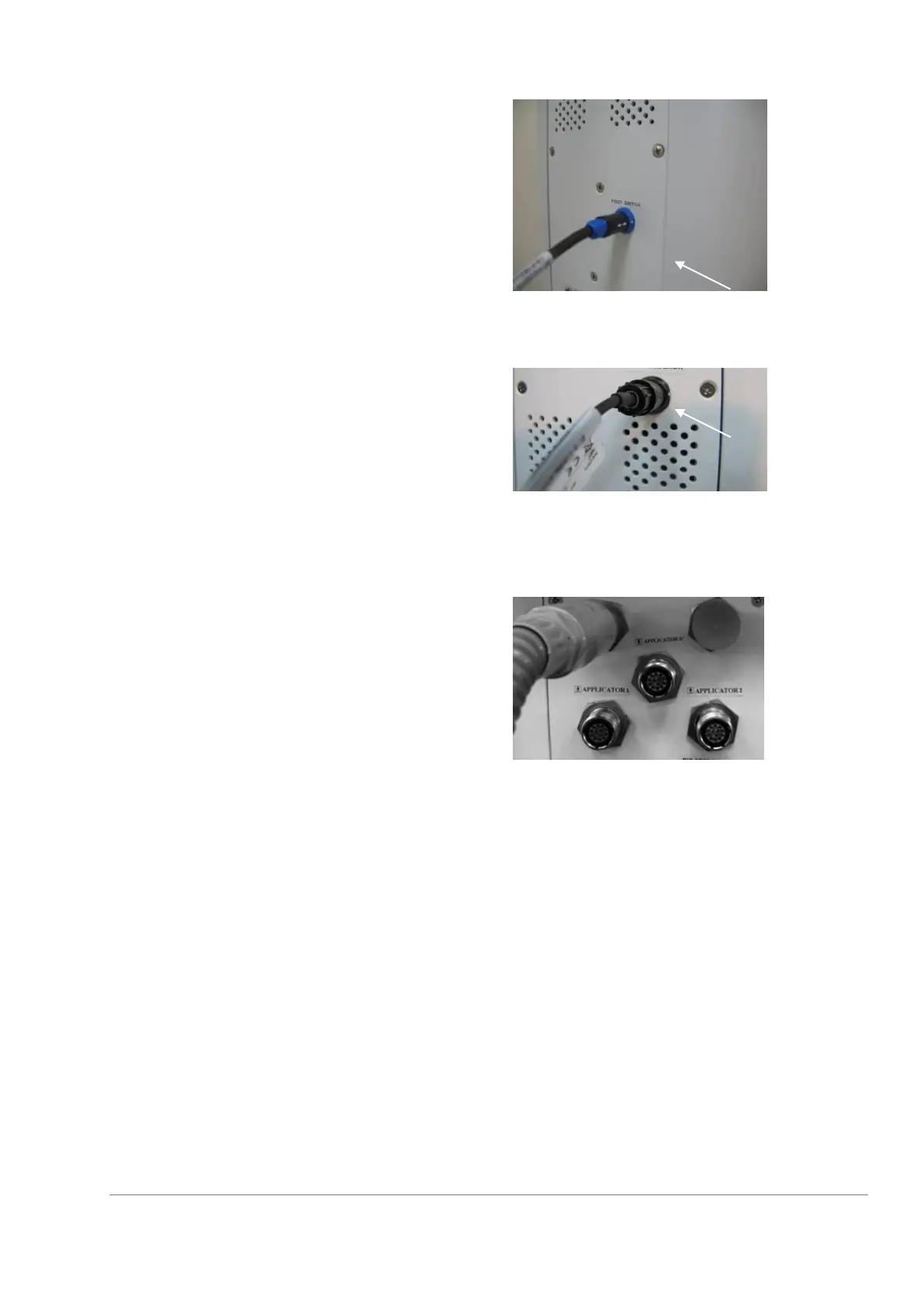
10.3.2 Foot Switch connection.
Align the arrow on the connector with the
arrow on its receptacle. (labeled
accordingly)
Push the connector into its receptacle until
a click sound is heard
Verify that connector is properly connected
and locked
10.3.3 Patient-Controlled Manual
Switch connection.
Align the arrow marks on the connector
with the arrow on its receptacle. (labeled
accordingly)
Push the connector into its receptacle until
a click sound is heard
Verify that connector is properly connected
and locked
10.3.4 Connect VO Applicator
Remove protective VO shipping cover from
VO Applicator head.
Place VO Applicator in its holder
Push the connector into its receptacle and
fasten the connector nut properly. Make
sure the red marking on the receptacle is
totally covered by the nut



 To Next Page