Fire Communications Bridge (FCB-1000)
To add and congure the FCB-1000 bridge:
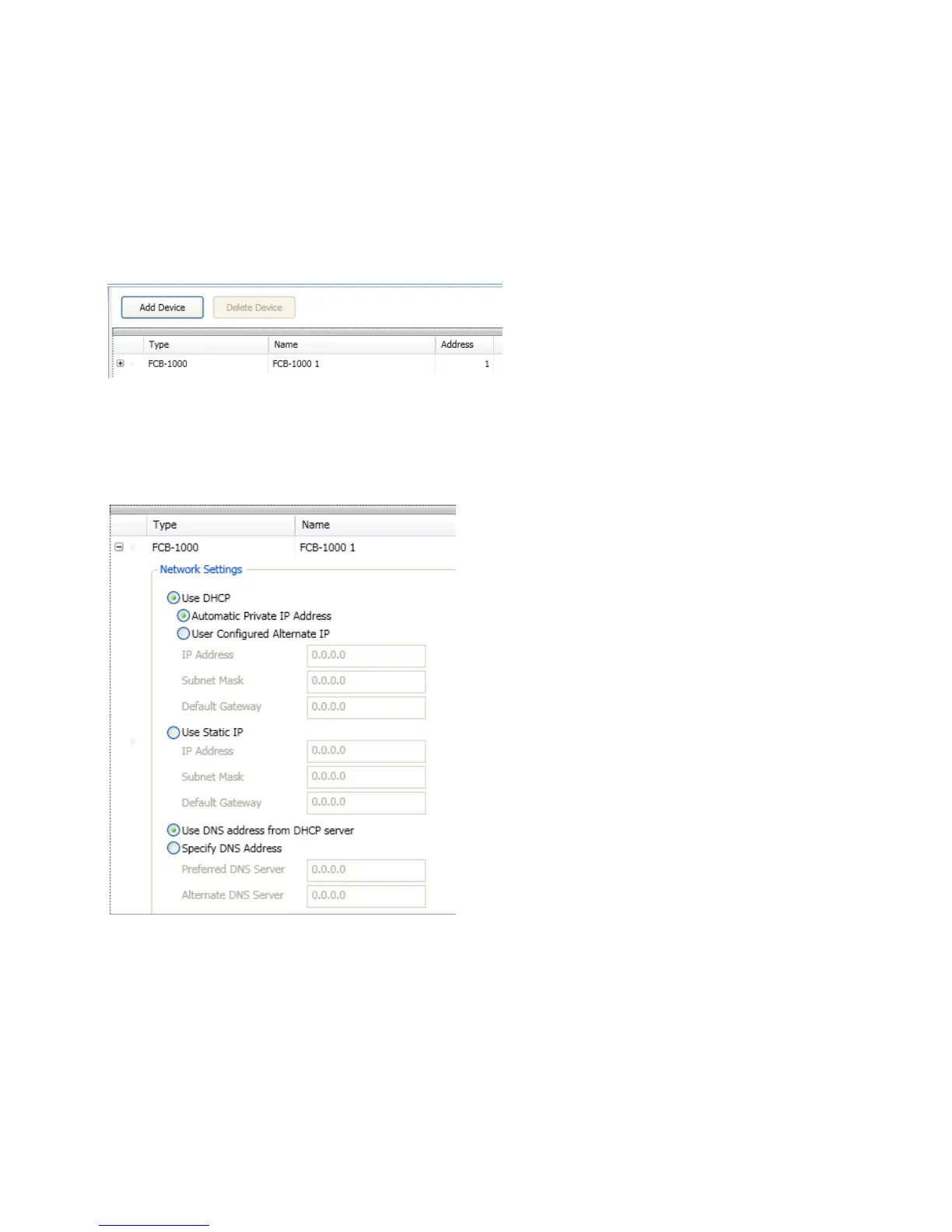
Select 1. FCB-1000
2. Add Device button“Add Device” window
Example of the Add FCB-1000 WindowFigure 136.
3. “Name” eld
4. Address” eld
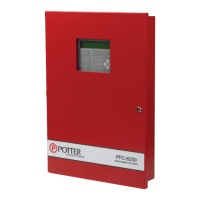
5. plus sign"Network Settings" options.
Example of the FCB-1000 Network Settings WindowFigure 137.
6.
“Host Computer”.
IP addressStatic IP function.
7. minus sign"Network Settings" eld


 To Next Page