Uploading from Panel to Computer
Upload Conguration File to Computer transfer icon
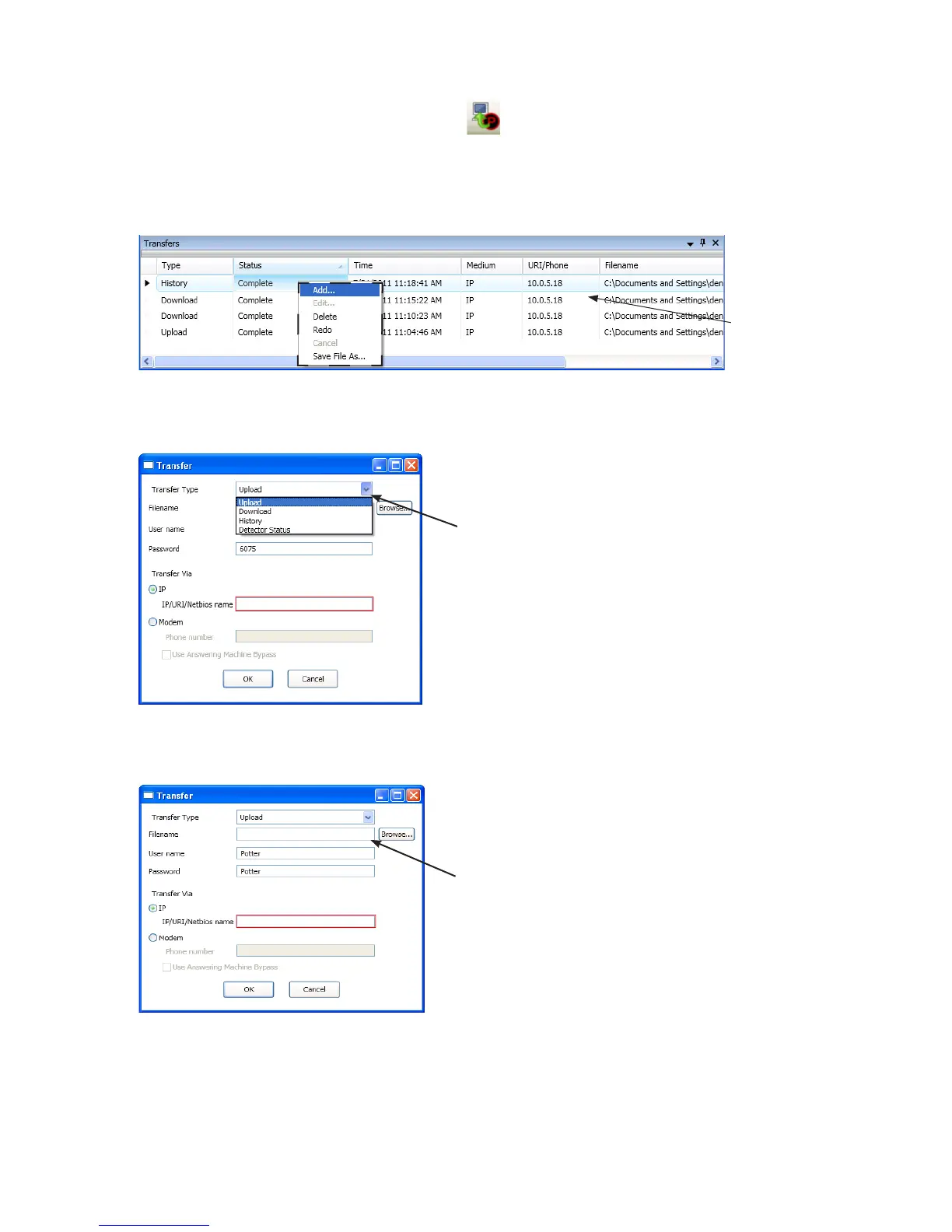
To upload programming changes to computer:
1. Upload Conguration File to Computer icon “Transfers” region
Example of Transfer Shortcut Menu Figure 72.
Note"Add" option
Transfer dialog box
Example of Transfer Upload Dialog Box Figure 73.
2. Upload“Transfer Type” eld.
3. conguration lename“Filename” eld
Example of Transfer – Upload WindowFigure 74.
Notes:
•y
•y Browse button to
Click here to choose applicable
transfer type, if necessary.
Enterlenameorleaveblank
to auto-name.
Right click anywhere in the
transfer window to display
the shortcut menu.



 To Next Page