5-75
E-mail Report Programming
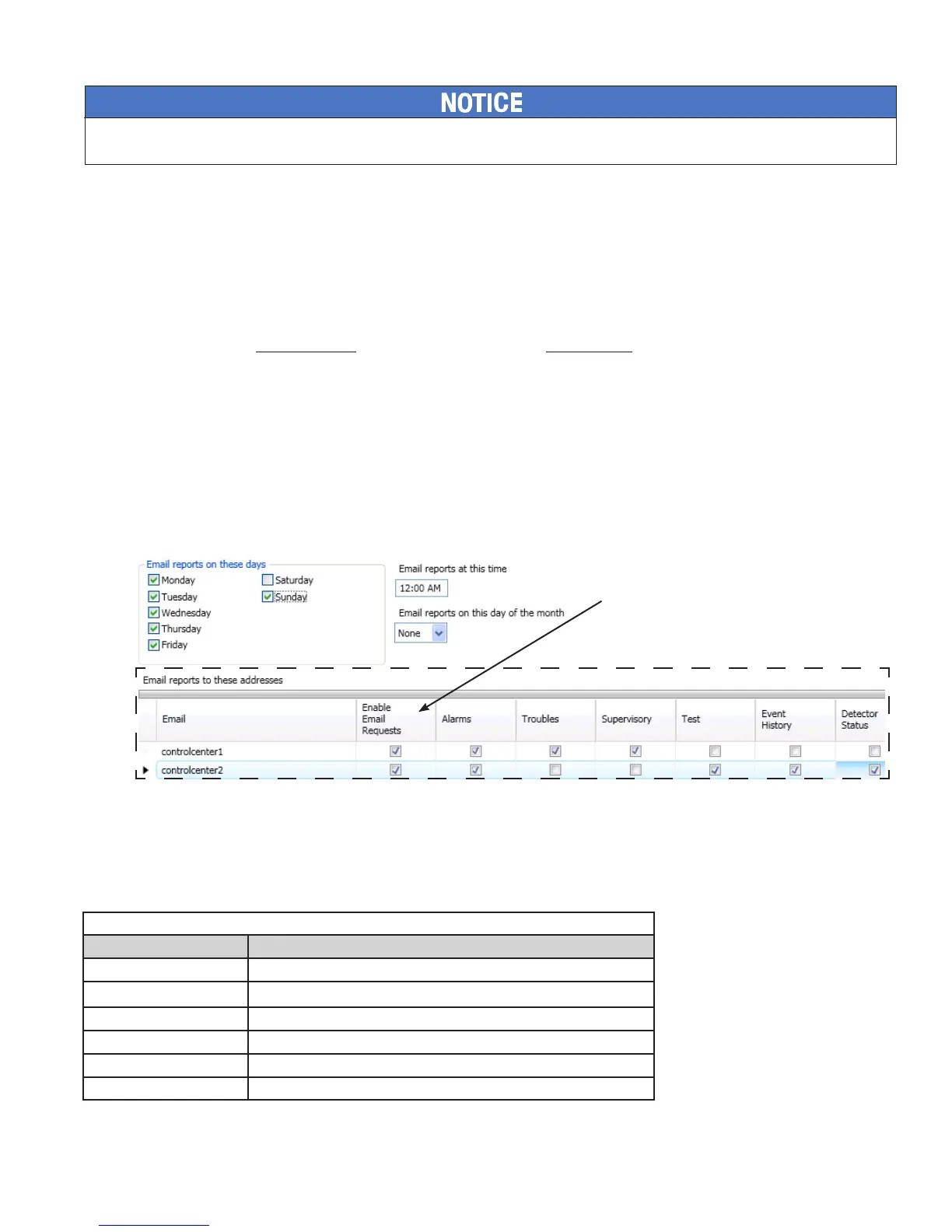
To setup History and Detector Status reports schedule:
1. E-mail Reporting optionE-mail Reporting window
2. days of the week’s selection boxHistory and Detector Status report(s)
3. time
Select a 4. day of the month
Note
To setup addresses and select events and/or reports:
1.
2. "Enable E-mail Requests
Note "Enable E-mail Requests"
3.
4.
E-mail Reporting Showing Enable E-mail RequestFigure 99.
E-mail Sent from Panel
To send a report from the panel:
1. Data Transfer (Menu Option 7)
2.
Data Transfer OptionsTable 14:
Option Description
Important Note: The "Enable
E-mail Requests" option must
be selected in order for the
panel to respond to an e-mail
addressee requesting an on-
demand report.



 To Next Page