EasyManua.ls Logo

Potter PFC-6800 - Creating Zones

Potter PFC-6800
133 pages
Print Icon
To Next Page IconTo Next Page
To Previous Page IconTo Previous Page
Loading...
5-85

Creating Zones

convenience.
To create a zone:
1. Zones windowshortcut menu
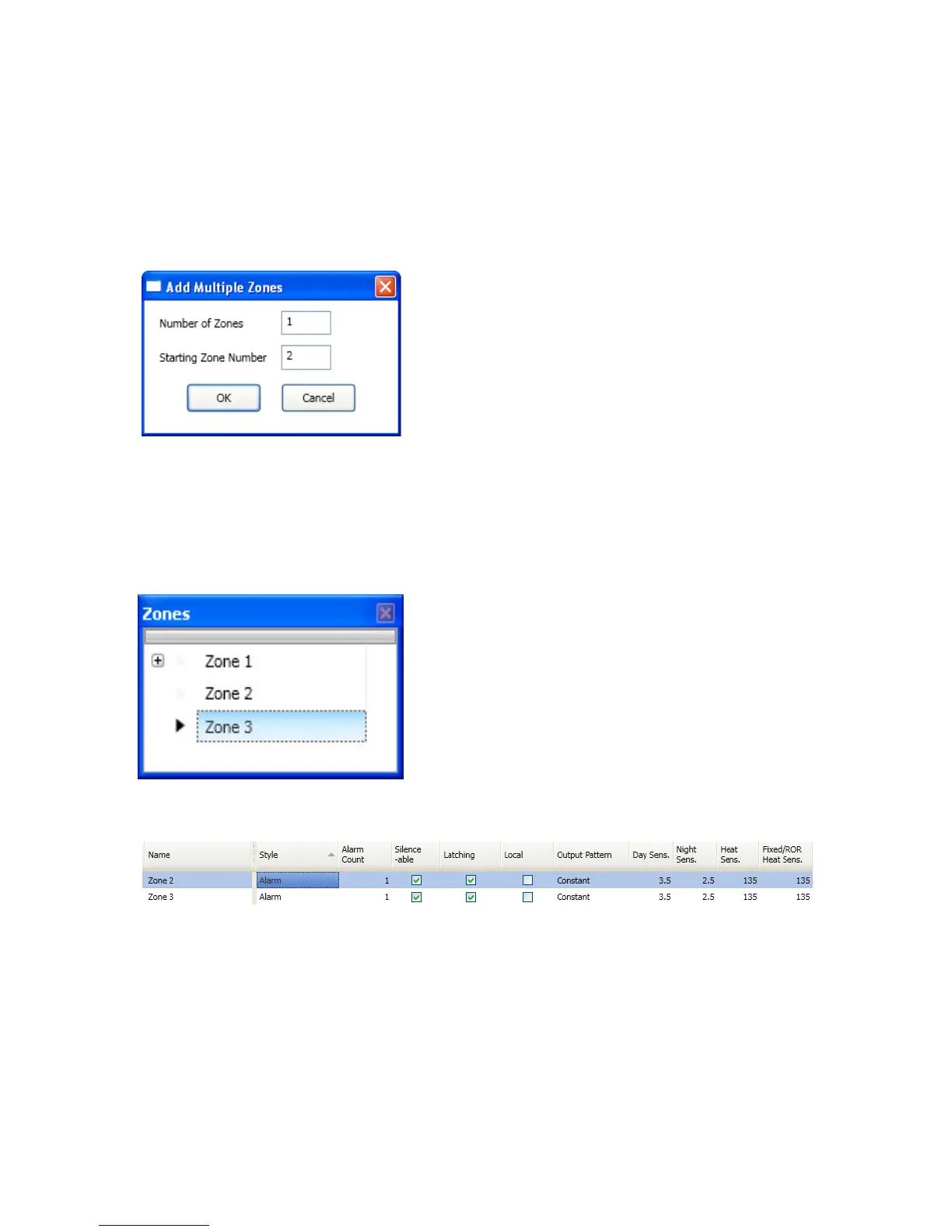
2. Add ZonesAdd Multiple Zones dialog box
Examples of Adding Multiple Zones Dialog BoxFigure 111.
3. Number of Zones” eld,
Note:1,500 zones.
4. Starting Zone Number” eld
5. OK or CancelZones window
Zones WindowFigure 112.
6. Zone Conguration” window
Example of Conguring Two (2) ZonesFigure 113.

Table of Contents

Related product manuals