5-62
Downloading a Conguration File
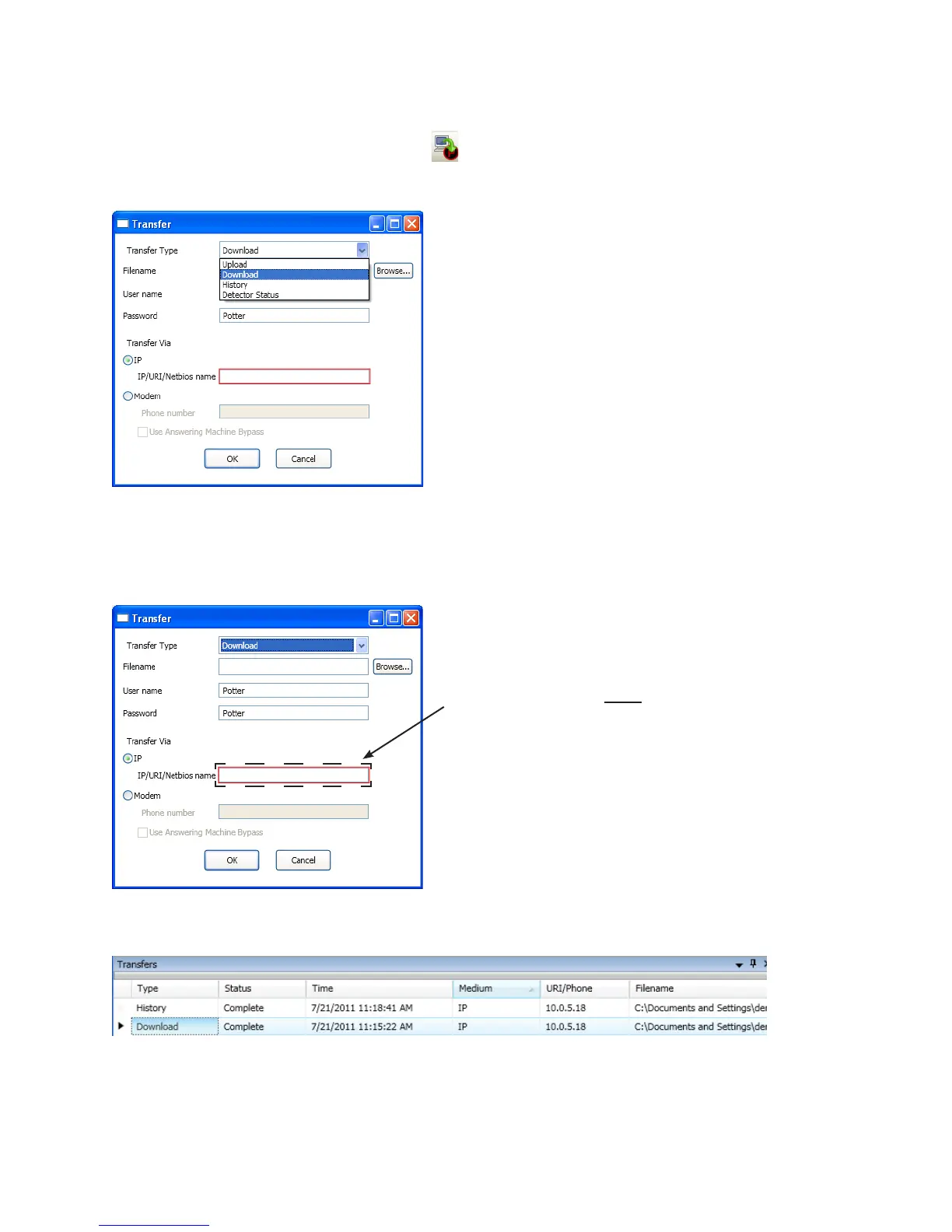
To download the conguration le:
1. Download Conguration File to Panel icon or right click“Transfers” regionAdd
Transfer dialog box
Example of Transfer – Download Dialog BoxFigure 79.
2. Download“Transfer Type” eld.
3. “Filename” eldBrowse button
4. IP address“Transfer Via IP” eld.
Transfer - Download Dialog BoxFigure 80.
5. OKTransfers window
Example of Transfers Window Showing Download CompletedFigure 81.
Note: To capture the panel’s unique IP address:
Disconnect the Ethernet cable from panel. 1.
The message “Ethernet Lost" displays indicating 2.
connectivity is lost.
Reconnect the cable, and write down the 3.
IP address shown.



 To Next Page