5-77
3. “Subject” eld
History • to
Status•
Conguration•
Unsubscribe•
Subscribe
Subscribe•
Note
4.
Important Reminders!
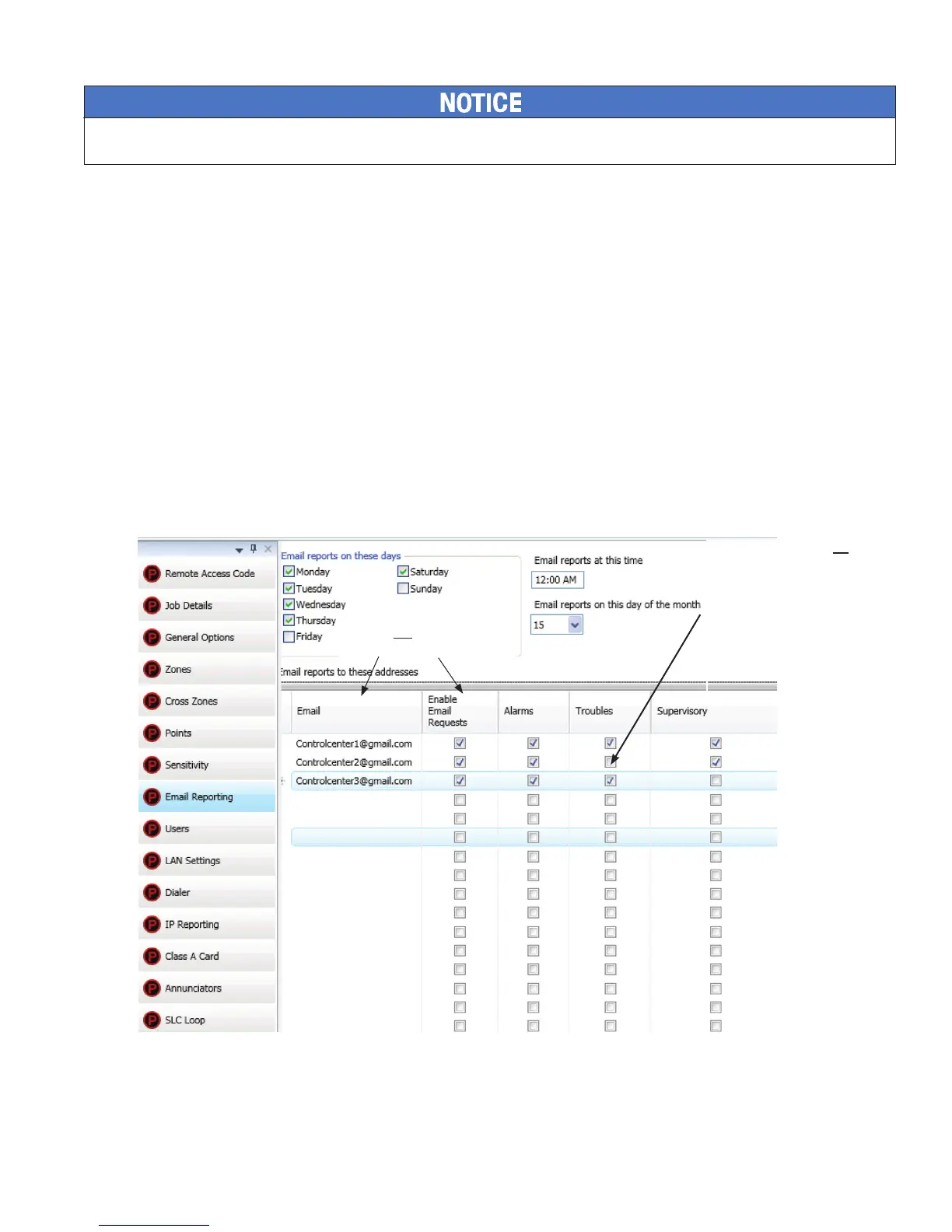
must“E-mail Reporting” section
“Enable E-mail Requests”
panel or a remote PC.
E-mail Reporting WindowFigure 102.
Note: You may choose not to select
specic event types or reports for
e-mail addressees.
If so, choose Browse List from
the Data Transfer panel menu
option. Then scroll through e-mail
addresses and select one or more
recipients.
Sender's e-mail must be in the
e-mail list and the Enable E-mail
Requests box must be checked.



 To Next Page