EasyManua.ls Logo

Potter PFC-6800 - Page 98

Potter PFC-6800
133 pages
Print Icon
To Next Page IconTo Next Page
To Previous Page IconTo Previous Page
Loading...


3. Points' windowDevice” window
“Device” window
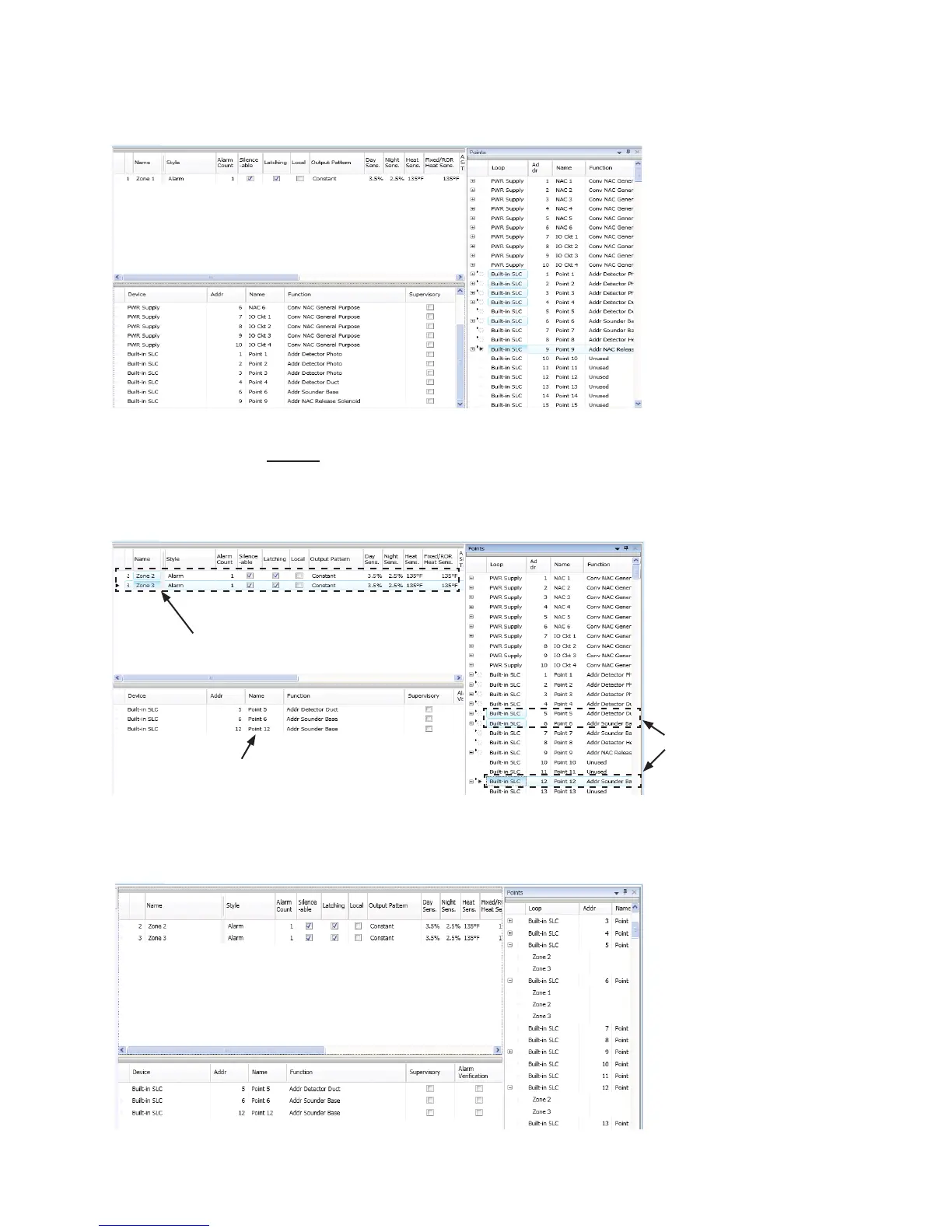
Example of Moving Selected Points into a ZoneFigure 122.
To move one or more points into multiple zones:
1. Zones window,
2. Device window.
Example of Moving Selected Points into Two ZonesFigure 123.
3. “+Points window
Example of Displaying Point’s Zone Assignment(s)Figure 124.
Zones 2 & 3 are
selected in this
example.
Points 5, 6 & 12
are selected.
Points 5, 6 & 12
areconguredinto
Zones 2 and 3.

Table of Contents

Related product manuals