PowerFleet
®
VAC4 and VAC4S Hardware User’s Guide
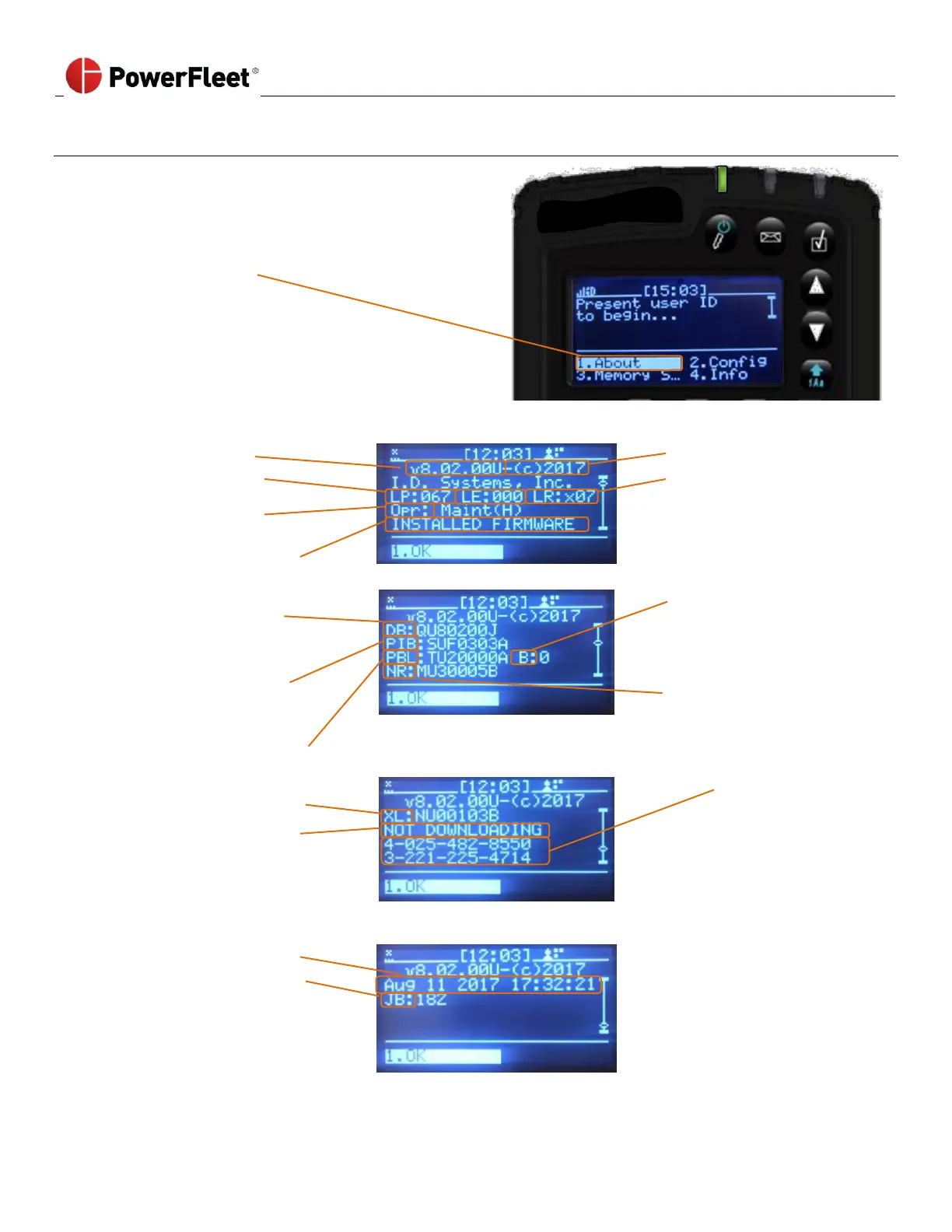
Reading VAC “About” Screens
The VAC’s “About” screen displays identifying
information about the VAC’s current operator, registered
license key, and system release version.
To access the “About” screen from the VAC’s main login
screen, select ABOUT.
Currently logged in operator type
(and ID number for non-keypad operators).
The About display screen:
Troubleshooting
information
Troubleshooting
information
Troubleshooting
information
Installed Firmware status
(Daughterboard Firmware
version);
QU = VAC4S
HU = VAC4
PIB Firmware version
SU = VAC4S
OU = VAC4
Neuron Firmware
version
MU = VAC4S
Xilinx Firmware version
N = VAC4S
License key
(first and second row)
Pending Firmware status
(if new firmware was
available, this would list the
versions)
Page 3 (scroll down to
third page.)



 To Next Page