PowerFleet
®
VAC4 and VAC4S Hardware User’s Guide
Read Operator Identification
The VAC can be used to determine the access credentials programmed onto an operator’s ID (this can also be performed
using the desktop reader and the PowerFleet® Vision Pro™ software). Determining the credentials of an ID is most
commonly performed when an ID is found without an operator to claim ownership.
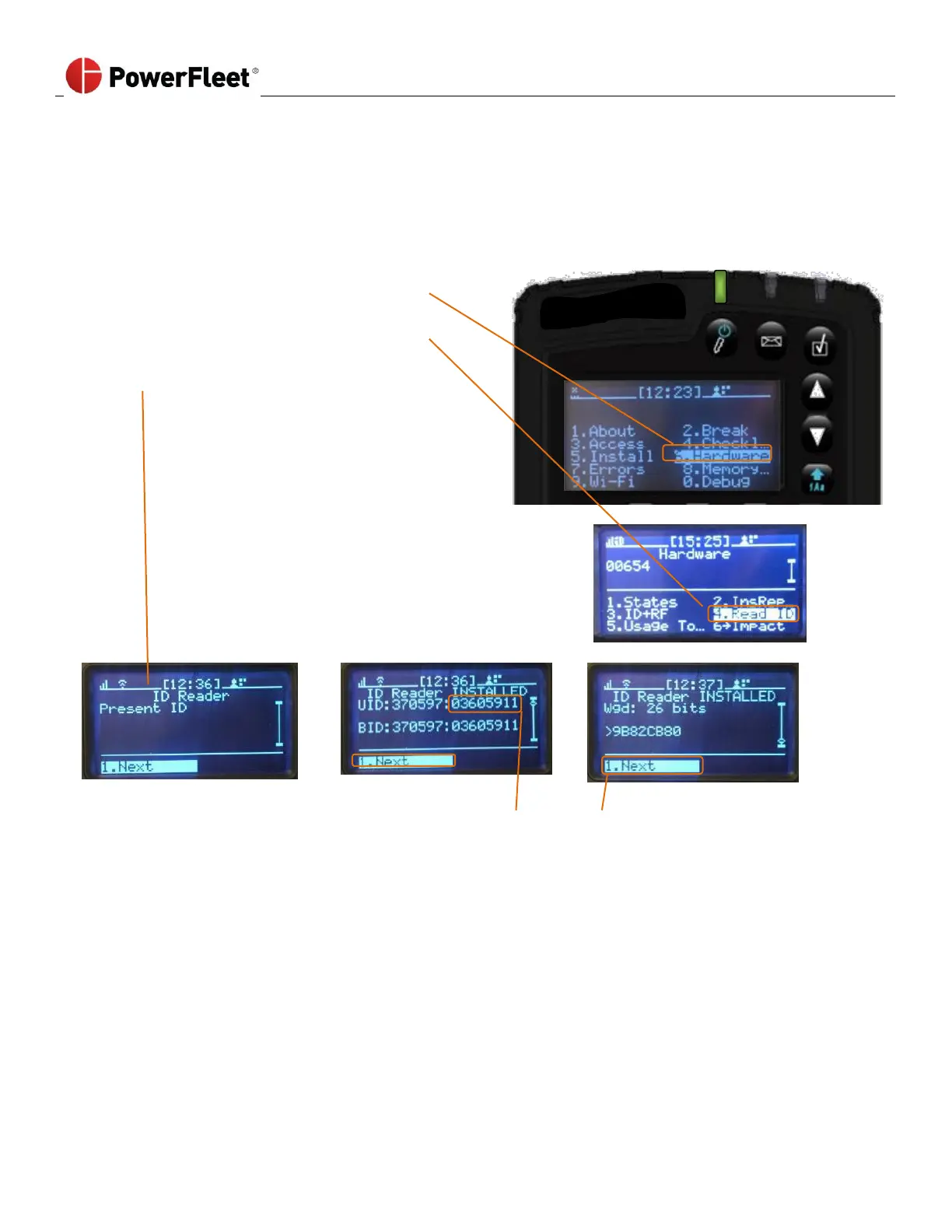
2. On the first menu screen, select HARDWARE.
3. On the “Hardware” sub-menu, select READ ID.
4. Present the ID to the VAC reader
(iButton or embedded proximity reader).
The VAC displays the ID credentials.
5. Write this number down and search for it in the Vision Pro™
software to find the operator name that the ID belongs to.
6. Select NEXT to exit the
“Hardware” screen.



 To Next Page