PowerFleet
®
VAC4 and VAC4S Hardware User’s Guide
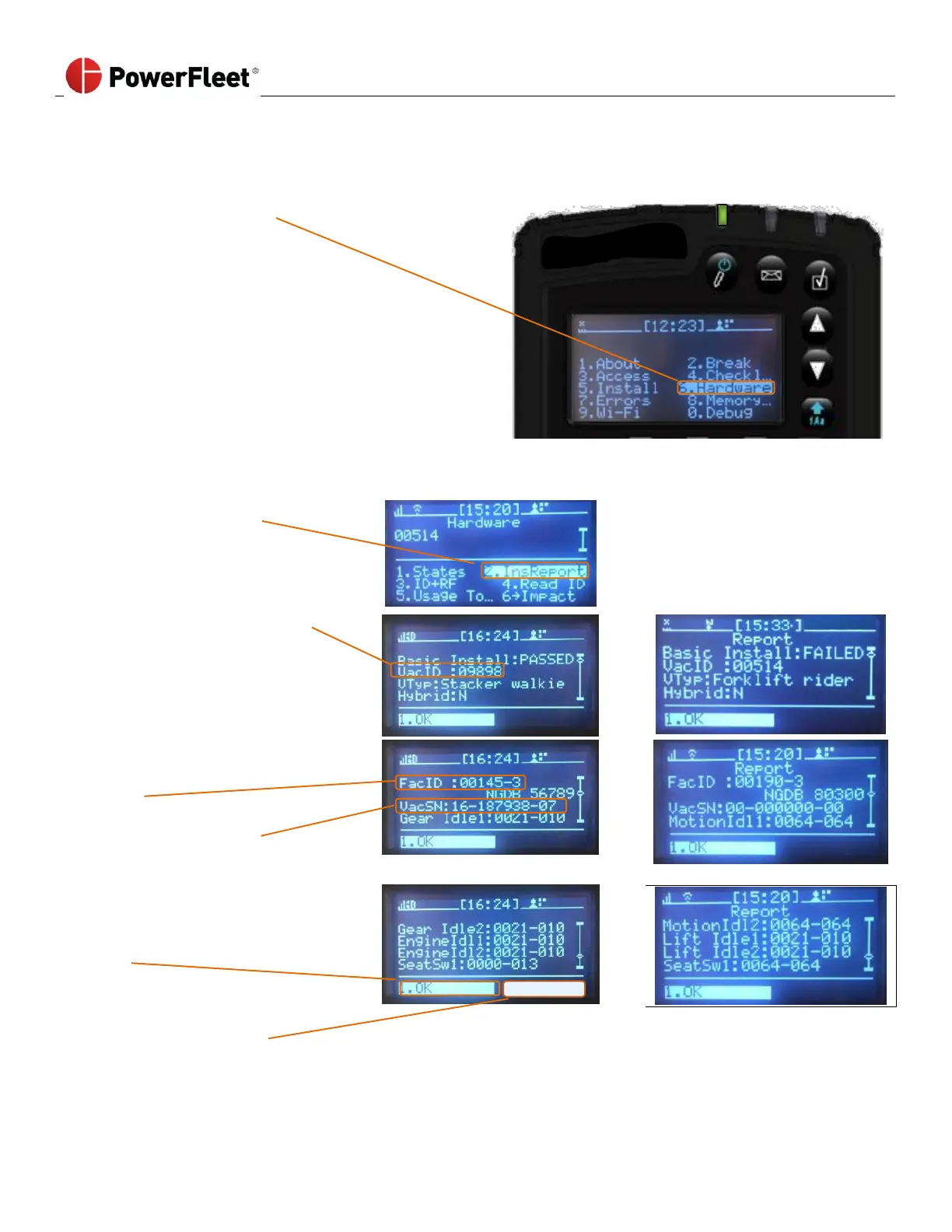
Last VAC Configuration (“InsReport” Screen)
Every time the BASIC or SENSOR wizard is completed, from the VAC menu screen, select HARDWARE. Select InsReport.
The InsReport on the VAC screen display provides the detail of the last completed configuration parameter.
VacID: Vac Identification number.
Scroll down to the second page of the
menu screen.
FacID: Facility ID lists the facility
number.
VacSN: VAC Serial number.
Select OK to return to the main
menu.
Select “Transmit” to send the
configuration parameters to the
software.



 To Next Page