Impact Sensor Troubleshooting
Once the impact sensor has been properly installed, it is self-contained and self-maintained and no operator
configuration is required. During the installation process, the impact sensor self-calibrates to its environment (similar to
setting the ‘zero’ level of a scale). This is NOT the process that determines the minimum impact level. The impact level is
continuously evaluated and adjusted. The calibration is repeated daily during periods of inactivity to ensure that the
device is maintaining acceptable impact parameters and identifying possible issues (e.g., the mounting becomes
compromised and results in a “floating” sensor). If issues are identified, manual troubleshooting may be required.
Note: A properly mounted and secured impact sensor is the most important factor in ensuring a working impact
management system.
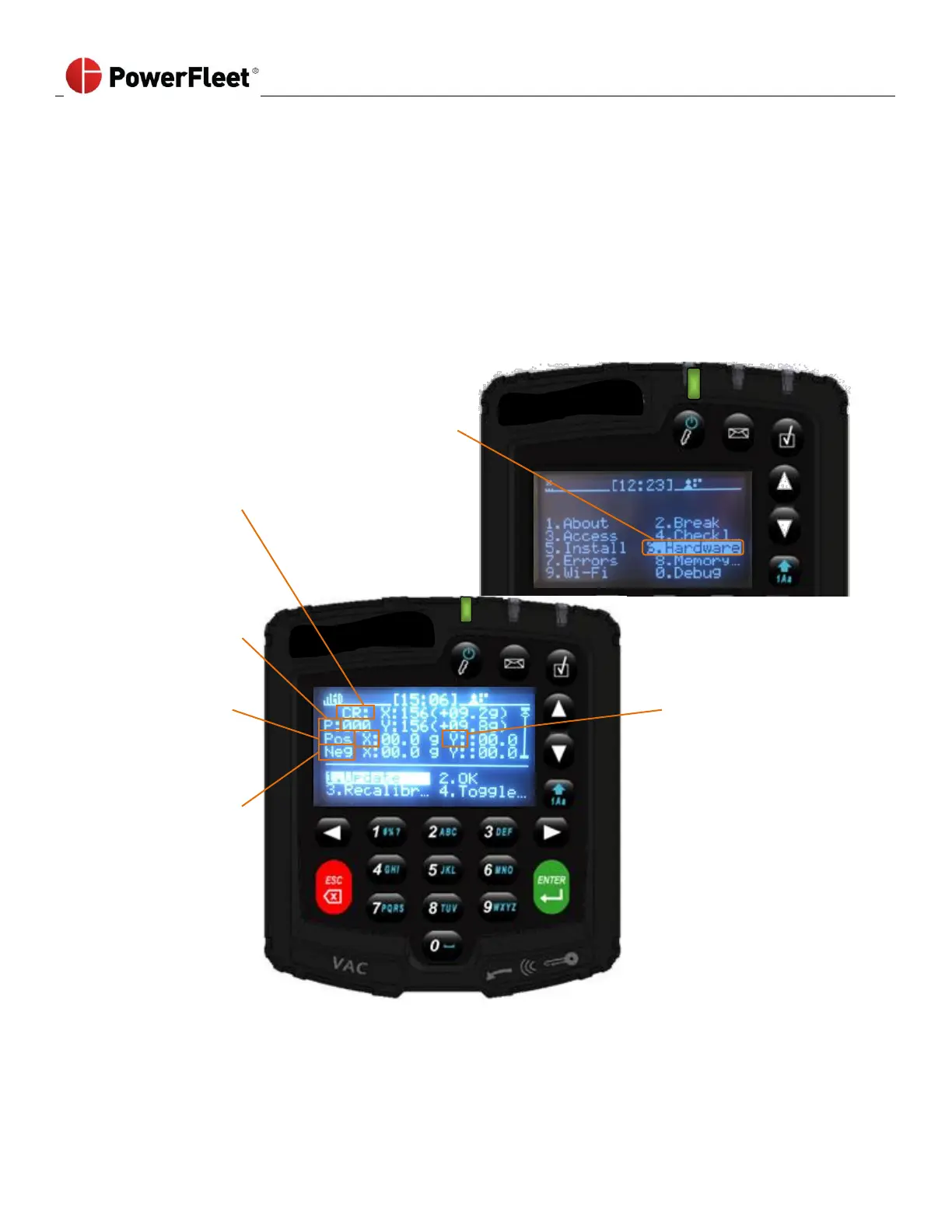
Reading the Impact Screen:
1. Log into the vehicle.
2. On the first menu screen, select HARDWARE.
3. On the “Hardware” sub-menu, select IMPACT.
Note: There are 4 additional impact VAC screen displays with detailed readings and settings that can be accessed by
scrolling down. PowerFleet Support may request information about the detailed readings and settings from those
screens for remote troubleshooting.



 To Next Page