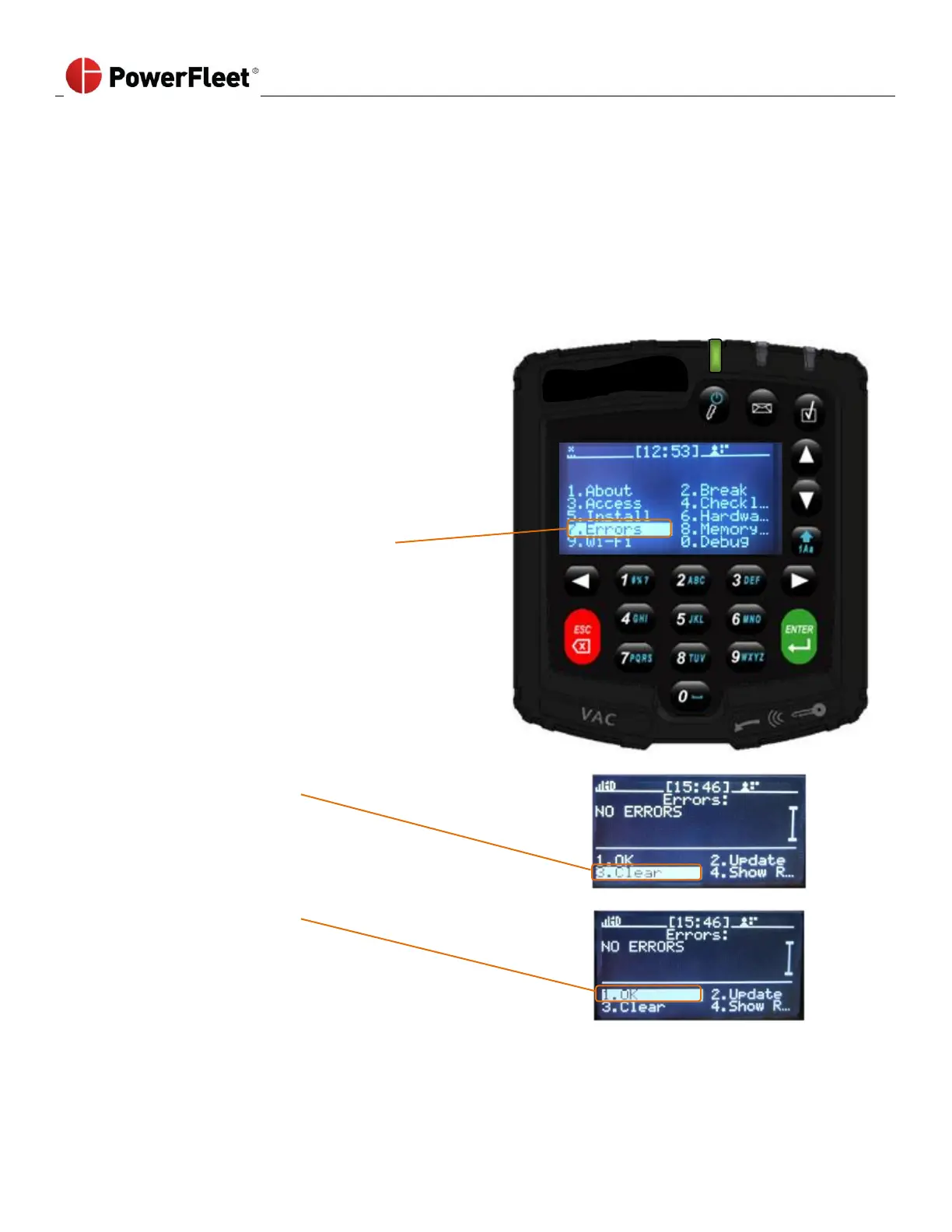
Diagnostic Errors
The VAC has built-in intelligence to diagnose and report errors. In certain cases, these errors auto-correct themselves; in
other cases, the errors must be resolved and then ‘cleared’. These diagnostic errors are based on operating parameters
that may indicate the VAC is not operating properly. When an error is active, the RED LED blinks and the screen displays
a blinking error icon. See Section 7: VAC Troubleshooting, for details on the error definitions and troubleshooting steps.
Some errors clear themselves after the issue has been corrected (e.g., “Memory full”). For other errors, Maintenance
operators can clear the reported error on the VAC once the issue has been resolved.
To clear an error report, perform the following:



 To Next Page