PowerFleet
®
VAC4 and VAC4S Hardware User’s Guide
Manual Vehicle Lock
In certain instances, (e.g. when a vehicle requires maintenance) it may be desirable to prevent all Standard operators
from accessing a vehicle (typically called a lockout or tag-out). When a vehicle is locked, only a Master operator (or a
Maintenance operator) can access and use that vehicle.
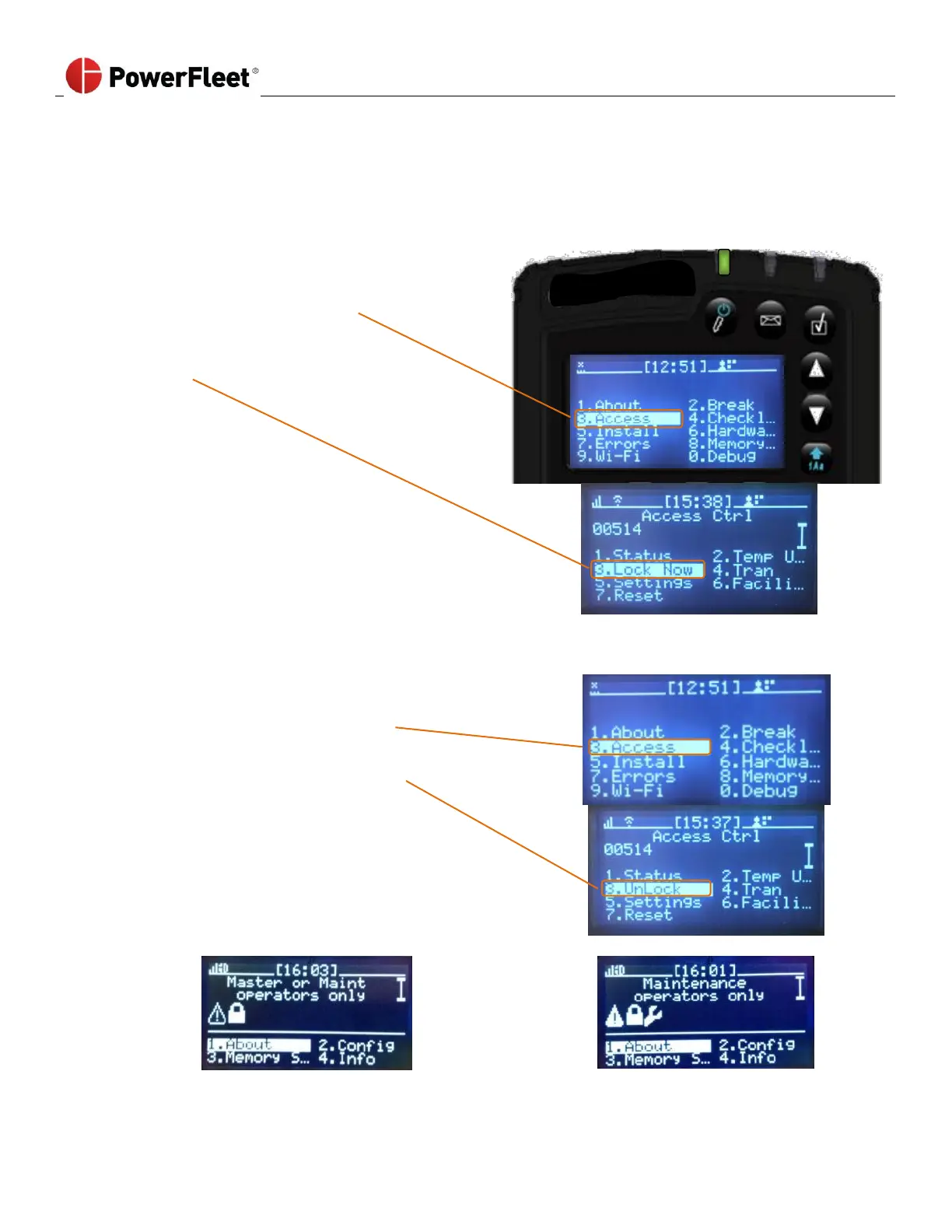
To lock a vehicle, a Master (or Maintenance) operator must perform the following:
On the first menu screen, select ACCESS.
On the “Access Ctrl” sub-menu,
select LOCK NOW.
Manual Vehicle Unlock
To unlock a vehicle, a Master (or Maintenance) operator must perform the following:
On the first menu screen, select ACCESS.
On the “Access Ctrl” sub-menu, select UNLOCK.



 To Next Page