PowerFleet
®
VAC4 and VAC4S Hardware User’s Guide
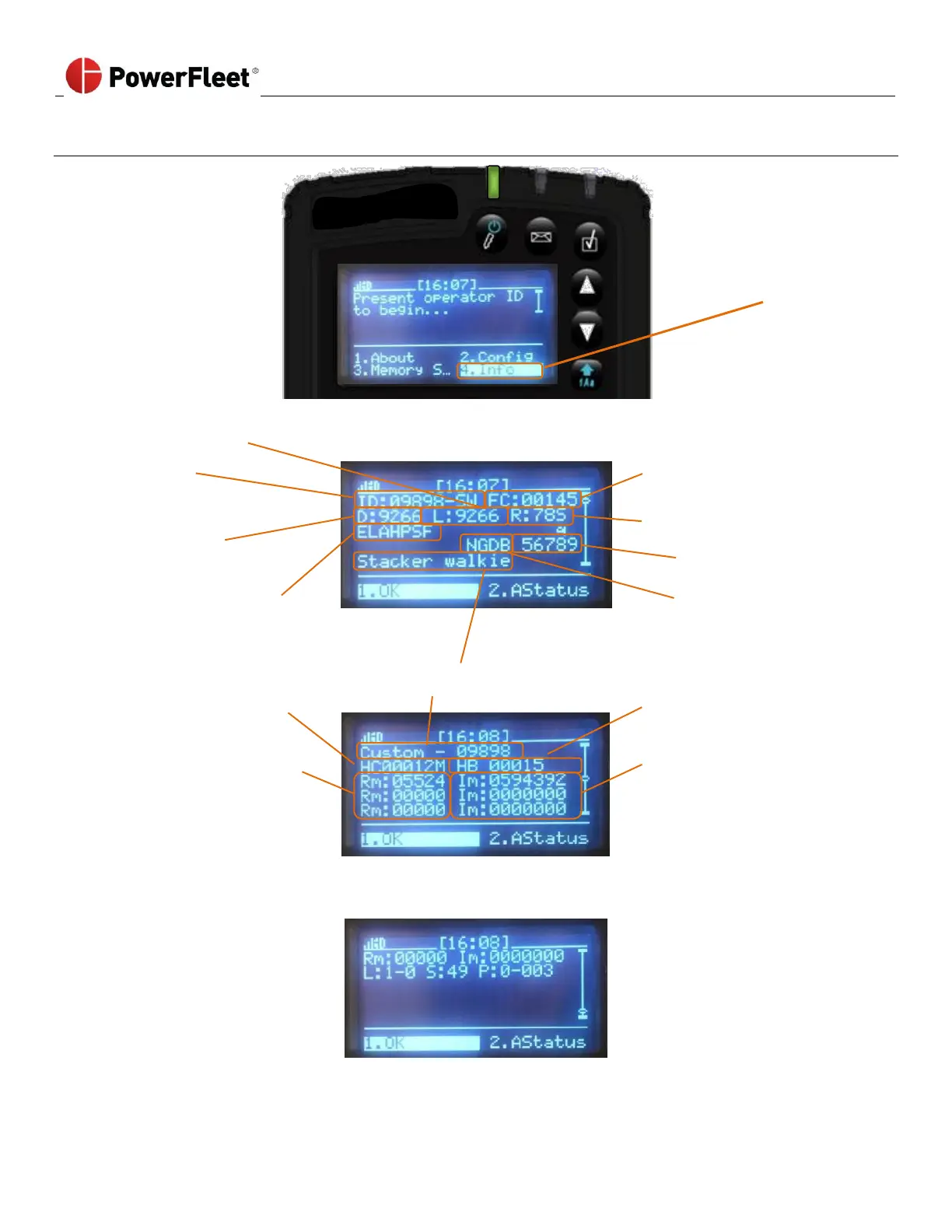
Reading VAC “Info” Screens
Screen Display
(first page)
Without logging
in with an ID and
password,
Select INFO.
IRF frequency for location data
Facility ID (or facility name
code once synchronized)
IRF frequency
for VMS data
Sync Segment Quick Status (one
letter per ‘segment’) Lowercase:
received; NOT synchronized;
UPPERCASE: synchronized (see
VAC Synchronization Status
section)
Configured vehicle type and ID
Automatic hibernate
countdown
(minutes remaining)
Screen Display:
(scroll down to the second page)
Automatic hibernate setting
(minutes)
Firmware packets remaining
to download for upgrade.
Firmware upgrade image
size in bytes (100 bytes per
packet)



 To Next Page