PowerFleet
®
VAC4 and VAC4S Hardware User’s Guide
ID Optional (‘Soft’ Bypass)
A Maintenance operator can bypass the access control feature of the VAC via firmware, allowing anyone to operate a
vehicle. This is called ID Optional mode (“soft bypass”). It is most typically used if there is a VAC problem that prevents
authorized operators from accessing a vehicle.
Note: The soft bypass option should only be used in emergencies!
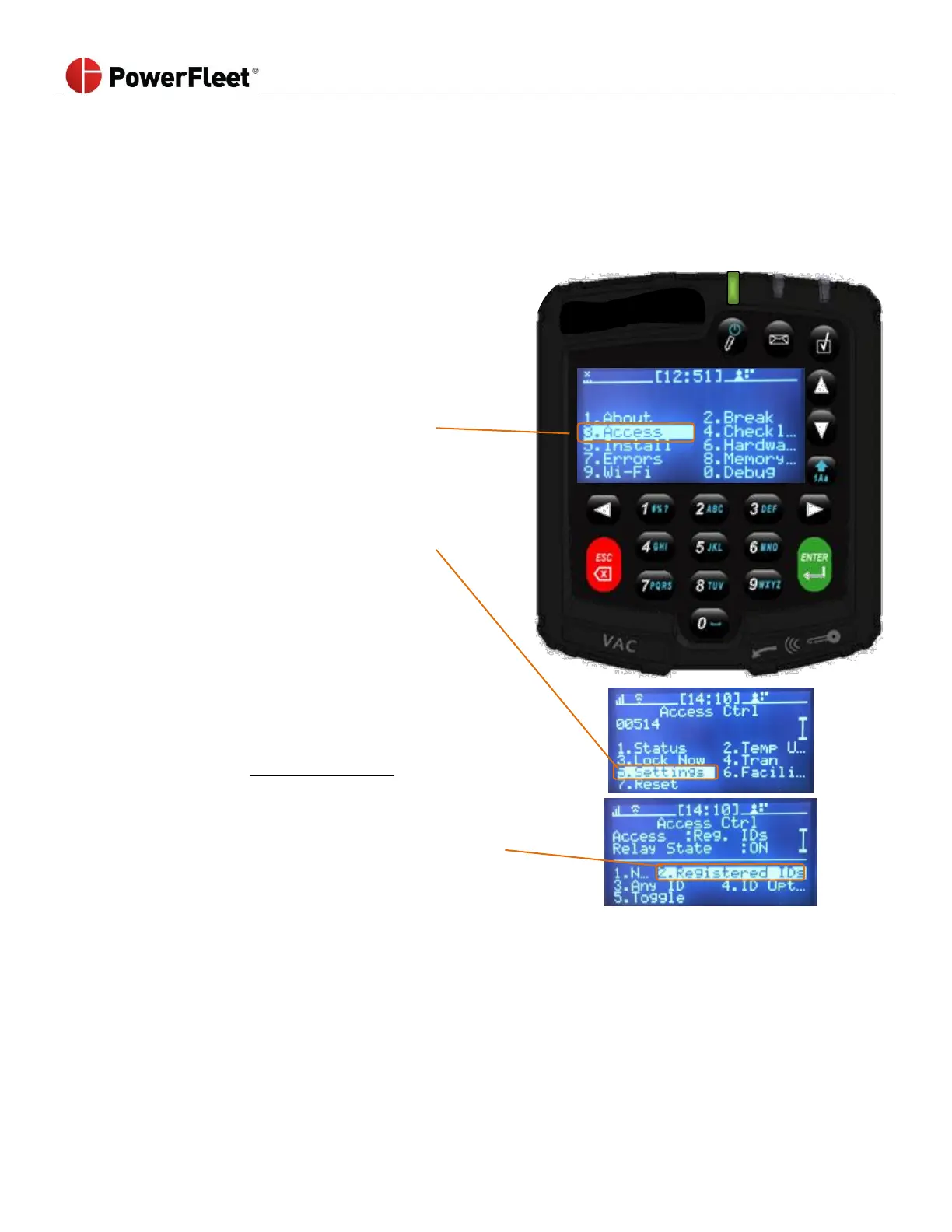
To enable or disable the ID Optional mode, a Maintenance operator must perform the following:
2. On the first menu screen, select ACCESS.
3. On the “Access Ctrl” sub-menu, select SETTINGS.
4. On the “Settings” sub-menu, one of the following
three menu options:
• Selecting ID OPTIONAL will put the vehicle into soft
bypass - operators will NOT be required to log in to use
the vehicle (though operators may log in if they choose).
• Selecting REGISTERED IDs disables soft bypass, restoring
vehicle access control - operators will again be required
to log in to use the vehicle.
• Selecting ANY ID requires operators to log in with any
hardware-compatible ID (Any ID ignores software
configuration). However, the VAC will not act (i.e.,
lockouts, email, etc.) on events.
Note: The software setting for Any ID or Registered ID mode overrides the VAC-based selection if the VAC is in wireless
coverage range.
o The TOGGLE option is for troubleshooting the VAC’s access control relay. Toggle does not affect the access
method but it does alternately enable and disable the truck’s drivability state by toggling the output (relay or
PWM).



 To Next Page