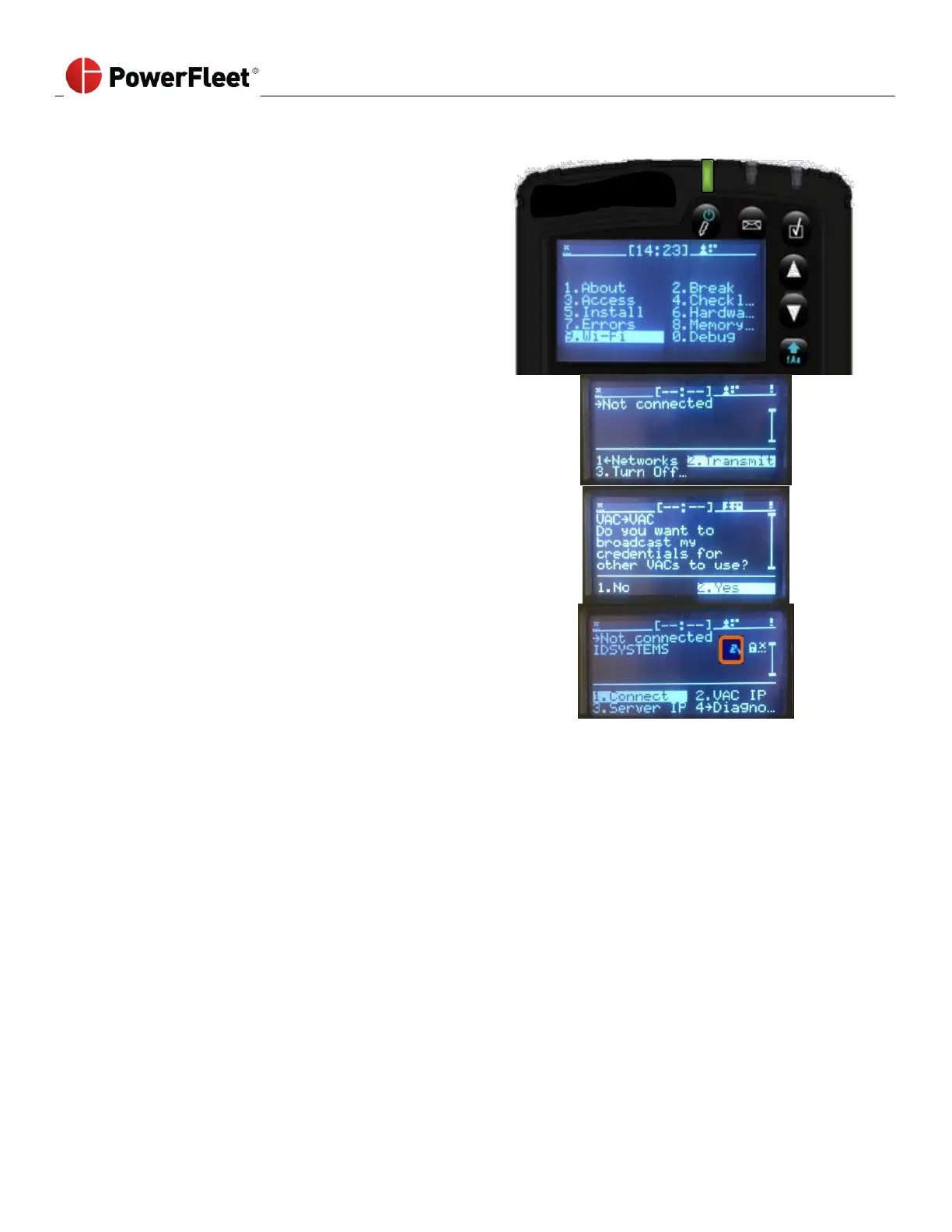
1. Select a VAC that has been configured with the
desired Wi-Fi profile.
2. Log into the VAC as a Maintenance operator or IT
operator.
3. From the VAC main menu screen, select Wi-Fi.
a. To broadcast the VAC’s Wi-Fi configuration to
other VACs, select TRANSMIT.
b. To confirm broadcast of the VAC’s Wi-Fi
configuration, select YES.
The VAC will return to the main Wi-Fi screen.
A “Share” icon will appear to the right of the SSID name.
• For the next 24 hours, that VAC will transmit its Wi-Fi profile to any VAC that comes within wireless communication
range.
• All Wi-Fi profile components (SSID, credentials, server IP/ port, etc.) are transmitted.
• VACs must be configured with the same facility code and RF frequency to successfully send and receive a
transmitted Wi-Fi profile.
• Recipient VACs must be within wireless range of the sending VAC for approximately 1 minute to receive the
transmitted Wi-Fi profile.
• Depending on obstructions and environment, the average wireless sharing range is 500 feet.
• The VAC will automatically begin trying to connect with the newly received profile once a recipient VAC receives the
credentials.
• To force the VAC to stop transmitting, from the main Wi-Fi menu option, select STOP TRANSMIT. Otherwise, the
VAC will stop transmitting on its own after 24 hours.
• The VAC will only transmit credentials typed into it, or received from another VAC. It will not transmit credentials
synchronized from the software nor enterprise certificates.



 To Next Page