PowerFleet
®
VAC4 and VAC4S Hardware User’s Guide
This segment increments when any employees and groups are added, deleted or
updated in PowerFleet Vision Pro software.
This segment increments with any change in the “Empl” segment or when an
employee group assignment is updated in Vision Pro™ software.
This segment increments when a group authorization schedule (day of week,
hour of day, etc.) is added, deleted or updated in Vision Pro software.
This segment increments when checklist questions or answers are added, deleted
or updated in Vision Pro software.
Vehicle checklist
profiles
This segment increments when hierarchical profiles (triggers, criteria, question
sets, etc.) are added, deleted or updated in Vision Pro software.
This segment increments when any of the vehicle’s sensor configuration (idle,
sleeper, power-down, GPS, etc.) is edited in Vision Pro software or when vehicles
are added or deleted.
This segment increments when system level parameters (frequency, facility code,
system-wide sensor configuration, etc.) are updated added, deleted or updated
in Vision Pro software.
This segment increments when Wi-Fi, diagnostic or shift parameters are updated
added, deleted or updated in Vision Pro software.
This segment updates when zones (Violation, Blockout, etc.) or the facility map
are changed in the Maps module of Vision Pro software.
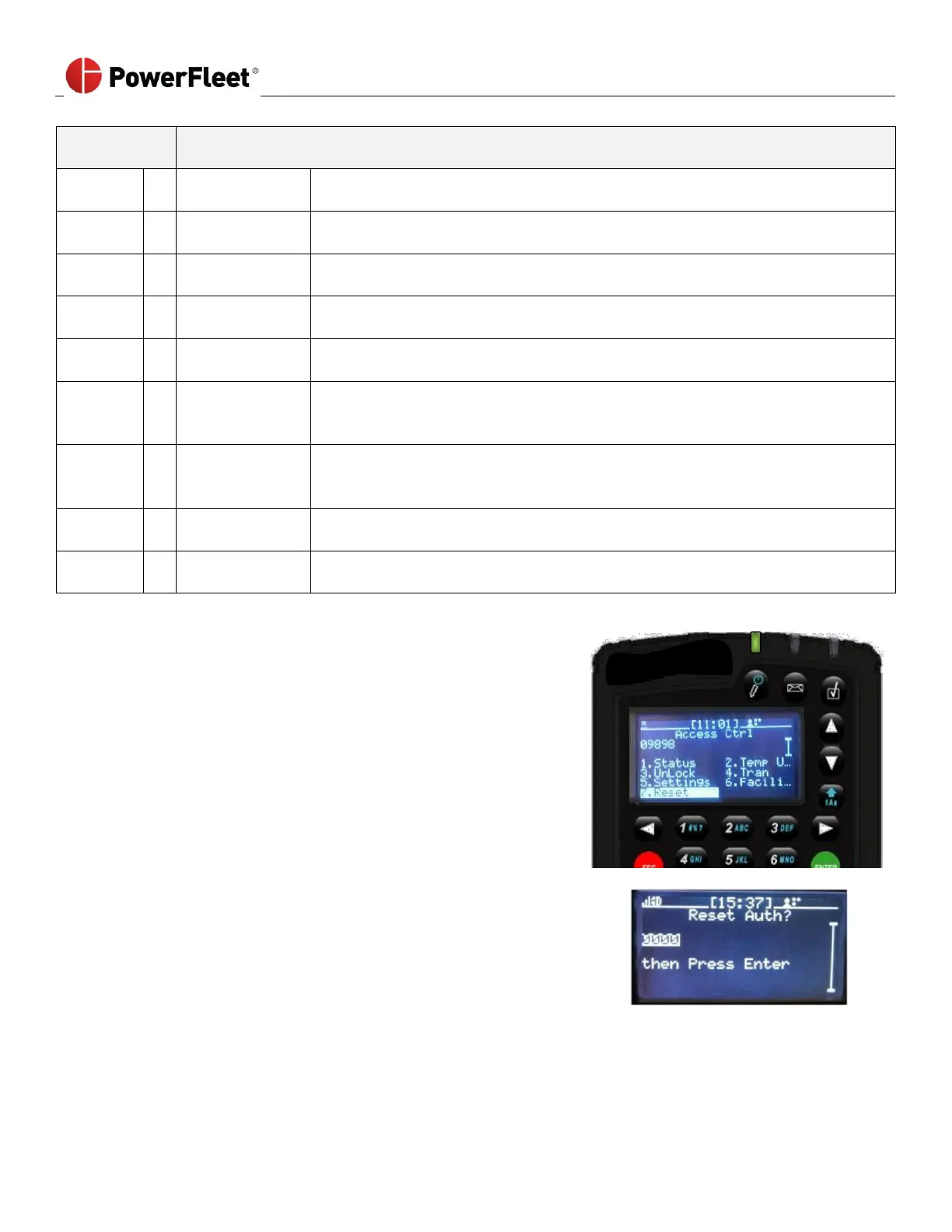
Reset VAC Synchronization
In certain troubleshooting scenarios, the VAC’s downloaded profile
(operators, groups, checklists, etc.) may need to be reset in order to
force a re-synchronization. The reset Authorization function can only be
performed with an access code provided by PowerFleet Support.



 To Next Page