PowerFleet
®
VAC4 and VAC4S Hardware User’s Guide
Checklist Administration
Should the need arise, the VAC provides the ability for a Master operator (or Maintenance operator) to adjust the
current compliance parameters for a vehicle. As previously described, each operator is provided 20 minutes of login
time to complete a safety checklist, when the vehicle is non-compliant. To reset the 20-minute safety checklist
countdown on a vehicle, when the operator has a next log in (perhaps in a case where maintenance inspected the
vehicle adhoc), perform the following:
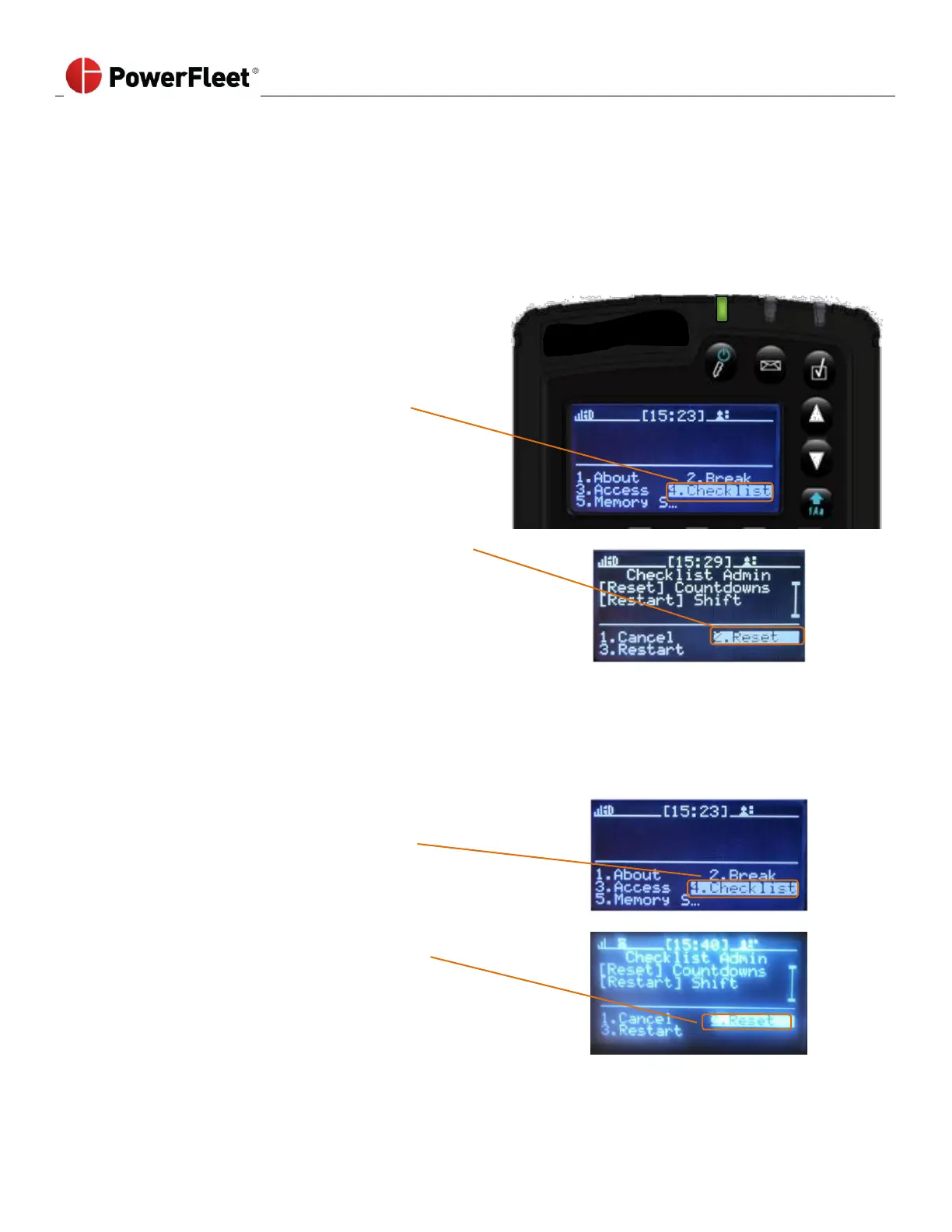
On the first menu screen, select CHECKLIST.
On the “Checklist Admin” sub-menu, select RESET.
To force operators to complete the VAC safety checklist at the next login, perform the following:
(For example, where a Maintenance operator worked on a vehicle, and now you want operators to validate the changes
through a safety inspection).
On the first menu screen, select CHECKLIST.
On the “Checklist Admin” sub-menu, select the RESET
menu option.



 To Next Page