PowerFleet
®
VAC4 and VAC4S Hardware User’s Guide
SECTION 8: SENSOR HUB ERRORS
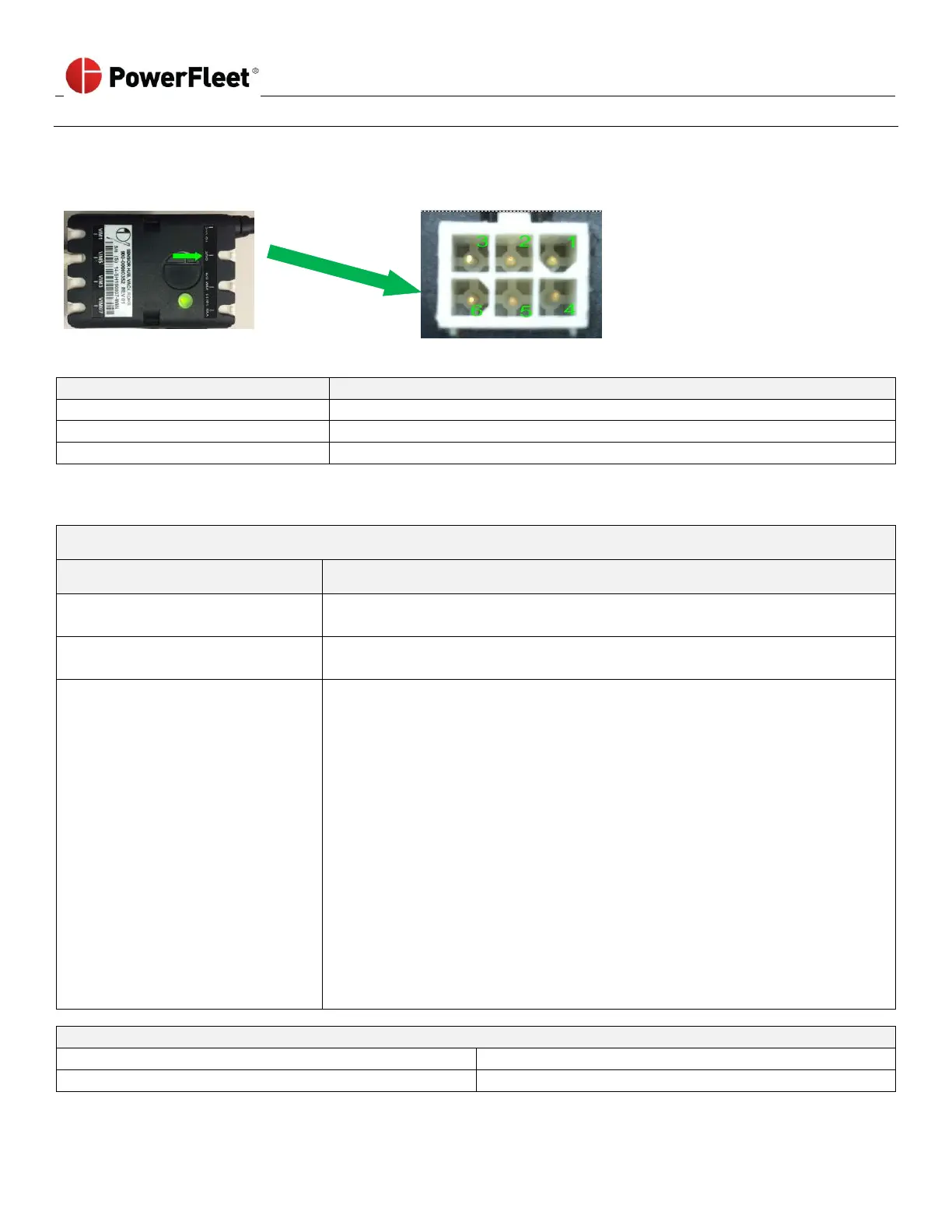
Pinout Diagram
Sensor Hub LED Indicators
Sensor Hub is not powered.
Sensor Hub is powered but not working properly with the VAC.
Sensor Hub is working properly.
Troubleshooting
Issue: VAC Sensor Wizard says “No Hub”
Issue: VAC Sensor Wizard says “No Hub”
Sensor Hub is not connected to
VAC C102 port
Connect the Sensor Hub to VAC C102 port.
Verify Sensor Hub LED is blinking RED-AMBER-GREEN repeatedly.
Replace the Sensor Hub.
VAC is not properly powering the
Sensor Hub
If Sensor Hub LED is NOT lit:
• Remove the Sensor Hub cable from VAC C102 port.
• Test voltage at C102 port using a voltmeter.
• If voltage meets the following, replace the Sensor Hub:
- Pins 1 and 5: 5.3V
- Pins 2 and 5: 0V
- Pins 3 and 5: -5.8V
• If voltage is outside the above range, replace the VAC.
If the Sensor Hub LED is lit:
• Test voltage at Sensor Hub OUT port using a voltmeter.
• If voltage meets the following, replace the Sensor Hub:
- Pins 1 and 5: 5.3V
- Pins 2 and 5: 0V
- Pins 3 and 5: -5.8V
• If voltage is outside the above range, replace the VAC.
Issue: Sensor Hub LED is blinking RED-AMBER-GREEN repeatedly



 To Next Page