PowerFleet
®
VAC4 and VAC4S Hardware User’s Guide
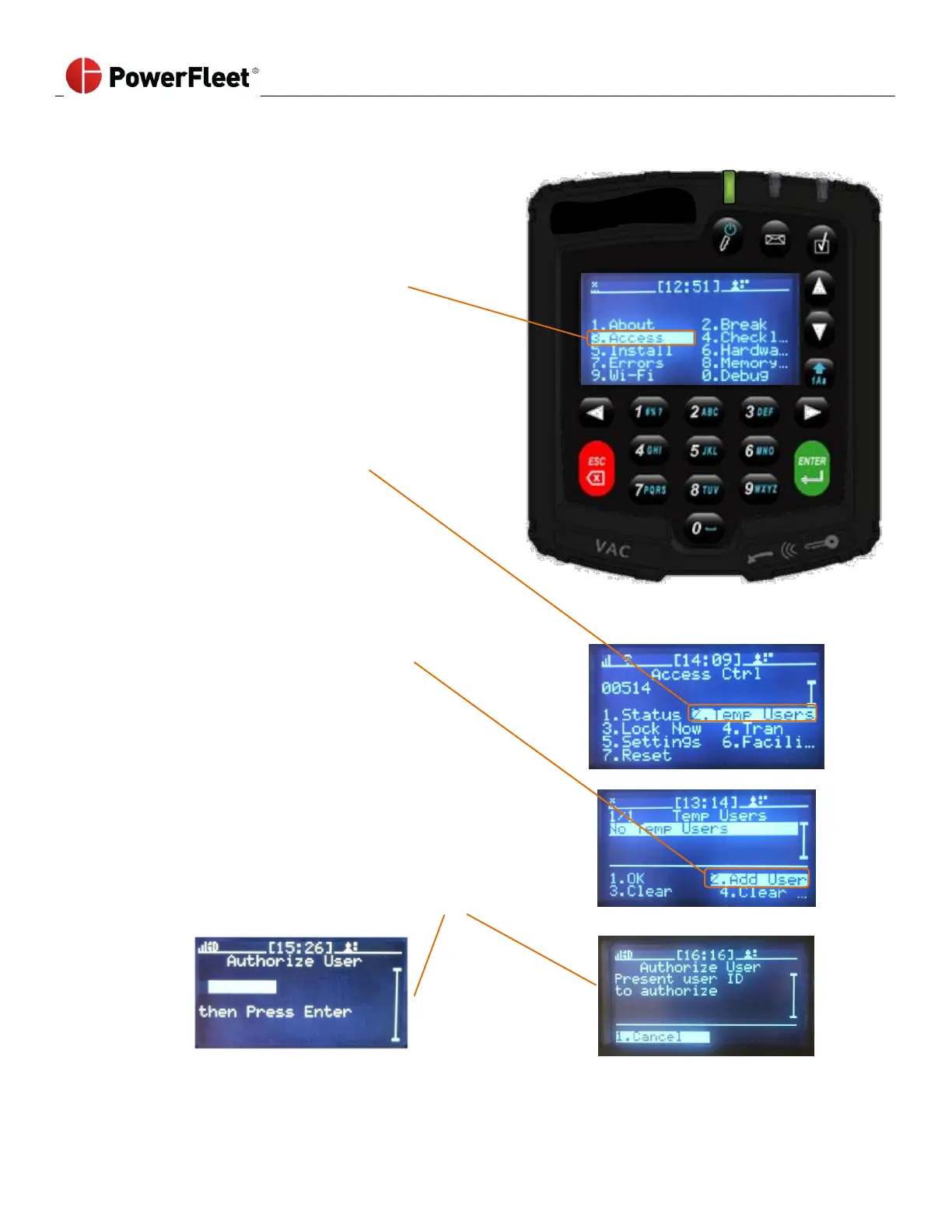
To temporarily authorize an operator on a vehicle, a Master or Maintenance operator must perform the following:
Log into the vehicle to be temporarily assigned.
On the first menu screen, select the ACCESS.
On the “Access Ctrl” sub-menu, select TEMP USERS.
On the “Temp Users” sub-menu, select ADD USER.
Touch the iButton fob, Access ID card of the Standard
operator who needs to be temporarily authorized to the
VAC’s iButton, Access ID card reader. Then log off.
That newly assigned operator is now temporarily
authorized to use that vehicle, for a time period of 14
hours.



 To Next Page