PreciseFlex_Robot
126
Replacing the Linear Axis Controller
Tools Required:
2.5 mm hex driver or hex L wrench
2.0 mm hex driver
Spare Parts Required:
G1100T Slave Controller (“GSB3-DIFF”) see “Spare Parts List”. Note this part has differential encoder
inputs and is NOT the same part as the GSB3-SE for the gripper, which has single ended encoder inputs.
To replace the Linear Axis Controller the user must:
Remove the linear axis cover by sliding the carriage to one end of travel, remove 4 M4 X 30 SHCS from
the end caps retaining the cover. It may also be necessary to loosen the connector end cap by loosening
the bottom two screws attaching the connector end cap to the Linear Axis Extrusion, so that the cover can
be lifted up and removed.
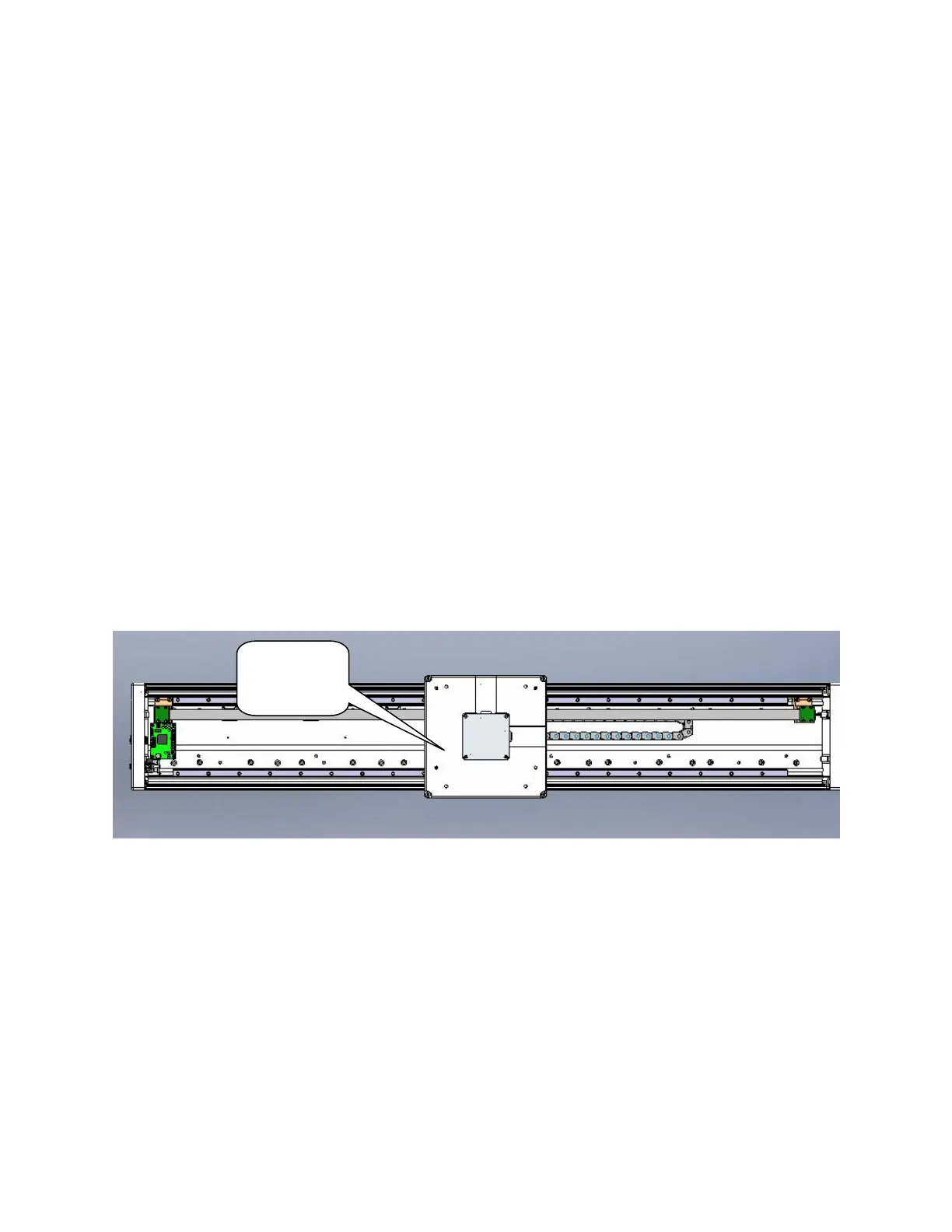
Remove the cable covers on the robot mount plate. Remove the robot mount plate.
Replace the Linear Axis Controller Board. Be sure all jumpers are set as shown below and the battery
wires are re-connected as shown. It will be necessary to recalibrate the robot if this board is replaced and
the absolute encoder battery wires are disconnected.
Remove
robot
mount plate



 To Next Page