AFV-P Series High Performance Programmable AC Power Supply
39
B. Consecutive Step Feature
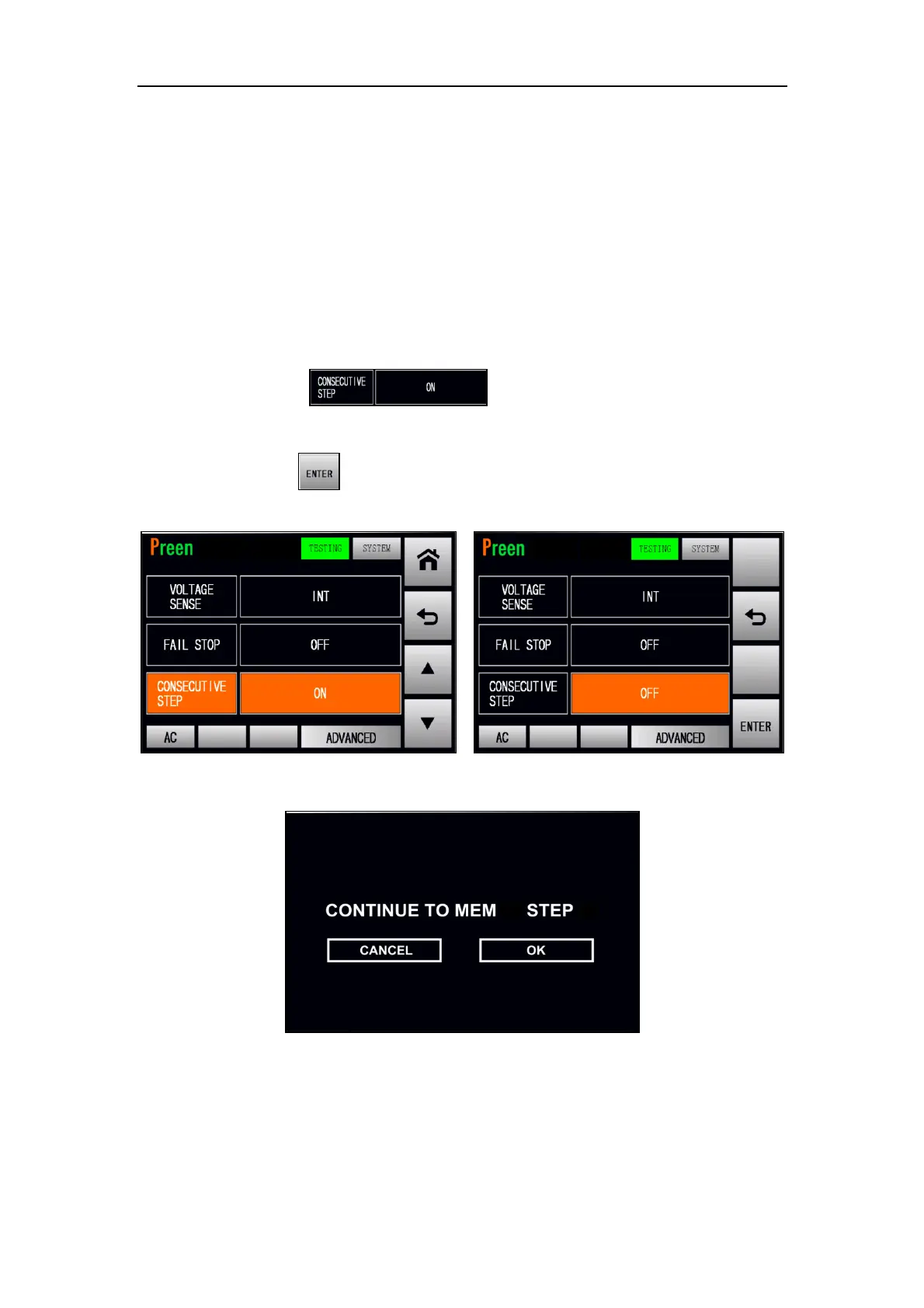
There are two options of the consecutive step feature: ON and OFF, and the default
option is ON. ON indicates that each Step and Memory Set will be continuously per-
formed without any HINT page when the PROGRAMMABLE feature is performed;
OFF indicates that the HINT page will be displayed between each Step of the Memory
Set for users to confirm when the PROGRAMMABLE feature is performed.
The procedures of disabling the consecutive step are given as below:
1. Press the item twice to switch the icon status from
ON to OFF.
2. Press the icon to confirm and disable the consecutive step feature.
Figure 3.22 Disable the consecutive step feature (ADVANCED mode)
Figure 3.23 HINT page



 To Next Page