AFV-P Series High Performance Programmable AC Power Supply
48
3.5.3 SYSTEM Subpage
After pressing the icon to enter into the SETTINGS page, the TESTING sub-
page will be shown on the touch screen, and users can press the icon
on the upper-right side of the touch screen to enter into the SYSTEM subpage. Please
see the following figures,
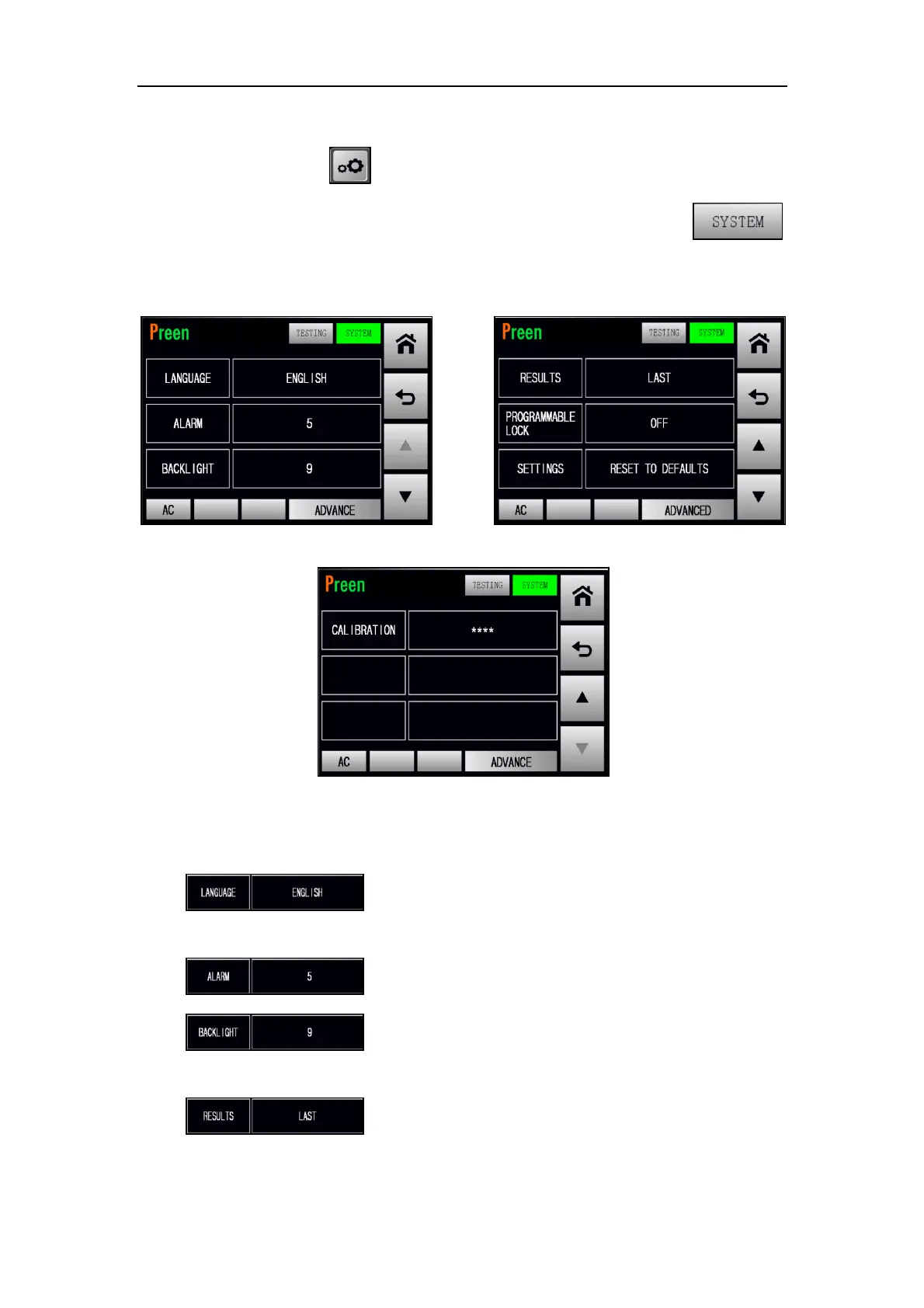
Figure 3.34 SYSTEM subpages 1 & 2
Figure 3.35 SYSTEM subpage 3
The description for the items and the icons at the SYSTEM subpage are given as follows,
1) : Press to set the operational language, with four op-
tions of ENGLISH, 繁體中文 and 简体中文.
2) : Press to set the alarm volume, with options from 0 to 9.
3) : Press to set the backlight level of the touch screen,
with options from 0 to 9.
4) : Press to set the RESULTS feature, with three options
of LAST, ALL and P/F.



 To Next Page