AFV-P Series High Performance Programmable AC Power Supply
111
7.3 Remote Control Software: Program Mode
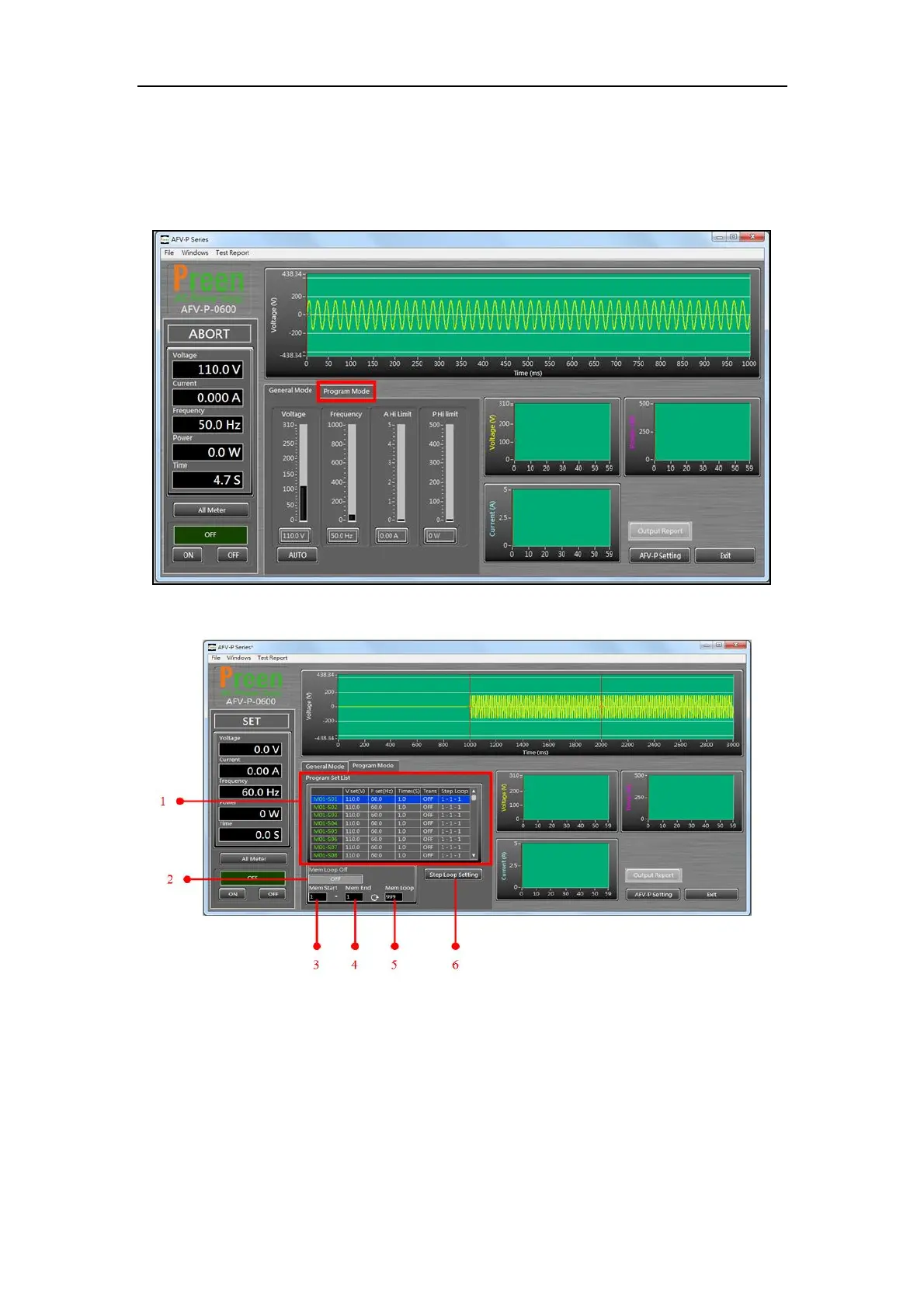
To enter into the program mode of the remote control software, please click the
icon “Program Mode” which is mark in red square below,
Figure 7.7 Click the icon “Program Mode” to enter into the program mode
Figure 7.8 Remote control software: program mode.



 To Next Page