AFV-P Series High Performance Programmable AC Power Supply
54
3.6 COMMUNICATION Page
If the MENU page is shown on the touch screen, users can press the icon to
enter into the COMMUNICATION page, and the COMMUNICATION page includes two
subpages: the ETHERNET subpage (or the optional ANALOG subpage) and the GEN-
ERAL subpage.
3.6.1 ETHERNET Subpage
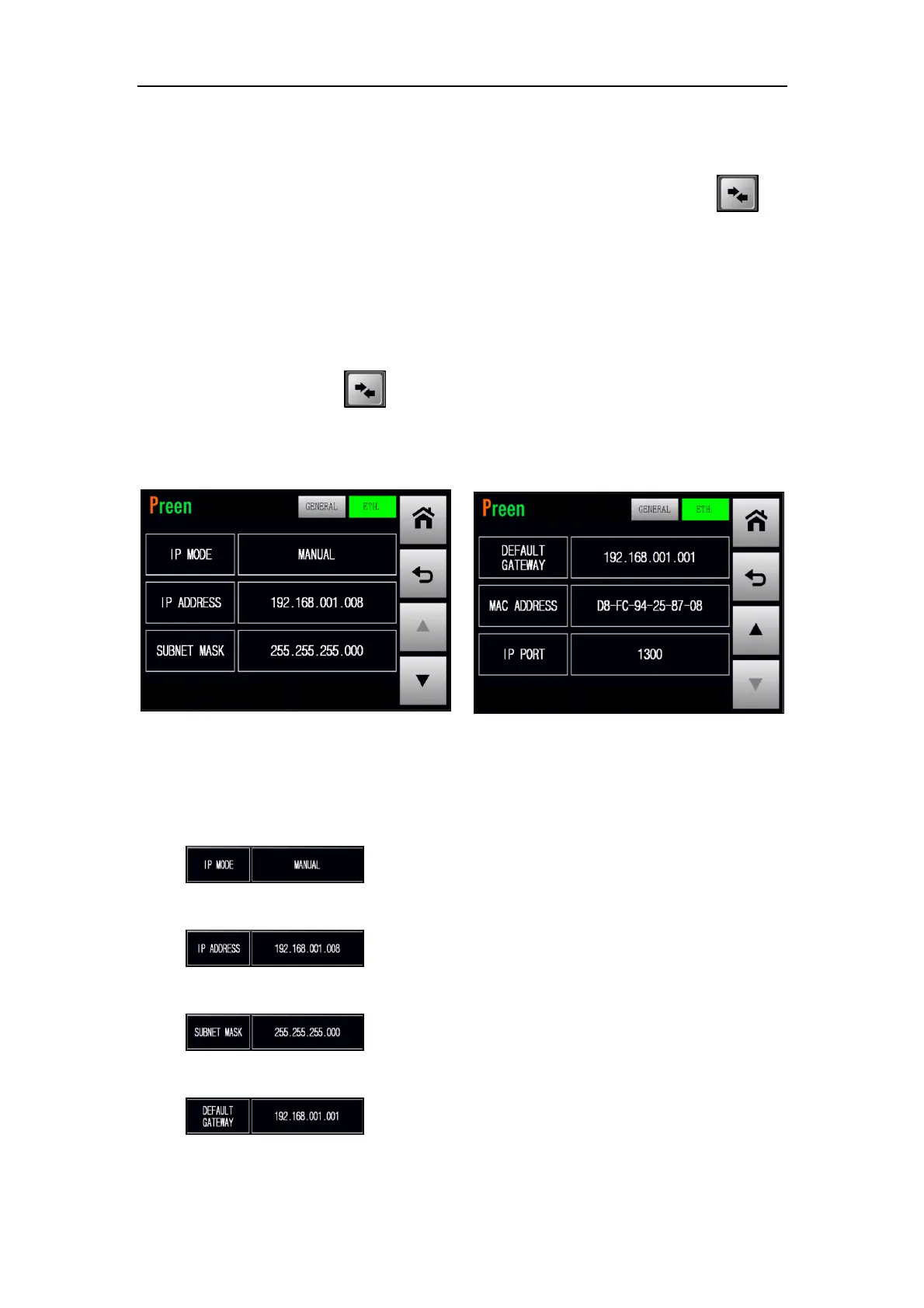
After pressing the icon to enter into the COMMUNICATION page, the
ETHERNET subpage will be shown on the touch screen in advance. Please see the
following figures,
Figure 3.42 ETHERNET subpages 1 & 2
The description for the items and the icons at the ETHERNET subpage are given as
follows,
1) : Press to set the IP mode with two options of AUTO
mode and MANUAL mode.
2) : Press to set the IP address under the MANUAL
mode.
3) : Press to set the subnet mask under the MANUAL
mode.
4) : Press to set the default gateway under the MANUAL
mode.



 To Next Page