AFV-P Series High Performance Programmable AC Power Supply
113
7.4 Remote Control Software: Additional Features
A. Reset to Default Settings
To reset the setting of the remote control software to the default setting, please do
the following procedures step by step,
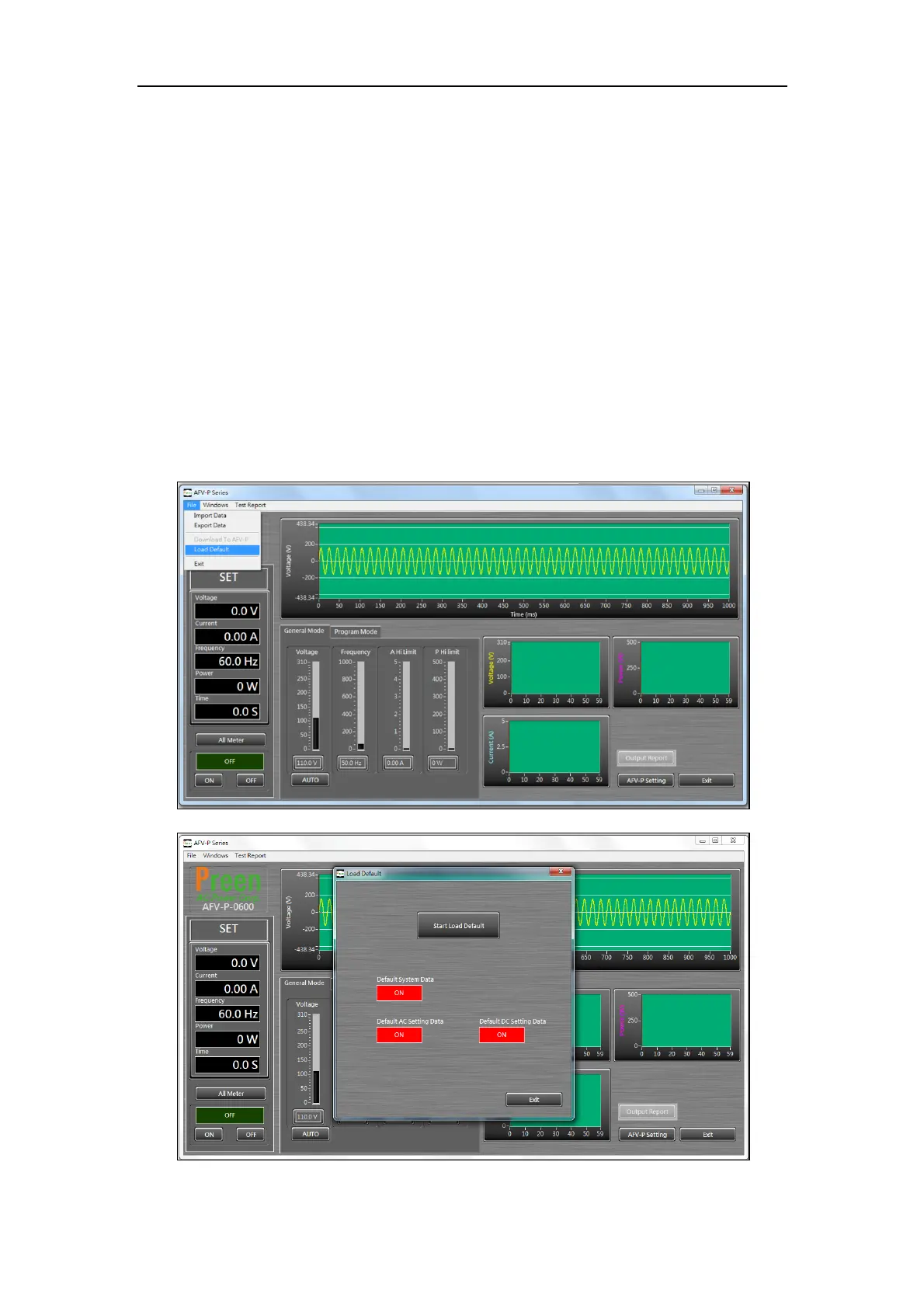
1 Click the item “File”, and then click the item “Load Default” (see Figure 7.11).
2 Select the desired settings to reset.
2.1 Click the icon “Default System Data” to enable/disable the reset of the system data.
2.2 Click the icon “Default AC Setting Date” to enable/disable the reset of the
AC program mode.
2.3 Click the icon “Default DC Setting Date” to enable/disable the reset of the
DC program mode.
3 Click the icon “Start Load Default” to reset the program mode (see Figure 7.12).
Figure 7.11 Item “File” and Item “Load Default”
Figure 7.12 Select the desired settings to reset



 To Next Page