AFV-P Series High Performance Programmable AC Power Supply
89
5.4 TRANSIENT Feature
A. TRANSIENT Page
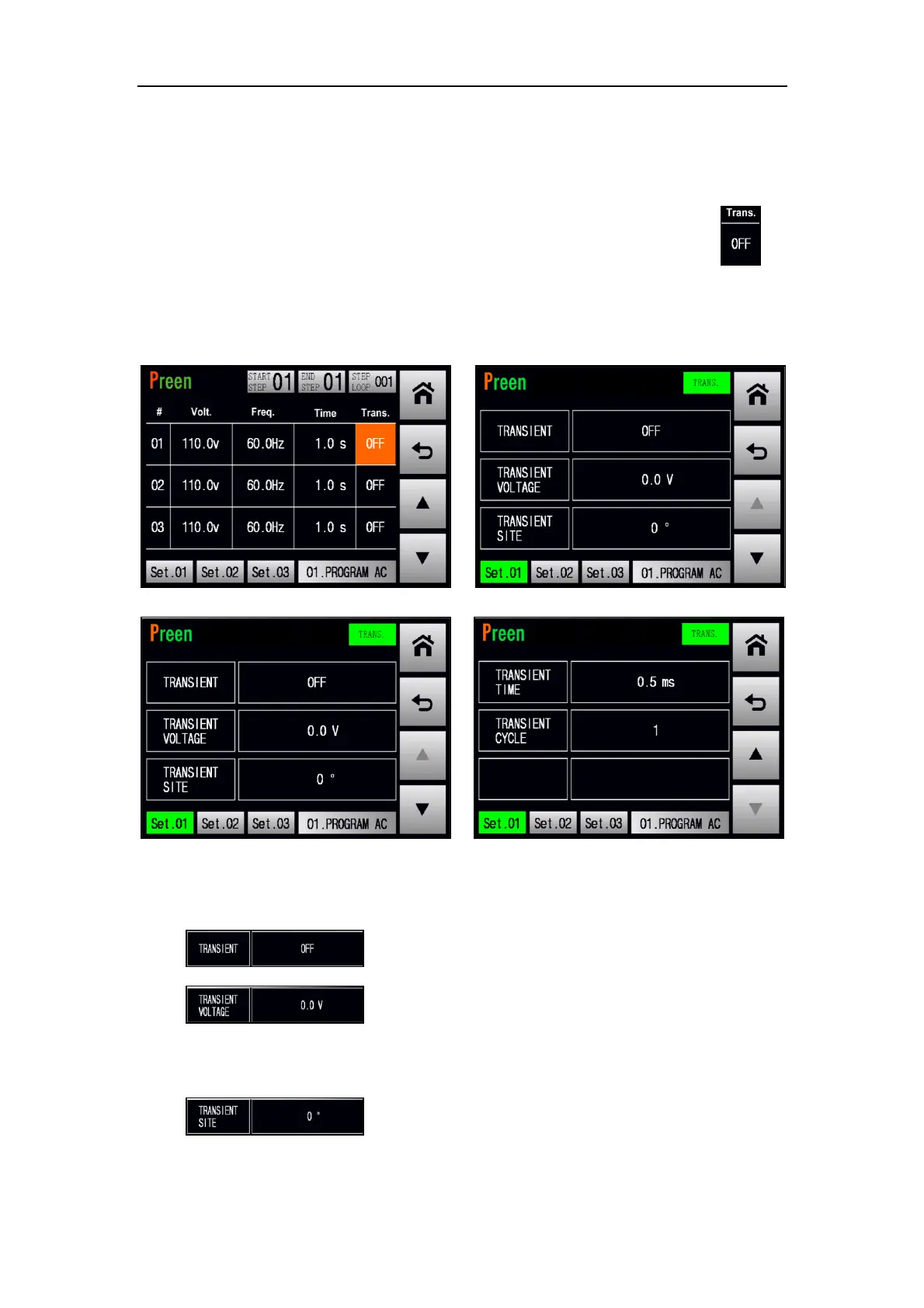
If the STEP page is shown on the touch screen, users can press the item to
enter into the TRANSIENT page, and users are allowed to enable the TRANSIENT fea-
ture which makes the output change for a specific period of time at the TRANSIENT
page. Please see the following figures,
Figure 5.21 Enter into the TRANSIENT page
Figure 5.22 TRANSIENT page 1 & 2
The description for the items at the TRANSIENT page are given as follows,
1) : Press to enable/disable the TRANSIENT feature.
2) : Press to set the Transient voltage, with options from
0.1V to 310V. While setting the Transient voltage less than 0.1V, the Transient
voltage will be automatically set to 0V.
3) : Press to set the Transient site, with options from 0
to 359.



 To Next Page