AFV-P Series High Performance Programmable AC Power Supply
70
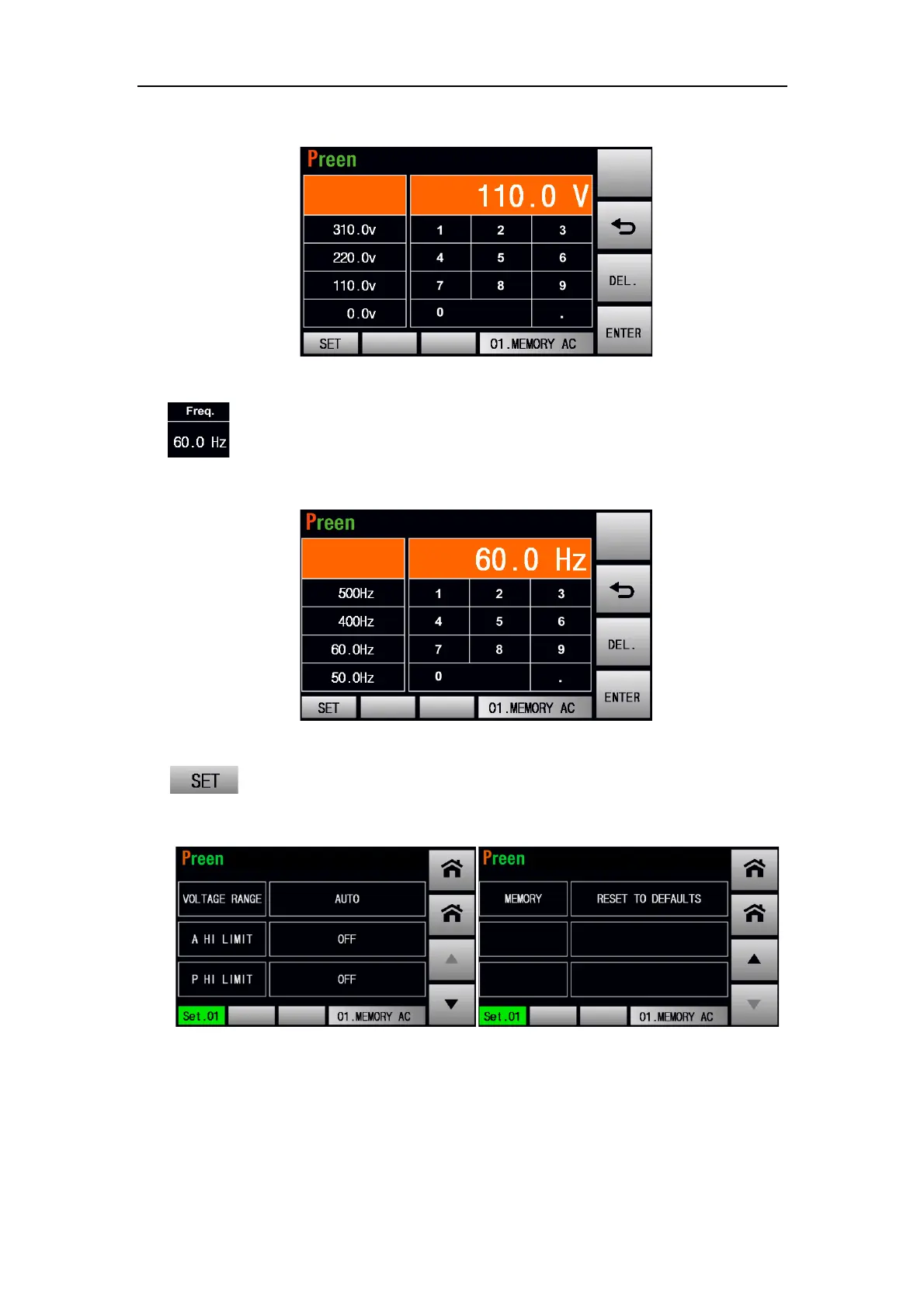
Figure 4.4 Voltage setting of Memory set
3) :Press to set the frequency of Memory Set. Some of the commonly used
voltages are listed by default for quick access. Please see the following figure:
Figure 4.5 Frequency setting of Memory set
4) :Press to enter into the subpage for advanced setting of Memory Set.
Please see the following figures:
Figure 4.6 Advanced setting of Memory Set
The description for the items and the icons at the subpage for advanced setting of
Memory Set are given as follows,



 To Next Page