Controls and Instruments 4-51
PA-1628Operator's ManualH3-45 COACH
TURNING THE SYSTEM ON
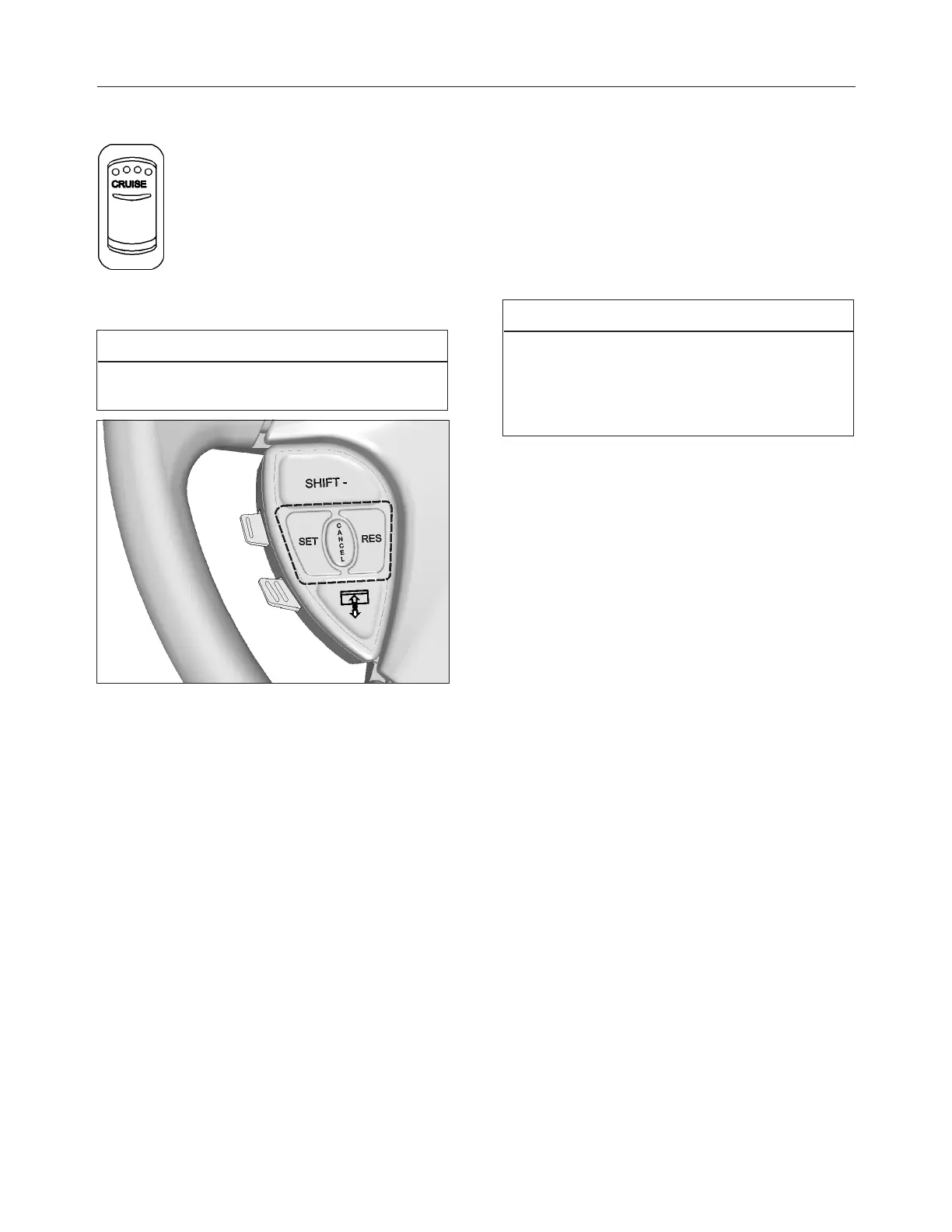
To operate the cruise control, press the
CRUISE rocker switch located on the
lateral control panel to the ON position.
This turns the system on. The dashboard
telltale turns on; you can now set the
vehicle at a desired cruising speed. To
turn off the system, press the rocker
switch to the OFF position.
NOTE
The cruise switch and RESUME button do not
operate at speeds below 30 mph (50 km/h).
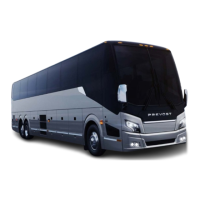
CRUISE CONTROL BUTTONS
SETTING A CRUISING SPEED
Accelerate the vehicle to the desired cruising speed
using the accelerator pedal. Press and release the
SET button then remove foot from the accelerator
pedal. This will set the vehicle cruise speed and
store it in memory. The set speed will appear in the
driver information display.
Increasing Set Speed
The vehicle cruise speed setting can be increased by
one of the following methods.
1. Accelerate using the accelerator pedal until
the desired cruising speed is reached. Press
and release the SET button.
or
2. Press and hold the RES (RESUME) button
until the desired cruising speed is reached.
When the RES button is released, the new
cruising speed will be stored in the cruise
control memory.
or
3. When driving with cruise control, each time
the RES button is momentarily depressed,
the cruising set speed is raised by 1 mph (2
km/h).
NOTE
When driving with cruise control, the vehicle can
still be accelerated by depressing the accelerator
pedal in the usual manner. Once the accelerator
pedal is released, the vehicle will return to the
previously set cruising speed.
Decreasing Set Speed
The vehicle cruise speed setting can be decreased
by one of the following methods.
1. Press and hold the SET button until the
desired cruising speed is reached. When the
SET button is released, the new cruising
speed will be stored in the cruise control
memory.
or
2. Each brief pressing of the SET button will
decrease set cruising speed by 1mph
(2km/h).
or
3. Slightly apply the service brake and when
desired cruise speed is reached, press and
release the SET button.
Canceling The Set Speed
You can cancel the set cruising speed by:
1. Pressing momentarily the CANCEL button;
2. Depressing the brake pedal.
Automatic Cruise Control Cancellation
The set speed is automatically canceled in any of the
following situations:
l The windshield wipers are operating in low or
high speed;




 To Next Page