Controls and Instruments 4-61
PA-1628Operator's ManualH3-45 COACH
The display remains in this mode with the menus
appearing at the bottom until the pre- trip check
sequence starts again.
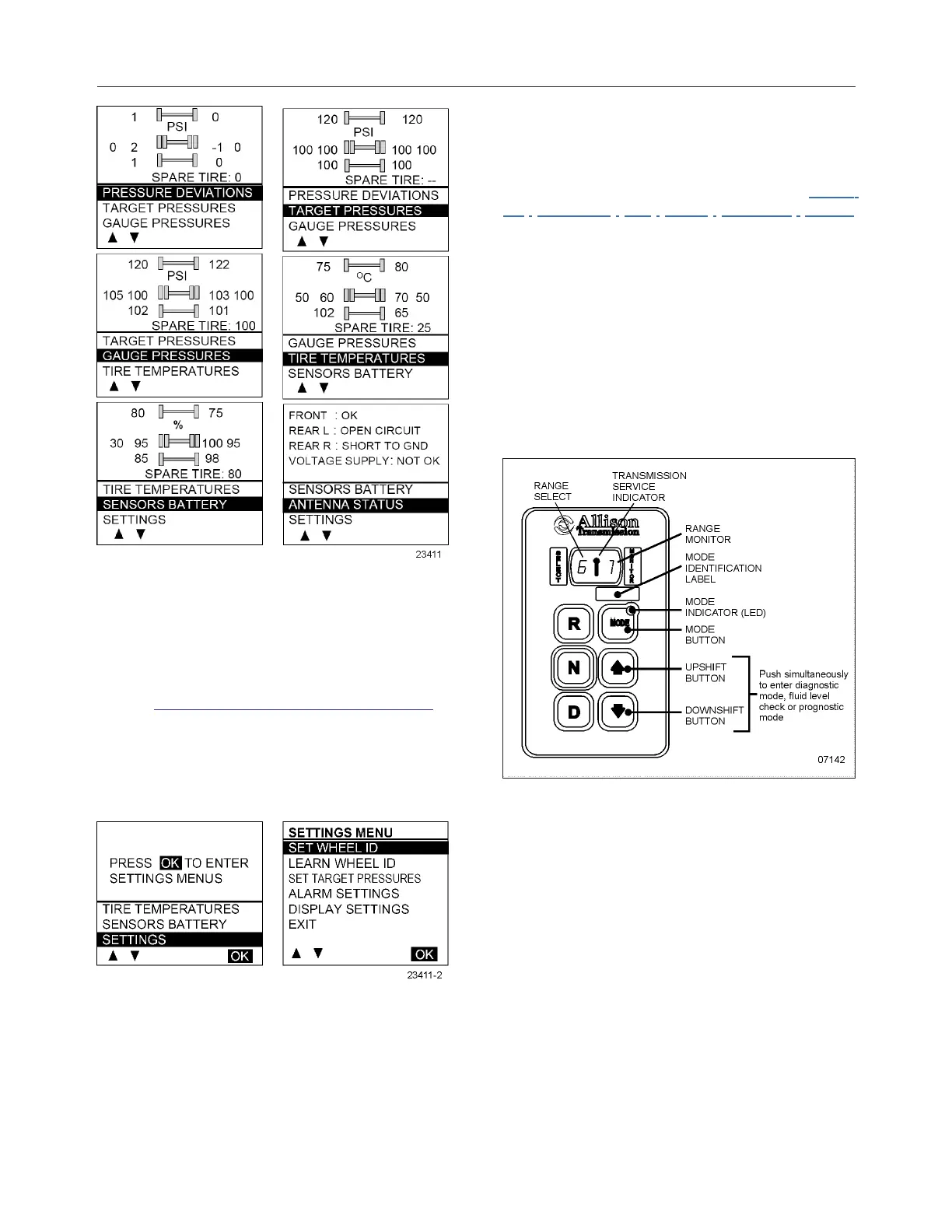
Scrolling down below the Battery life menu will show
the Settings menu. Highlighting the Settings and
pressing OK allows entering the settings menu.
Refer to "Setting The On-Screen TPMS" on page7 in
Section 7 Safety Features and Equipment for more
information.
Highlighting the Exit menu and pressing OK exits the
settings and come back to the pressure display
mode.
ALLISON TRANSMISSION
The transmission is fully automatic: Proper ranges
should be automatically selected according to driving
speeds to improve vehicle performance and control.
The speed ratio of the power converter changes
automatically as vehicle speed increases and direct-
drive goes in and out as necessary. The speed ratio
is modulated by vehicle speed and accelerator pedal
position. You will find the complete transmission
operation instructions and driving tips in the Allison
5th Generation Bus Series Operator’s Manual
available on the Prevost Technical Publication web
site.
OPERATION
When a button is depressed on the transmission
control pad, the corresponding letter or number is
displayed indicating the transmission is ready to
operate in the selected range. If the transmission
control module (TCM) detects a serious problem in
the transmission, the CHECK telltale lights on the
dashboard.
ALLISON PUSHBUTTON SHIFT SELECTOR
PUSHBUTTON SHIFT SELECTOR
The pushbutton shift selector has the following
elements:
R: Press to select Reverse gear.
N: Press to select Neutral.
D: Press to select Drive. The highest forward range
available will appear in the digital display window
under SELECT. The transmission will start out in the
lowest available forward range, displayed under
MONITOR, and advance automatically to the
highest range.








 To Next Page