Chapter 2 Remove Packing Materials
28
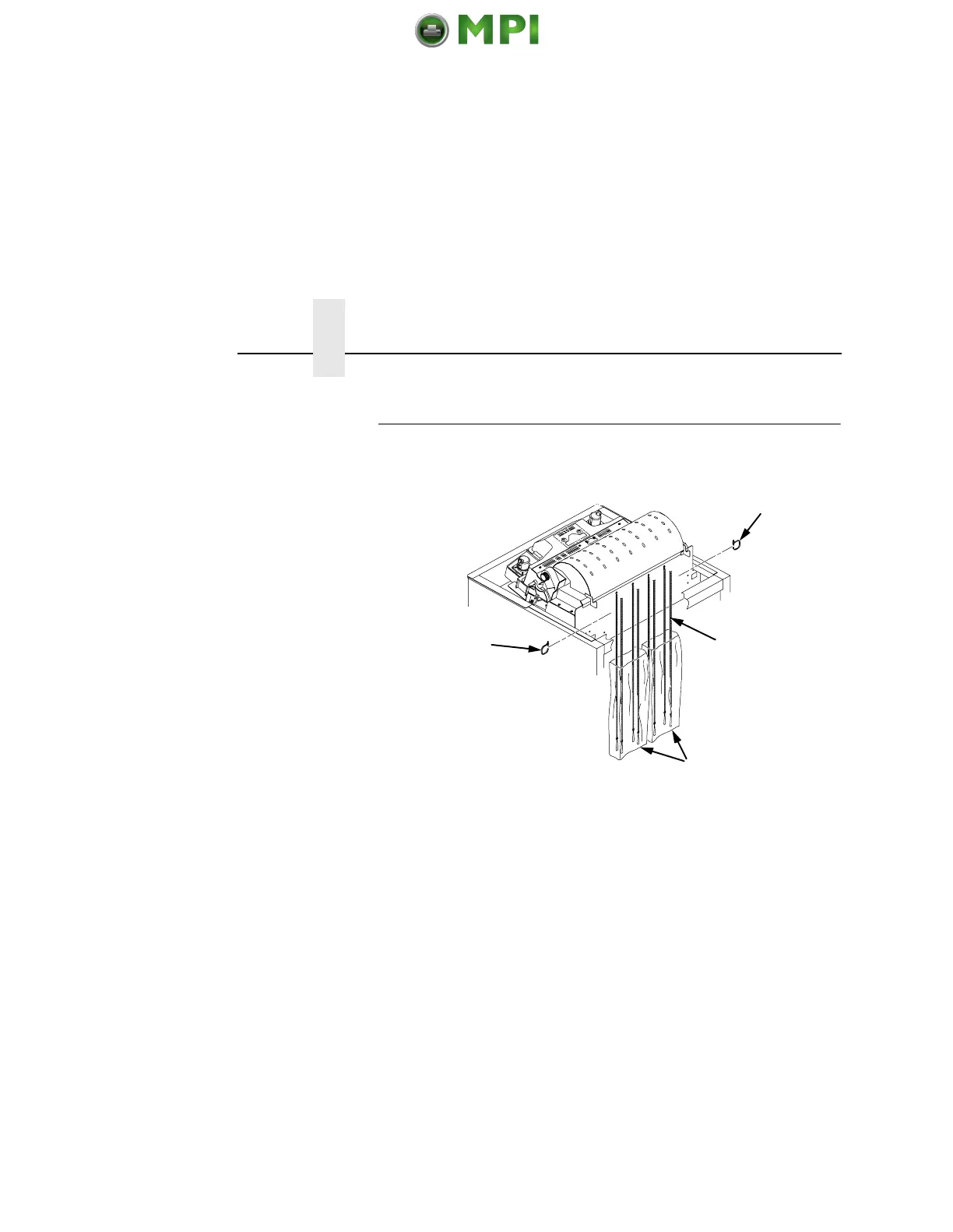
Release The Paper Chains (Cabinet Model)
1. If you have the power paper stacker installed, skip this
procedure and go to “Remove The Shipping Restraints From
The Optional Power Stacker” on page 31.
2. Open the cabinet rear door.
3. Cut the tie wraps (1) and release the paper chains (2) from the
bags (3) at the top rear of the printer frame. Remove the tie
wraps and bags.
4. Make sure each chain hangs freely with no kinks or knots.
1
1
2
3
Mantenimiento Periféricos Informáticos SL C/Canteras, 15 28860 Paracuellos de Jarama Tel: 00 34 917481604 WEB: https://mpi.com.es













 To Next Page