Remove Tags
29
Remove Tags
Cabinet Model
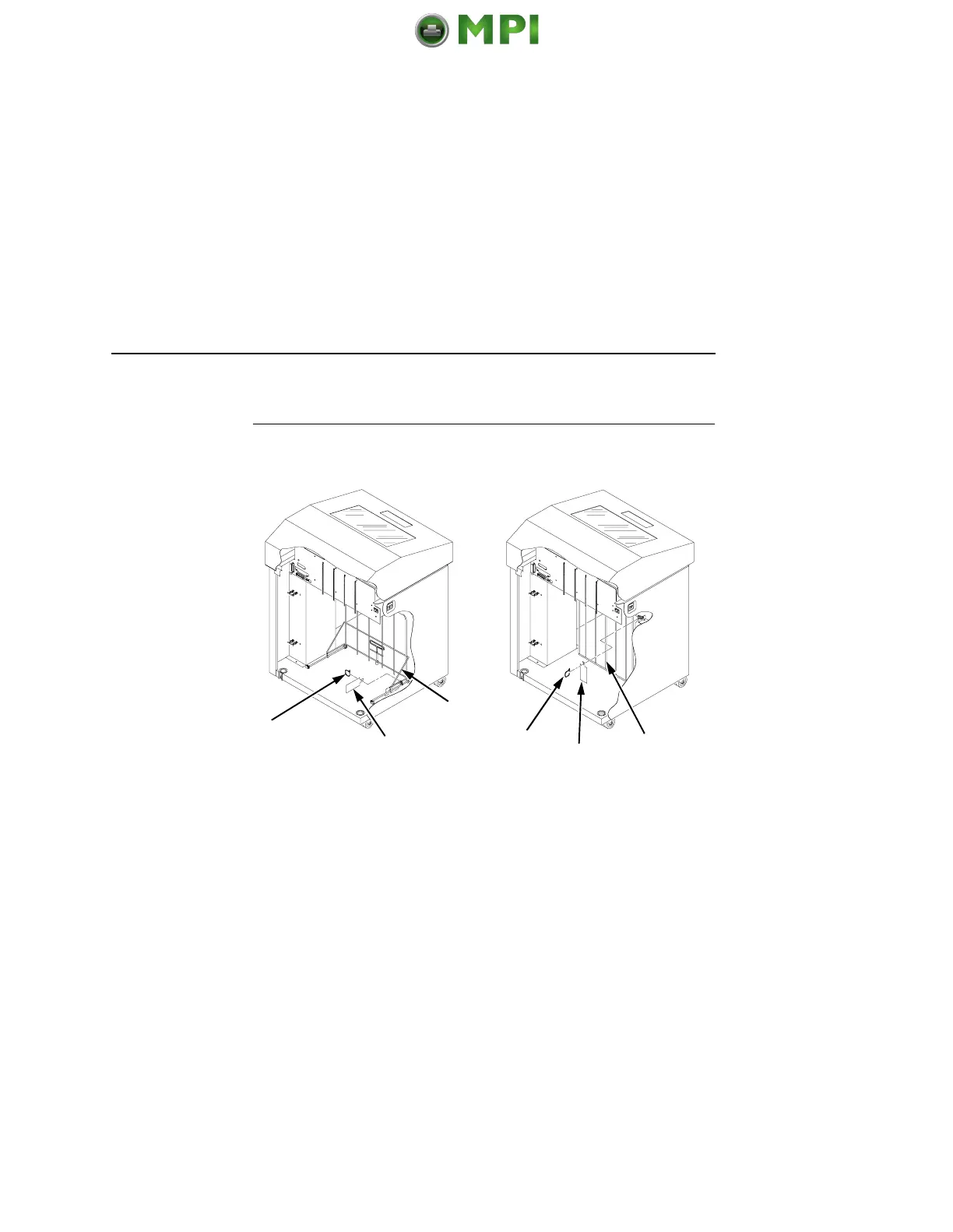
Figure 3. Removing Tags
(Left: 1000/1500 lpm models; Right: 500 lpm models)
1. If you have the power paper stacker installed, skip this
procedure and go to “Remove The Shipping Restraints From
The Optional Power Stacker” on page 31.
2. Remove the tie wrap (1) attached to the passive stacker paper
fence (3). It is marked with a large, red tag (2).
3. Close the cabinet rear door.
1
1
2
2
3
3
Mantenimiento Periféricos Informáticos SL C/Canteras, 15 28860 Paracuellos de Jarama Tel: 00 34 917481604 WEB: https://mpi.com.es













 To Next Page