Interface Connections
37
Interface Connections
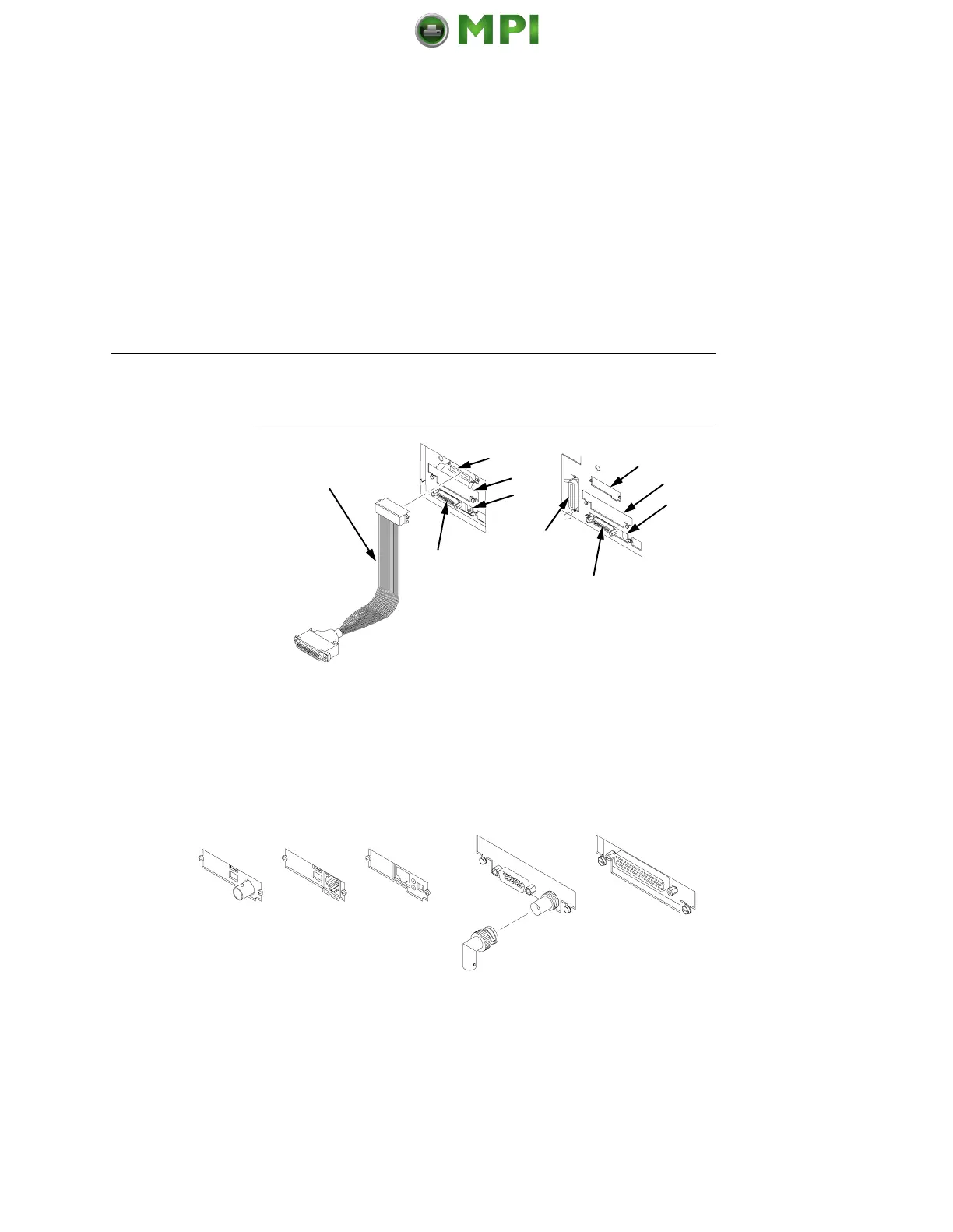
Legend:
1) Centronics (not present on Network-based pedestal models)
2) Auxiliary I/O
3) Diagnostic
4) Serial RS-232/RS-422
5) Dataproducts Standard Adapter
6) Ethernet
Figure 5. Standard Interfaces
(Left: Pedestal Model; Right: Cabinet Model)
Legend:
1) Network 10Base2
2) Network 10Base-T
3) Network 10/100Base-T
4) Coax/Twinax
5) Dataproducts Long Line
Figure 6. Optional Interfaces for the Auxiliary I/O
1. Remove the cover from the I/O connector you have selected.
2. Attach the I/O cable connector to the printer interface
connector.
5
4
1, 6
2
3
4
3
2
6
1
34215
Mantenimiento Periféricos Informáticos SL C/Canteras, 15 28860 Paracuellos de Jarama Tel: 00 34 917481604 WEB: https://mpi.com.es













 To Next Page