SureStak Power Paper Stacker
47
Setting Up The Power Stacker
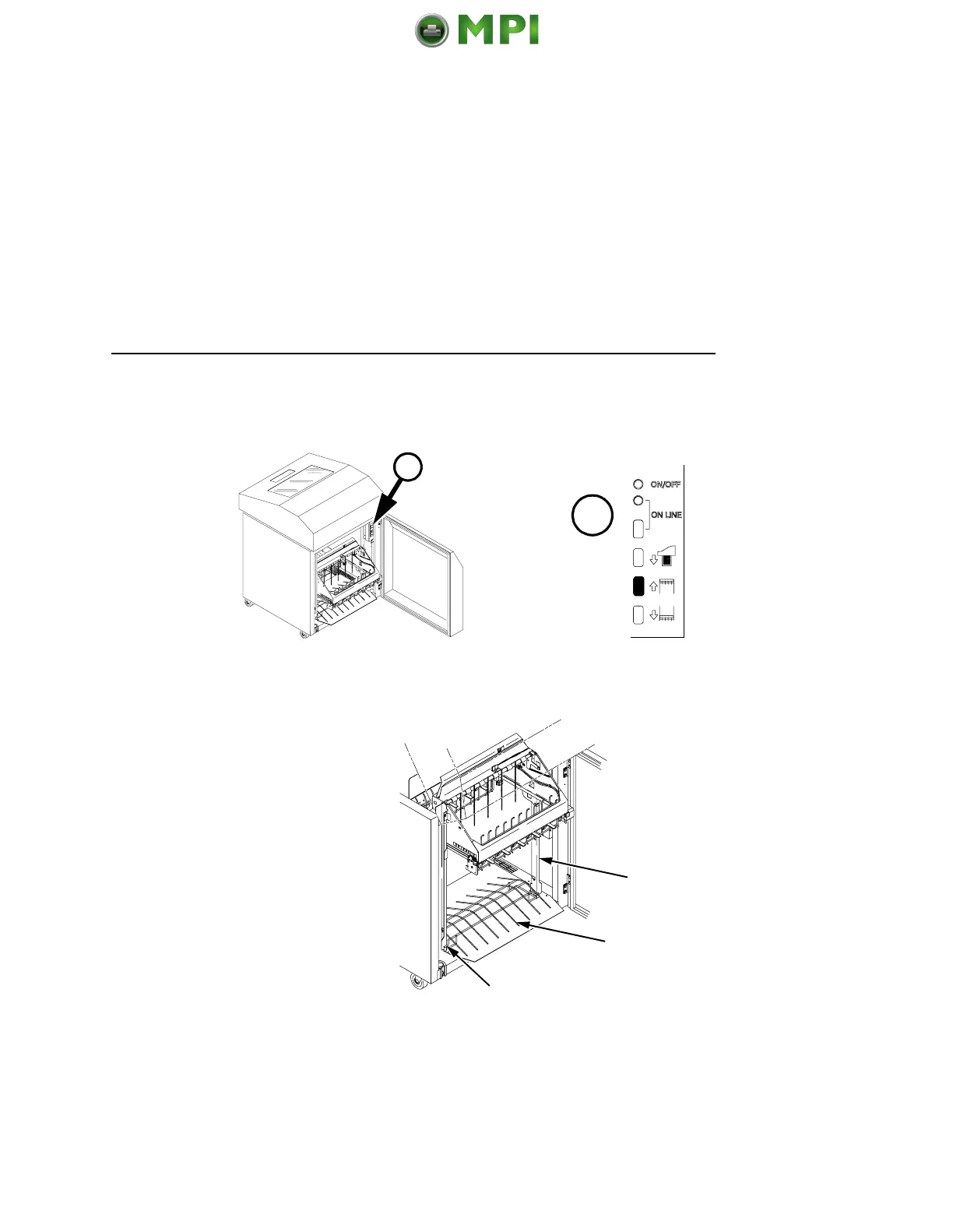
1. Set the power switch to | (On).
2. Using the rear control panel, press ON LINE to take the printer
offline. Press STACKER UP button and wait for the stacker to
reach the top of its travel.
3. Make sure the wire paper tent (2) is in the base of the stacker
with the alignment rods (1) against the paper stacker rails (3).
$
$
3
2
1
Mantenimiento Periféricos Informáticos SL C/Canteras, 15 28860 Paracuellos de Jarama Tel: 00 34 917481604 WEB: https://mpi.com.es













 To Next Page