Chapter 3 Operational Procedures
72
Replacing The Ribbon
1. Press ON LINE
to place the printer in offline mode.
2. Open the printer cover.
3. Remove the old ribbon:
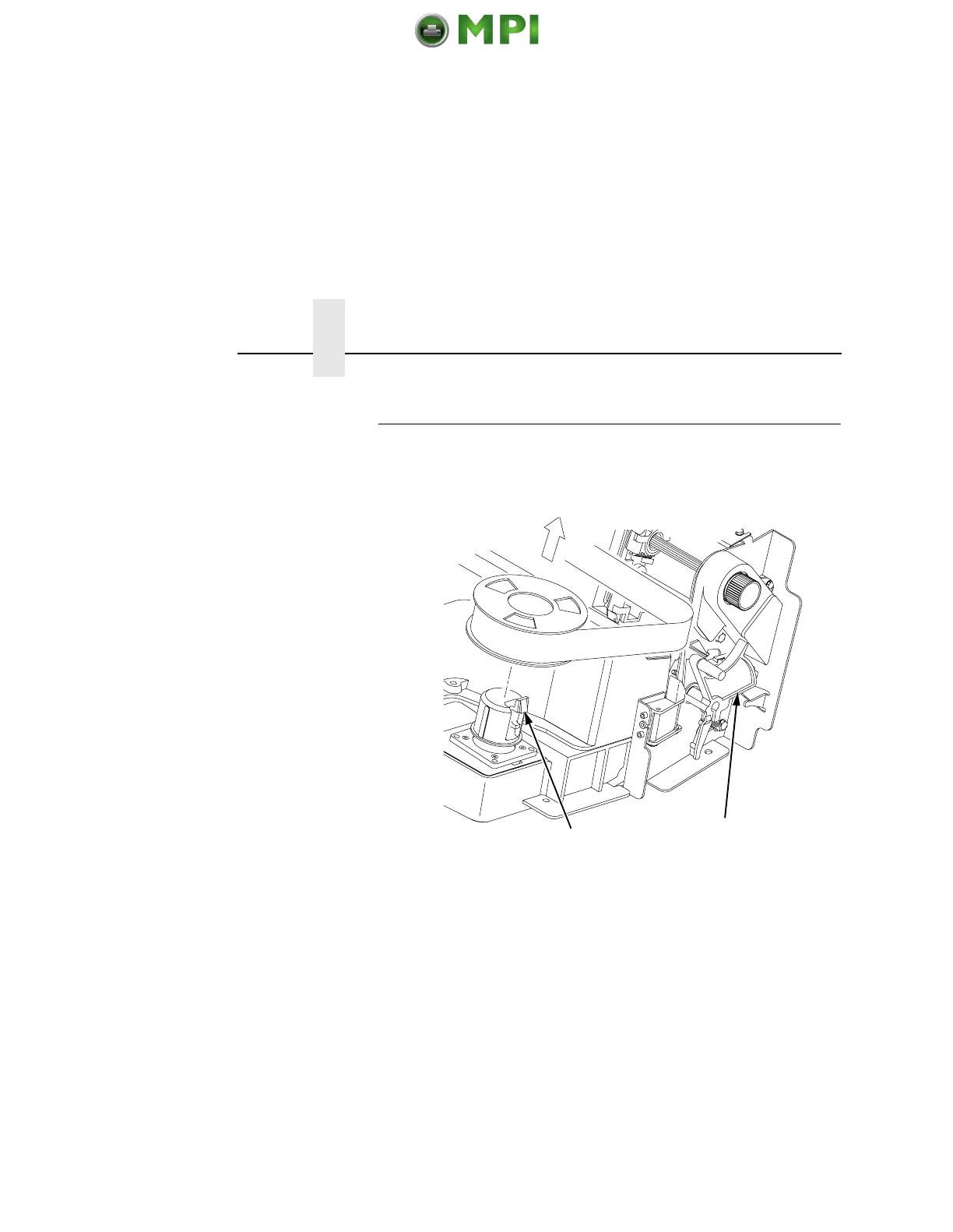
a. Raise the forms thickness lever (1) as far as it will go.
b. Press in on the hub latches (2) and lift the ribbon spools off
the hubs. Lift the ribbon out of the ribbon path.
4. Discard the old ribbon.
5. If necessary, clean the interior of the printer. (See “Cleaning
Requirements” on page 223.)
2
1
Mantenimiento Periféricos Informáticos SL C/Canteras, 15 28860 Paracuellos de Jarama Tel: 00 34 917481604 WEB: https://mpi.com.es













 To Next Page