Load The Paper
41
Load The Paper
When you start this procedure, verify that the printer cover is open,
the forms thickness lever is raised, and the tractor doors are open.
(See “Printer Component Locations” on page 20.)
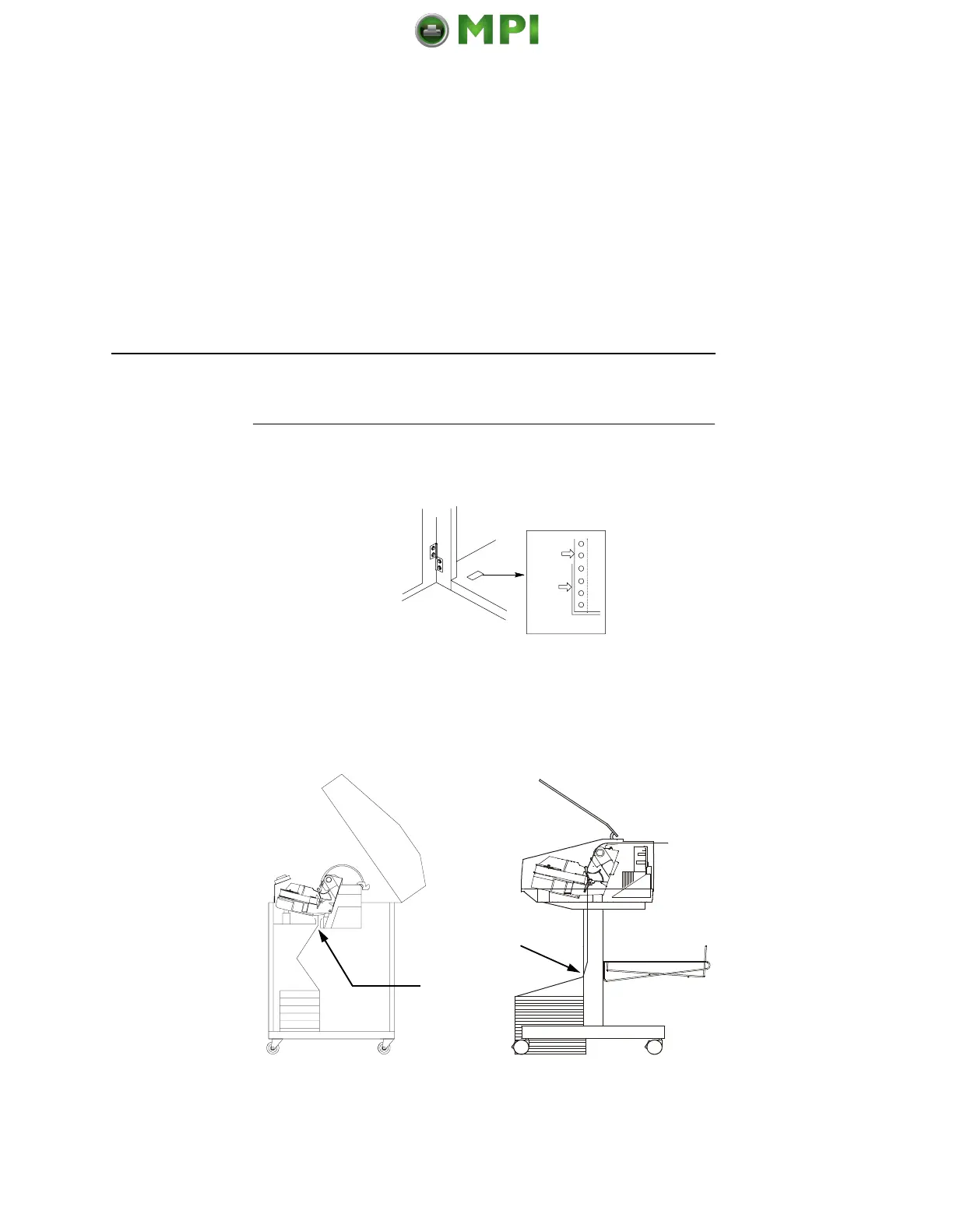
Legend:
1) Edge Of Paper
2) Box
1.
For cabinet models, align the paper supply with the label on the
floor. Make sure the paper pulls freely from the box.
2. Feed the paper up through the paper slot (3). Hold the paper in
place with one hand (to prevent it from slipping down through
the paper slot) while pulling it through from above with your
other hand.
1
2
3
3
Mantenimiento Periféricos Informáticos SL C/Canteras, 15 28860 Paracuellos de Jarama Tel: 00 34 917481604 WEB: https://mpi.com.es













 To Next Page