Load The Ribbon
39
Load The Ribbon
1. Refer to the ribbon path diagram molded onto the shuttle cover
(see “Printer Component Locations” on page 20).
2.
Open the printer cover.
3.
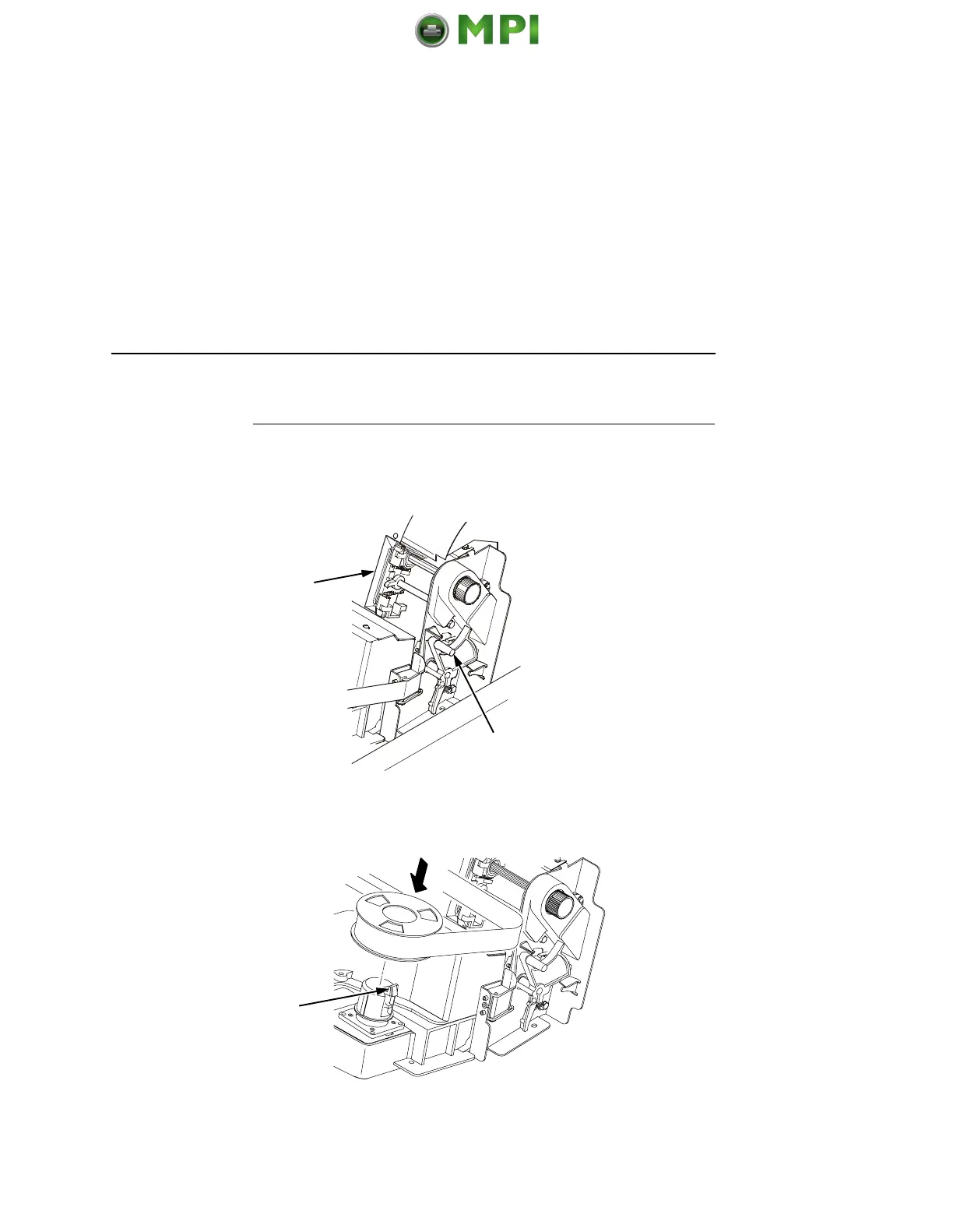
Raise the forms thickness lever (2) as far as it will go.
4.
Close the tractor doors (1).
5. Squeeze the right hub latch (3) and place the full spool on the
right hub. Be sure the ribbon feeds off the outside of the spool.
Press the spool down until the hub latch snaps into place.
1
2
3
Mantenimiento Periféricos Informáticos SL C/Canteras, 15 28860 Paracuellos de Jarama Tel: 00 34 917481604 WEB: https://mpi.com.es













 To Next Page