Chapter 2 Connect The Interface And Power Cables
36
8. Guide the power cord up through the hole in the lower right
back corner of the cabinet (see Figure 4). Thread the power
cord inside the bracket where the gas spring is attached.
9. Plug the power cord into the printer AC power connector, then
into the AC power outlet.
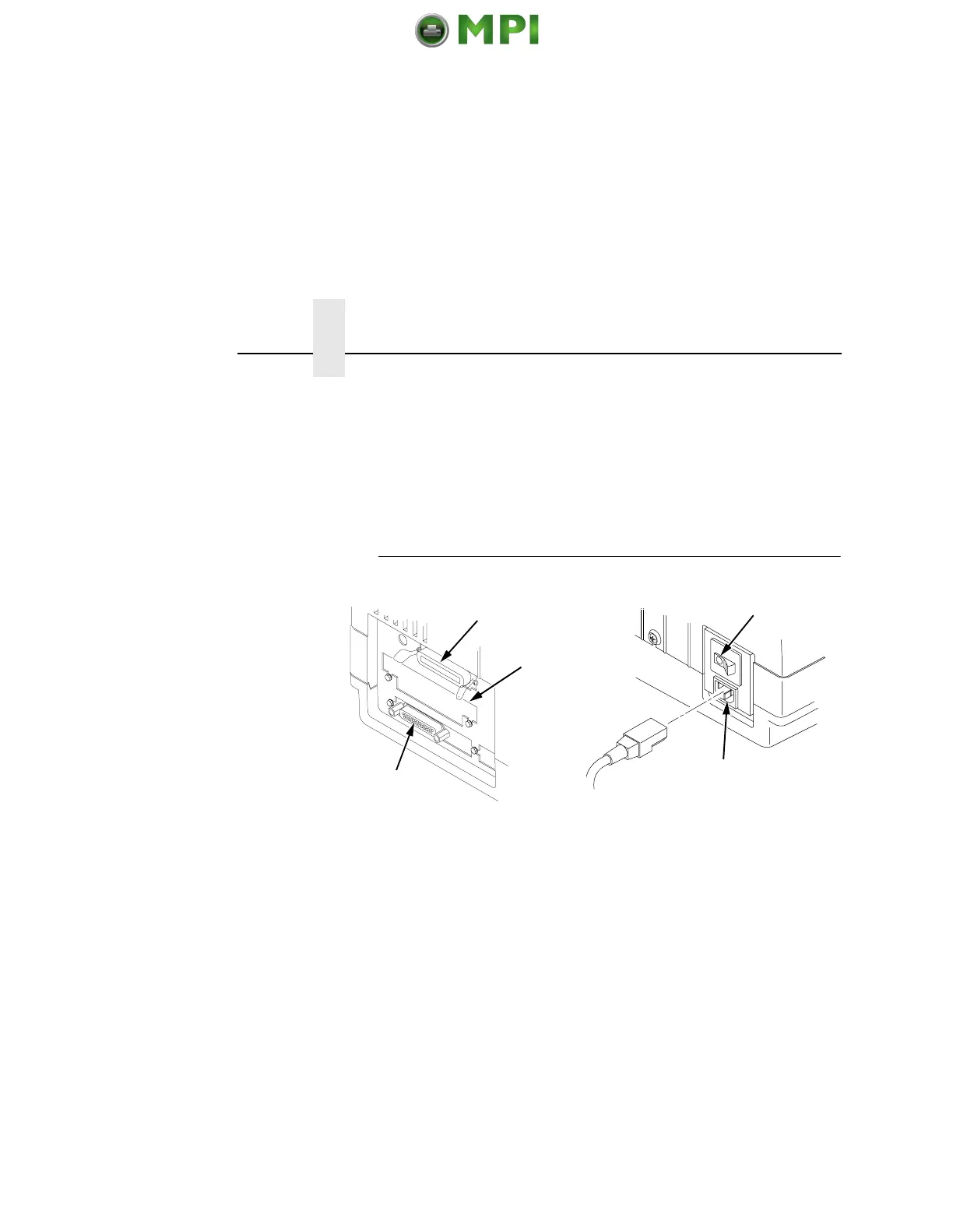
Pedestal Model
Legend:
1) Parallel Connector
2) Auxiliary I/O
3) Serial Connector
4) Power Switch
5) AC Power Connector
1. Make sure the printer power switch is set to O (OFF).
2. Remove the cover from the I/O connector you have selected.
3. Attach the I/O cable connector to the printer interface
connector.
4. Plug the power cord into the printer AC power connector, then
into the AC power outlet.
1
2
3
4
5
Mantenimiento Periféricos Informáticos SL C/Canteras, 15 28860 Paracuellos de Jarama Tel: 00 34 917481604 WEB: https://mpi.com.es













 To Next Page