Chapter 2 Install Optional Components
48
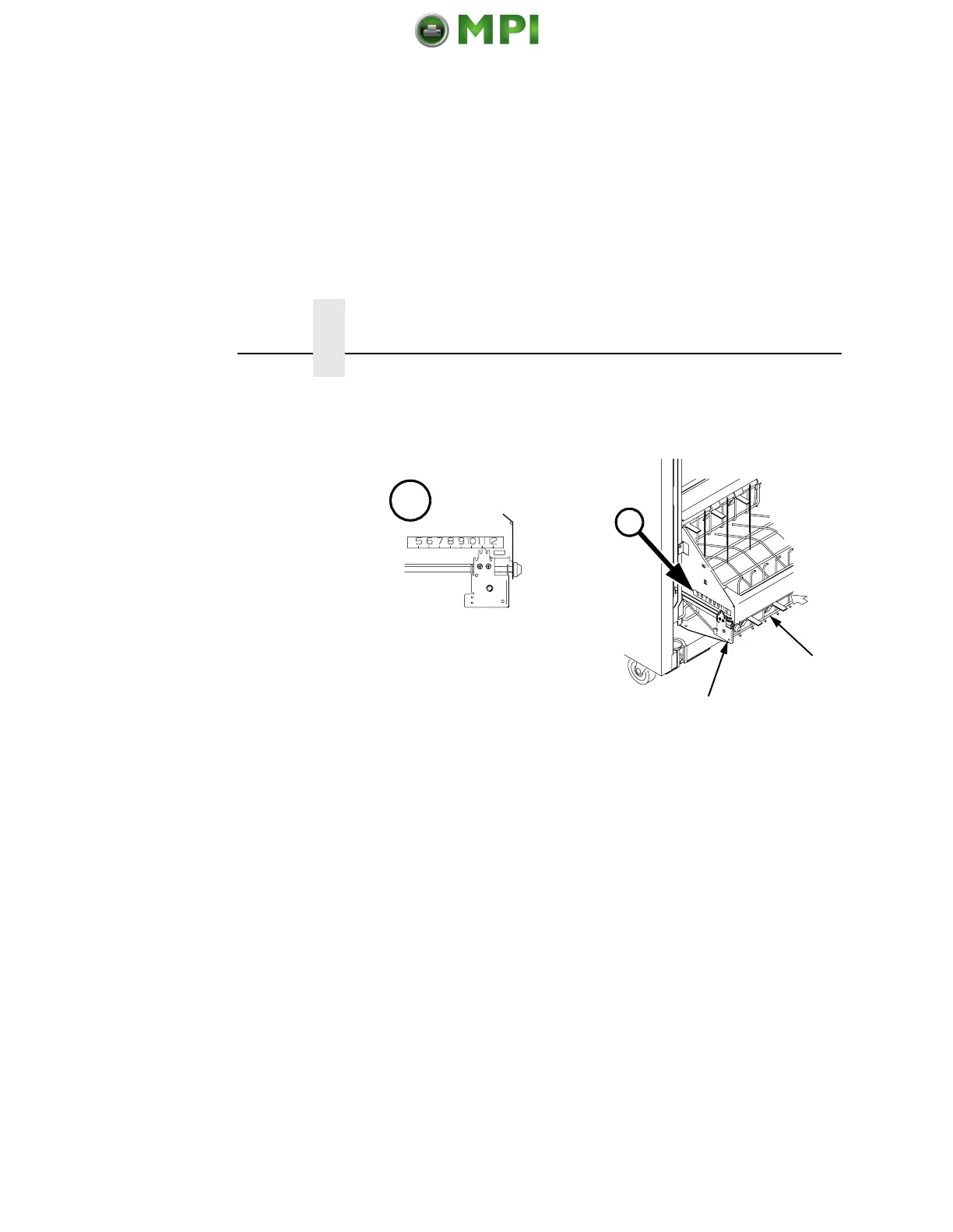
4. Set the desired paper length (5-12 inch range), as follows:
Grasping the paddle shaft (
4), push or pull toward the front or
the rear of the printer, setting the desired paper length by
aligning indicator notch on the bearing bracket (5) with the
paper length indicator (A).
Loading And Starting The Power Stacker
1. Using the rear control panel, press the PAPER ADVANCE key
and hand feed the paper in the paper throat. Continue to
advance the paper until it reaches the wire tent and there is an
excess of 3-5 pages in the stacker. Be certain the paper passes
through paper stacker throat.
$
$
5
4
Mantenimiento Periféricos Informáticos SL C/Canteras, 15 28860 Paracuellos de Jarama Tel: 00 34 917481604 WEB: https://mpi.com.es













 To Next Page