User Manual
50
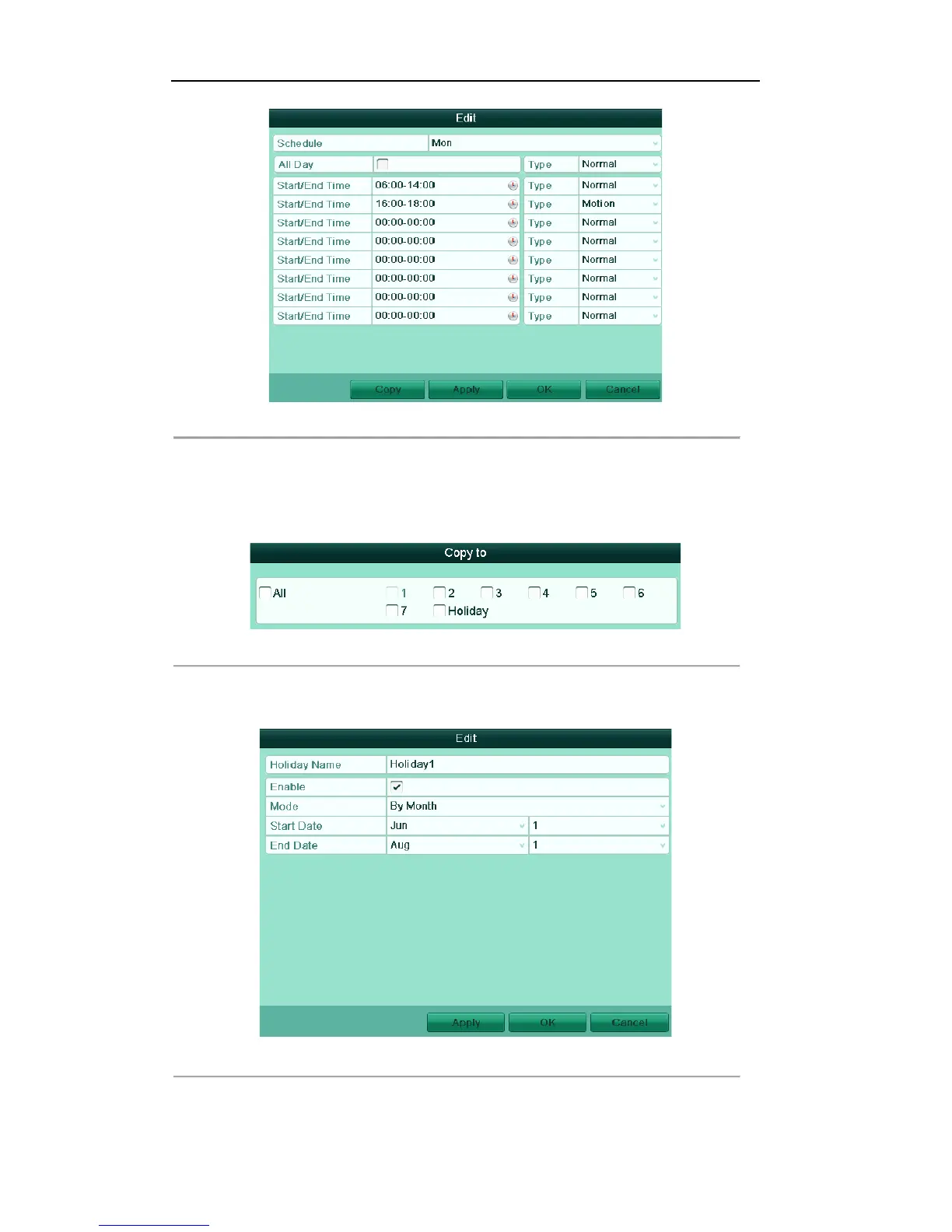
Figure'5.8'Edit'Schedule'
4) To arrange other schedule, leave the All Day checkbox blank and set the Start/End time and Type.
Note: Up to 8 periods can be configured for each day. And the time periods can’t be overlapped each other.
Repeat the above steps2)-5) to schedule recording for other days in the week. If the schedule can also be set to
other days, click Copy.
Figure'5.9'Copy'Schedule'to'O ther'Days!
Note: The Holiday option is available in the Schedule dropdown list when you have enabled holiday schedule
in Holiday Settings. Refer to Chapter 5.6 Configuring Holiday Record.
Figure'5.'10'Holiday'Settings'
5) Click OK to save setting and back to upper level menu.


 To Next Page