USER’S MANUAL. PRODIG-5
11/2006 Page 19
English
5 OPERATING INSTRUCTIONS
WARNING:
The following described functions could be modified based on software updates of the
equipment, carried out after manufacturing and the publication of this manual.
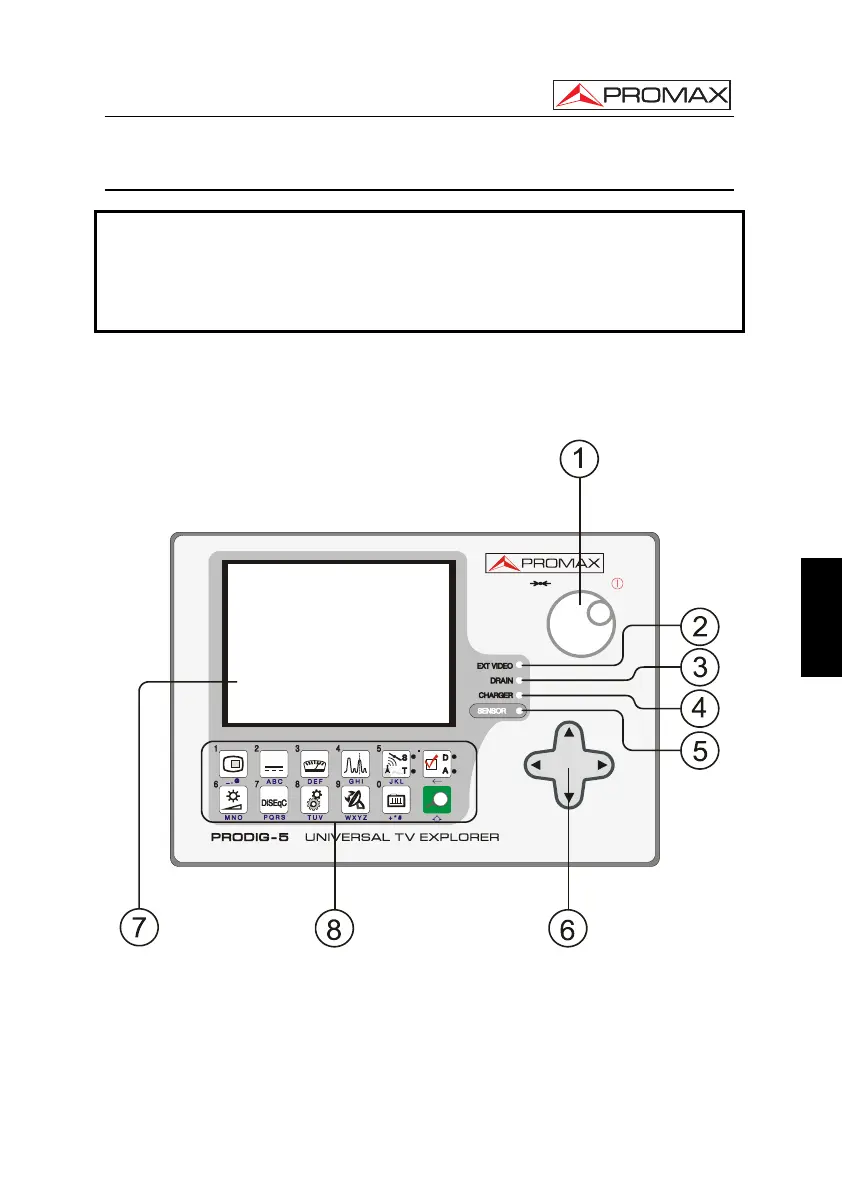
5.1 Description of the Controls and Elements
Front panel
Figure 3.- Front panel.
[1] Rotary selector-button. This has many different functions: Equipment power
on/off, tuning control, moving between the various on-screen menus and sub-
menus, and validation of the different options.
In order to power on the equipment, hold the rotary selector pressed for more
than two seconds until the presentation screen appears.


 To Next Page
 Loading...



