USER’S MANUAL. PRODIG-5
11/2006 Page 15
English
4 QUICK USER GUIDE
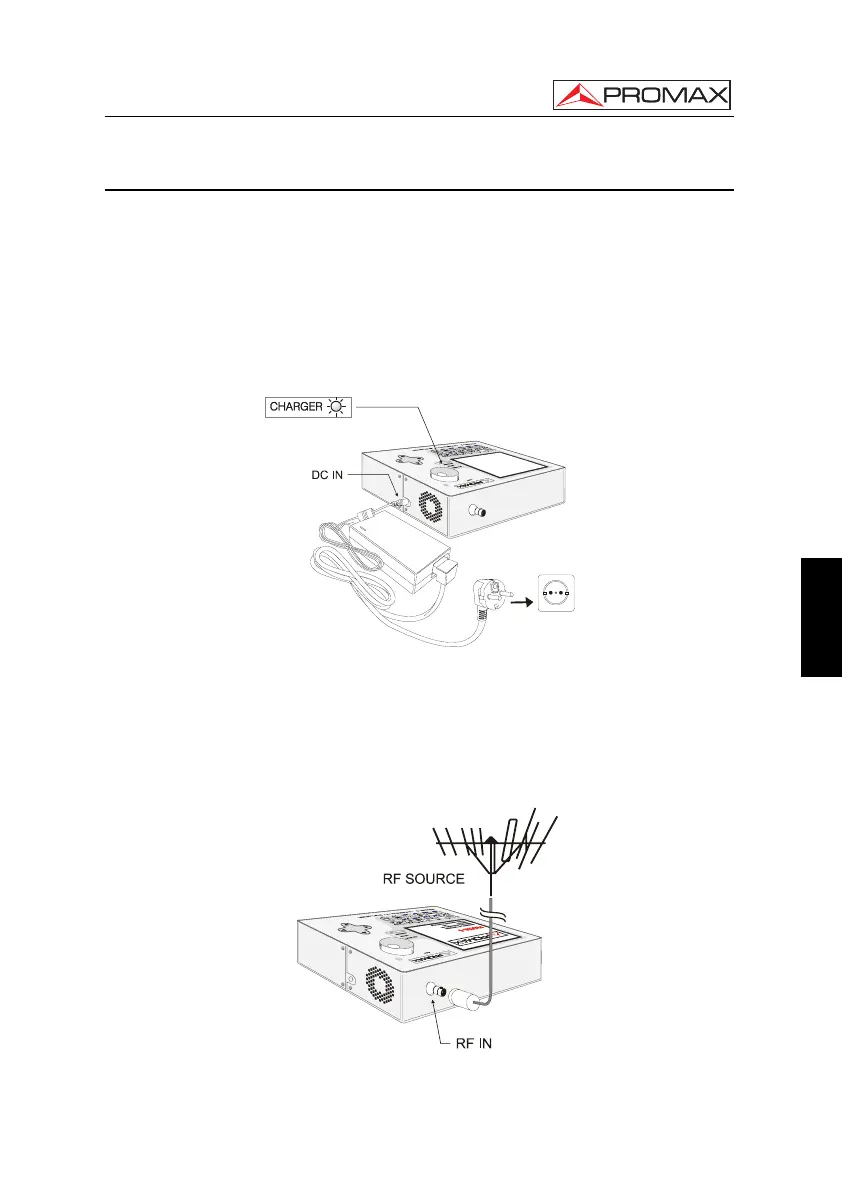
STEP 1.- Battery charging
1. Connect the DC external charger to the equipment through connector [32] located
on the lateral panel.
2. Connect the DC charger to the mains.
3. When the equipment is connected to the mains, the CHARGER led [4] remains
lighted.
Figure 1.- Battery charging
STEP 2.- Power on and signal connection
1. Hold the rotary selector [1] pressed until the equipment is powered on.
2. Connect the RF signal source in the input connector [30].
Figure 2.- Power on and signal connection.



 To Next Page