GTR-3455
Doc Ref: Page: 54
Date: 13/01/13 Issue: H
Pr
seal
®
uk
Tray Sealing Solutions
9.2.4 Phase Monitor Set-Up (If Fitted) (Ref MAP016)
Some machines are fitted with Siemens 3UG4616 Phase Monitors to protect them from damage
through faulty electrical supplies. These devices monitor the voltage between the 3 live phases and
neutral, and can also be configured to monitor the rotation between the 3 live phases, to protect
phase-sensitive devices such as vacuum pumps.
To configure the upper and lower voltage set-points, TAP the return button, then use the up and
down arrows to alter the lower voltage set-point. Then, tap the return button again to access the
upper voltage set-point adjustment. Tap the return button to exit back to run mode.
To configure the other parameters of the device, press and hold the return button for more than 2
seconds. Use the up and down arrows to adjust the settings, and tap return to scroll between
parameters. Once set up, press and hold return for more than 2 seconds to return to run mode. See
table below for a list of standard settings.
When in run mode, the voltages between the 3 phases and neutral can be viewed in turn by using
the up and down buttons.
Siemens 3UG4616 Phase Monitor Standard Settings
Lower Voltage Set-Point (U↓) 215V
Upper Voltage Set-Point (U↑) 250V
Hysteresis (Hyst) 5V
Lower Voltage Trip Delay (U↓Del) 0.5s
Upper Voltage Trip Delay (U↑Del) 0.1s
Memory (Mem ?) Yes
Phase Rotation Detection (→ ?) Yes if vac. pump fitted, otherwise No
Error Contact (╪ ?) NC
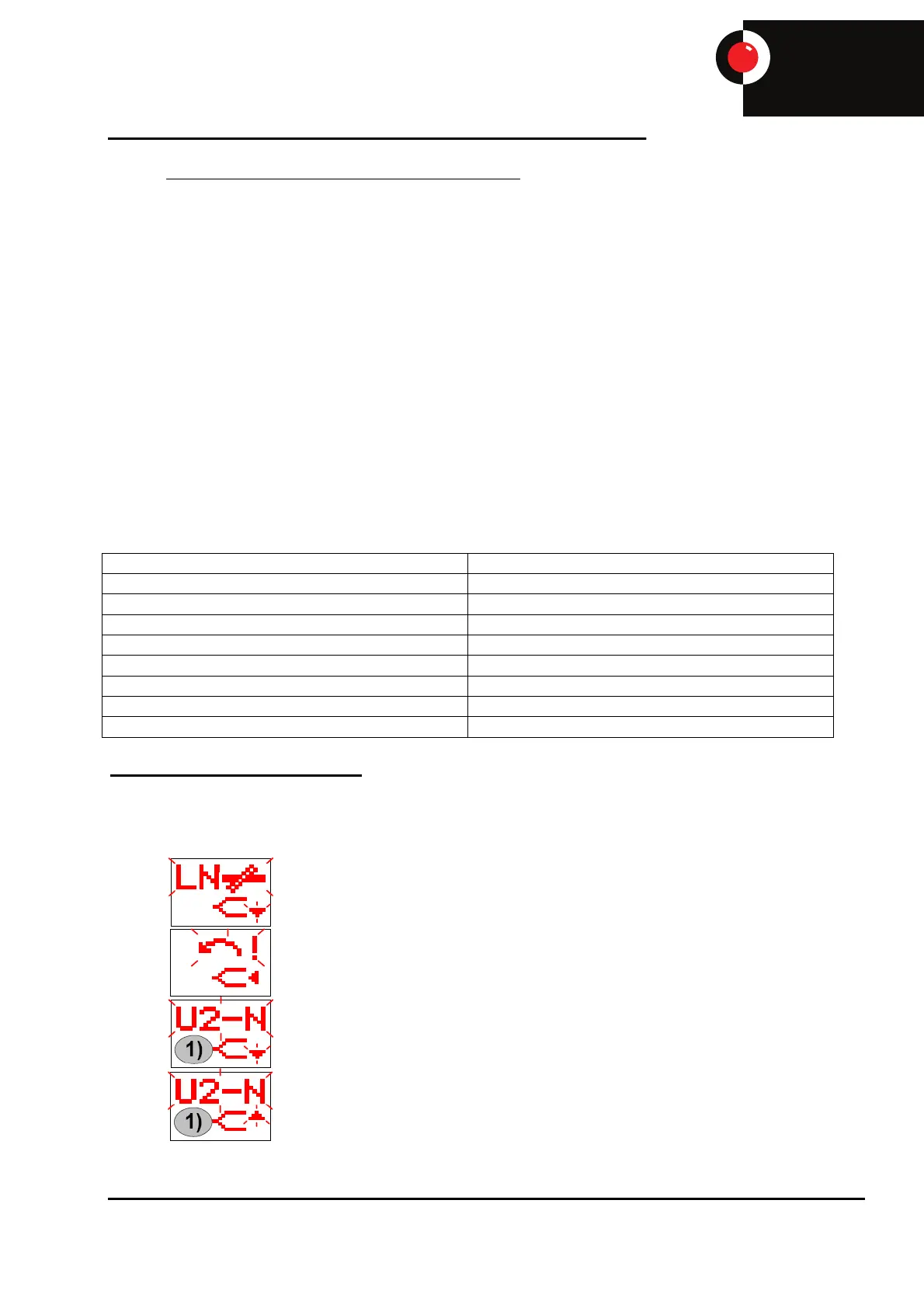
Phase Monitor Errors (If Fitted)
If a problem with the electrical supply is detected, the phase monitor will shut off the electrical
supply to the machine, and display one of the following symbols:
Neutral Fault
Phase Rotation Fault
Undervoltage
Overvoltage


 To Next Page